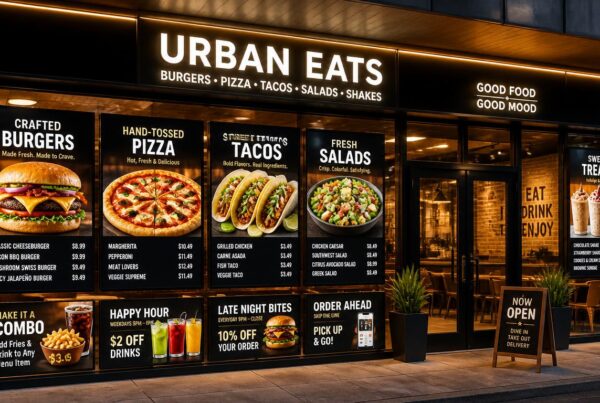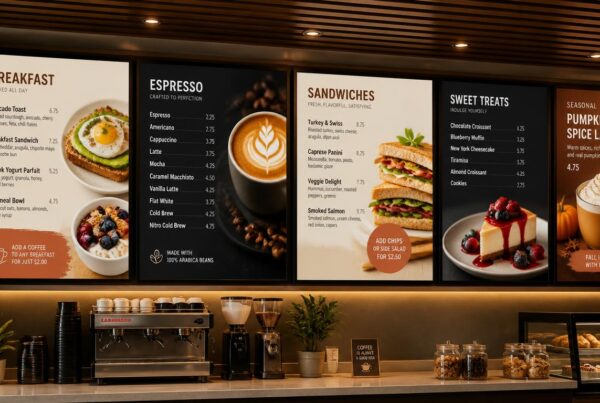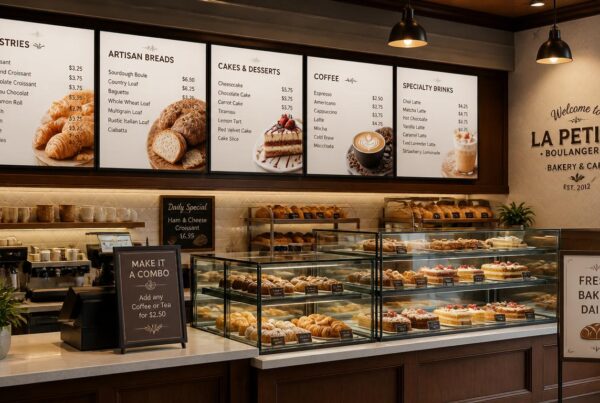
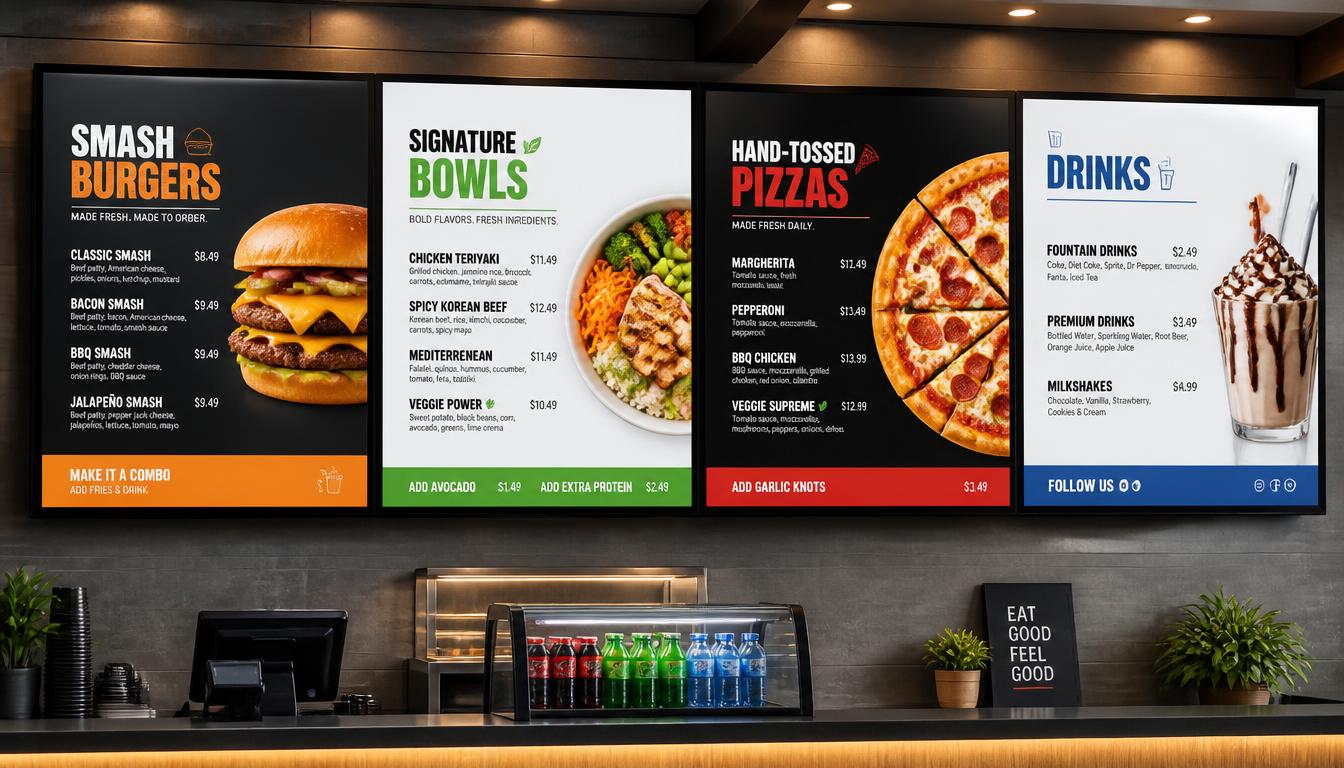
The menus of restaurants were quite simple. Print the prices, laminate the pages, and change them when there is a change. But anyone who has worked in a busy restaurant can tell how fast such changes can add up. One product is sold out, the price of ingredients has gone up, and here is a new lunch special, and the printed menu is already obsolete.
This is among the reasons why electronic restaurant menus are proving to be a viable option among cafes, quick-service restaurants, casual restaurants, and even fine dining establishments.
Restaurants do not need printed materials; instead, they can display their menus on digital screens, tablets, kiosks, or customers’ smartphones. Changes in prices and promotions can be made, and food images may be updated without resending another design to the printer.
The customers are also getting accustomed to restaurant technology. The National Restaurant Association (2024) in its Restaurant Technology Landscape Report found that 76% of restaurant operators think technology provides them a competitive edge. The report also established that technology facilitating easier ordering and payment is also gaining importance among the customers.
Nevertheless, installing screens is just one of the decisions to make. Some of the questions that restaurant owners should ask themselves are what hardware and software will be used, how the menu is going to be designed, how much it will cost, and most importantly, will the new set-up really enhance service?
This guide describes the functionality of an electronic menu system, what features are important, and how to make the investment pay off.
Ready to modernize your restaurant? Explore Nento’s electronic menu solutions and get a free demo today.
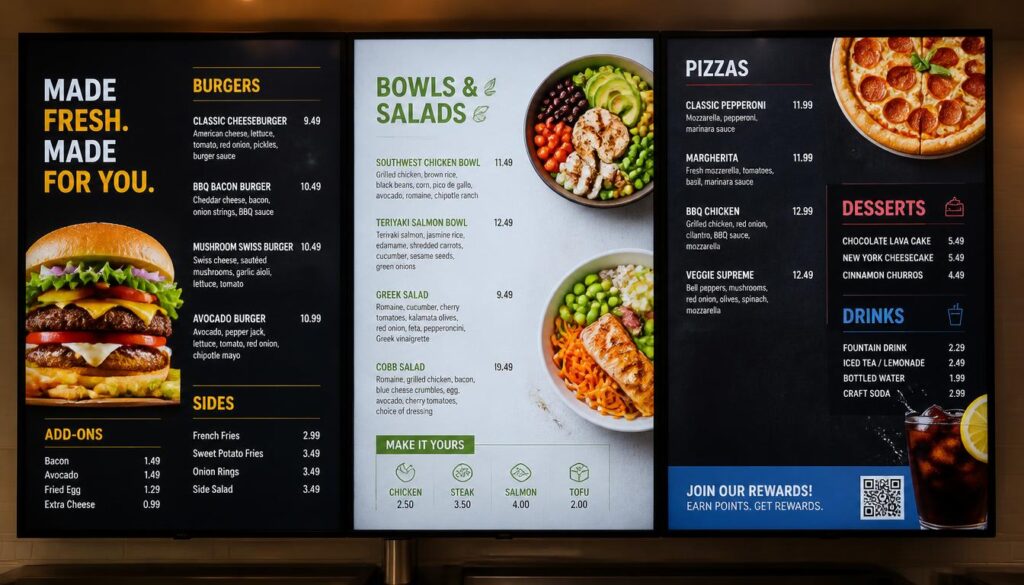
Why Electronic Menus for Restaurants Are No Longer Optional
There is still a place for printed menus. They are favored by some of the fine dining restaurants, and a small café with a fixed menu may have little motivation to change everything instantly.
However, with businesses that frequently adjust their prices, promotions, or the availability of their products, the traditional menus may prove hard to manage.
Customers Want Clear and Current Information
Imagine that you have been waiting in a queue, ordered a meal, and someone tells you that it is out of stock. Or discovering that the menu price is not the checkout price.
Such cases might appear to be small, yet they cause unneeded frustration.
Electronic menus enable employees to change information much quicker. It is possible to remove a sold-out product, add a new one, and make corrections to the prices without changing a printed board.
Customers see information that better reflects what the restaurant is actually offering.
Less Printing, Less Repetitive Work
Every menu update has a cost.
There is the time to prepare changes, give approvals to designs, print, and substitute old materials. In the case of restaurants with seasonal promotions or with a high rate of price changes, this cycle is repeated every year.
Digital systems require an upfront investment, but they can reduce recurring costs for printed menus and promotional posters.
The savings are specifically applicable to the restaurant chains that deal with menus in multiple locations.
Contactless Access and Convenience
Electronic menus are also able to minimize the use of shared physical menus.
Customers can view a menu via a QR code, tablet, or ordering kiosk. This provides restaurants with an alternative way to share menu information without relying solely on printed materials.
It is significant to make the experience convenient. Not all customers would want to scan a QR code; thus, it is still good practice to have a visible menu or any other accessible solution.
Electronic Menus vs. Electronic Menu Boards for Restaurants
The two terms sound similar, yet they do not necessarily mean the same setup.
Digital displays, self-ordering kiosks, handheld tablets, and QR-linked menus can be used as electronic menus. Electronic menu boards for restaurants are usually larger screens placed above counters or in other areas where they are visible to customers.
They are both used to the same fundamental purpose, albeit in different ways.
Handheld and Tablet Menus
Tablet menus are typically employed in table-service restaurants.
Customers are able to shop by category, read descriptions and review ingredients and even order at the table. In restaurants that have a large food/beverage menu, tablets can provide more information than a standard printed menu.
They also work well with businesses that change their wine lists, seasonal menus, or specials every day.
Nonetheless, tablets require charging, cleaning, maintenance, and an easy-to-use interface. They do not fit all the dining concepts.
Wall-Mounted Menu Boards
Quick-service restaurants, coffee shops, bakeries, and takeaway counters are another application of wall-mounted screens.
Customers can read the menu and compare prices while they wait, allowing them to make a decision before they get to the cashier.
The displays can also be used to advertise meal combinations, limited-time deals, and new products.
Using Both in One Restaurant
It is possible that some restaurants have an advantage with a combination of digital menu formats.
A cafe could also have screens above with the main drinks and food products and QR codes that would enable access to the detailed description.
Menu boards could be placed at the counter and self-ordering kiosks near the entrance of a fast-casual restaurant.
The right choice depends on the service model.
| Restaurant Type | Suitable Electronic Menu Setup |
| Coffee shop | Wall-mounted menu screens with scheduled drink promotions |
| Quick-service restaurant | Multi-screen digital menu boards and optional ordering kiosks |
| Casual dining | Digital displays combined with QR or tablet menus |
| Fine dining | Tablet or QR menus for detailed food and beverage information |
| Food court | Compact overhead menu boards and promotional screens |
| Drive-thru | High-brightness outdoor menu displays |
Types of Menu Screens for Restaurants
Not all menu screens for restaurants are interchangeable. The position of the screen, brightness, size, and durability have effects on the performance of a system.
Counter-Mounted Displays
Small counter displays can be appropriate for promotions, loyalty programs, desserts, and other details about the products.
A bakery could also have a countertop screen to advertise a pastry-coffee mix.
These screens work well when customers stand close to the display.
Wall-Mounted Digital Menu Boards
Wall-mounted digital menu boards for restaurants are among the most familiar formats.
They tend to be positioned behind the ordering counter and may display multiple categories on a single or multiple screens.
The benefit is exposure. Customers will be able to go through the menu and order without touching a device.
Drive-Thru Menu Displays
Different hardware is needed in outdoor menu boards.
They need to be readable in sunlight and resist rain, dust, heat, and temperature fluctuations. High-brightness commercial displays and suitable weather-resistant enclosures are important.
Drive-through menus should also be designed for quick decisions. Big text and distinct categories are more effective than intricate animations.
Tabletop Tablets and QR Menus
Tabletop devices enable a customer to browse a detailed menu at their own pace.
Another alternative is through QR-linked menus, which are mainly utilized in restaurants that desire to deliver information using the phones of customers.
These formats prove handy in cases where there are many choices in the menu, nutritional details, or a wide range of drinks available.
Self-Service Kiosks
Ordering kiosks allow customers to browse menus, place orders, and, in some cases, make payments.
They are prevalent in fast-food restaurants where customers can customize their meals, select upgrades, and place orders independently.
The appropriate hardware is based on the available space, the anticipated customer traffic, and the budget. The fact that a large chain has five screens does not mean that a small restaurant requires five screens.
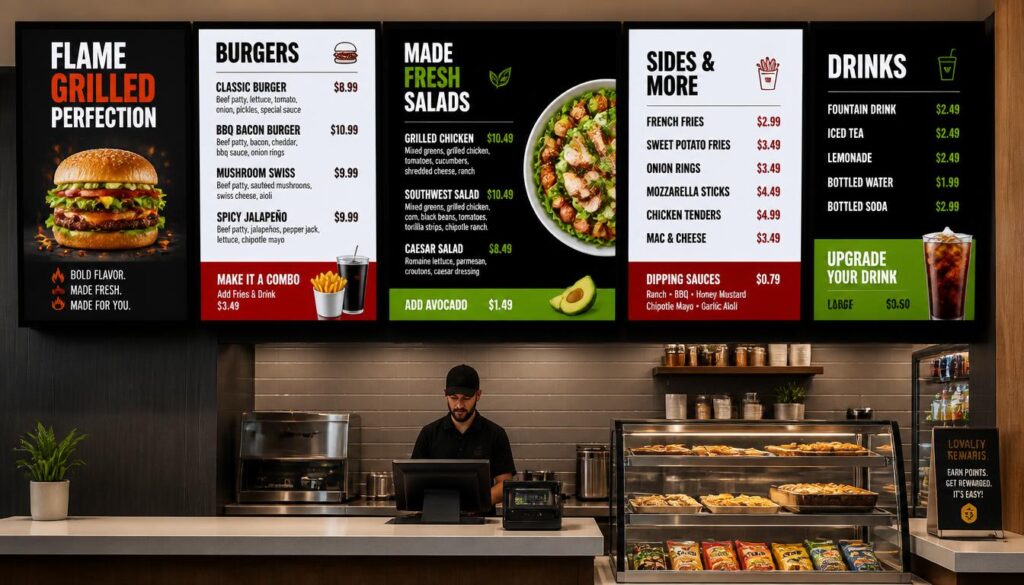
Restaurant Digital Menu Software: What to Look For
Customers will see the screen, but the software will determine how easy it is to manage the menu system.
Digital menu software used in restaurants ought to simplify the routine. Employees should not require a technical expert whenever the price of a product is altered.
Real-Time Content Updates
A restaurant manager must have the ability to update menu items, prices, descriptions, and promotions using a central dashboard.
The relevant screens should then be updated with the changes without the need to manually overwrite files on all the devices.
This is especially useful in the busy times or when a restaurant has several branches.
Scheduling and Dayparting
Various products are sold at varying times.
A breakfast menu might require coffee, pastries, and sandwiches. Lunch would have meal combinations, and evening service would have dinner specials.
Scheduling enables such menus to be automatically changed.
It is also possible to plan seasonal campaigns or weekend deals in a restaurant beforehand instead of counting on employees to remember about all the changes.
POS and Inventory Integration
It can be integrated with a point-of-sale system to maintain menu information.
The POS and digital displays can be synchronized where supported in terms of product prices and availability.
As an example, in case an item is indicated as unavailable in the integrated system, the menu can be updated.
Not all signage providers are compatible with every POS platform, so restaurant owners need to verify compatibility before buying.
Remote Management and Analytics
Cloud-based software enables authorized users to make updates on screens remotely.
One promotion can be created by a manager in charge of multiple restaurants and posted in several branches.
Analytics can also be used to determine when this or that promotion was shown and the sales results at those times.
To provide more valid analysis, the data on signage must be taken into consideration with POS sales data.
Digital Menu Apps for Table-Service Restaurants
Restaurant table ordering can be enhanced with a digital menu app for restaurants that allows customers to get more menu details or personalization choices.
There are apps that allow ordering, payment, loyalty features and access to dietary information.
More features do not necessarily mean a better system. The system should also be comfortable for employees and customers to use.
Restaurant Menu Board Design: Best Practices
Even a costly digital menu can be hard to use due to poor design.
When the customers are in the queue, they do not have time to review a complex design. They desire to discover the product, examine the price and make a choice.
Good restaurant menu board design should support that process.
1. Create a Clear Visual Hierarchy
The information which is the most important should be the easiest to notice.
There should be clear headings of the product categories. Names and prices should be highlighted, while descriptions need not be so large.
There should be more visual focus on high-margin items and promotional offers but these should not take up the whole menu.
2. Design for Viewing Distance
What is readable on a laptop could be hard to read a few metres away.
The font size, contrast and spacing must reflect where the customers are viewing the screen from.
Prices and the names of products should not be over-decorated. They might be appealing in a design preview but will be hard to read in service.
3. Use Food Photography Selectively
Menu items can be made to look good by good photographs.
An intimate shot of a pizza, burger, dessert or an iced drink can be more appealing than a long textual explanation.
Nevertheless, having photographs next to every item can make the menu cluttered.
A single or, at most, two powerful images can be more effective than a cluttered screen.
4. Keep Branding Consistent
Digital screens ought to become a part of the restaurant.
Apply the same colors, fonts, photography styles, and spacing to screens.
An informal burger restaurant might use vivid colors and vibrant pictures. A high-end coffee shop could incorporate less aggressive colors and less complicated fonts.
The design must be appropriate to the brand and not to all the new trends.
5. Use Animation Carefully
Animated graphics will help draw attention to new deals or products on sale.
But too much movement makes menus more difficult to read.
Even a short film or a small animation can help, but the key product information should be shown long enough, so that the customers can comprehend it.
6. Schedule Different Menu Layouts
One of the most practical restaurant menu design best practices is creating separate layouts for different service periods.
Breakfast clientele might desire quick and easy options. Dining patrons can take a longer time to explore.
The menu can be more relevant throughout the day by designing it to accommodate these differences.
Tools for Building Your Menu: Restaurant Menus Maker Options
Not all restaurants have to employ a designer to design a digital menu.
There are those businesses who hire professional designers and others apply templates and easy edit tools.
A search query on a restaurant menus maker will yield an abundance of results, but not all of these tools will work with screens.
When a Free Restaurant Menu Creator Is Enough
A free restaurant menu creator can be useful for a small business testing layouts or preparing a basic menu.
Free tools can include templates, fonts and easy image editing.
This may be a decent initial point of departure in a small menu cafe whose menu changes not too frequently.
The restriction is normally exhibited when the restaurant requires scheduling, multi-screen layouts, remote publishing, or POS integration.
A graphic design tool can generate the menu image, though it may not control the display system.
When Professional Templates Make More Sense
Several-screen restaurants can often take advantage of templates that have been created with digital signage in mind.
These templates consider the distance of viewing, the orientation of the screen, the menu types and the area to write promotional messages.
They are also able to facilitate uniform branding in different places.
What to Look for in a Menu Creation Tool
Select a tool that enables you to edit product names and prices without any difficulties, add your own photos, change colors, and provide layouts to fit various screen resolutions.
It must also be easy enough to allow managers to make common alterations without having to call a designer.
Nento combines bespoke templates and online signage control software, enabling restaurants to create and publish menus through a single platform.
Skip the design headaches. Nento’s digital signage platform includes professionally designed templates and easy-to-use tools — schedule a free consultation now.
Digital Menu Solutions for Restaurants: Implementation Steps
Switching to electronic menus does not have to be an immediate process.
When the restaurant is operating, it is possible to begin with one or two screens and add more when the performance is satisfactory.
Here is a practical approach.
Step 1: Review Your Existing Menu
Begin by determining what is not working.
Do printed menus cost to revise? Can the customers have a problem reading the board? Are there out of stock items that are often displayed? Is the restaurant adequately promoted?
The establishment of a specific goal simplifies the assessment of the investment.
Step 2: Select Hardware and Software
Select displays depending on the distance of viewing, location of mounting, hours of operation, and the environmental conditions.
Evaluate the software then.
Ensure that it supports remote updates, scheduling, templates and any other integrations that the restaurant actually requires.
Step 3: Design the Menu Screens
Divide the menu into distinct categories.
Use fonts that are easy to read, proper illustrations, uniform price structure and spacing between sections.
Test the design on the actual display as opposed to using a computer preview.
Step 4: Install and Test the System
Check mounting, power connections, access to network, brightness and display orientation.
Menus are to be tested in various lighting conditions and during the normal functioning of the restaurants.
Another test that should be done is the behavior of the system when there is a break in internet connectivity.
Step 5: Train Staff
Employees should know how to update prices, mark items unavailable and manage promotions.
The system is not supposed to be totally reliant on a single individual.
Basic training and well-defined roles are used to keep the menus up to date.
Step 6: Monitor and Improve
Upon installation, check customer reviews and sales.
Identify problems with ordering, bad promotions and products that customers have trouble locating.
The best digital signage for restaurants are those that are easy to manage and can be improved over time.
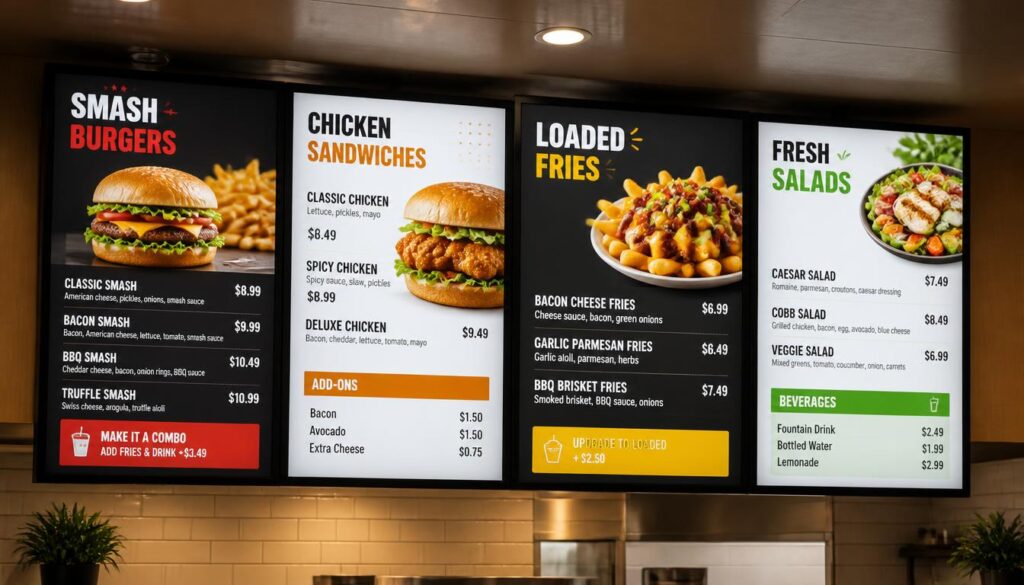
Measuring ROI: Are Your Electronic Menus Working?
An electronic menu must deliver quantifiable value instead of merely having the restaurant appear to be modern.
Financial benefits can come from lower printing expenses, less administrative burden and increased sales opportunities.
Metrics Worth Tracking
Indicators such as:
- Average order value (AOV)
- Combo and add-on purchase rates
- Sales of advertised products
- Time spent updating menus
- Cost of printing and design
- Customer feedback
- Menu-related ordering errors
These indicators give a better understanding of whether the new system is benefiting the business.
Use A/B Testing Where Practical
A restaurant is able to test two menu layouts over a similar time frame.
As an instance, one of the versions may be a popular meal combination, and the other one may be individual products.
Comparing the sales data, the restaurant will be able to observe which layout is better.
Other factors such as customer traffic, promotions, pricing and seasonality should be considered, so not all changes in sales can be attributed to the screen.
A Simple ROI Example
Take the example of a hypothetical cafe that used to incur expenditures of $100 every month on printing of the menu and associated design modifications.
Switching to digital signage would remove a lot of that recurring cost, but the cafe would now incur equipment and software costs.
Also assume that the new menu will stimulate only five more add-on purchases of $2 a day.
That would be about $300 in extra monthly sales after 30 days, before accounting for ingredient expenses and other overheads.
The actual profit would be lower, and the outcome is not guaranteed. This example demonstrates the need to consider both operational savings and possible sales increases by restaurants.
Future Trends in Digital Menu Boards for Restaurants
Digital menus will probably get more integrated with the already existing systems used by restaurants.
Instead of being individual displays, they will become more and more interconnected with ordering systems, inventory, loyalty programs, and sales analytics.
AI-Driven Menu Recommendations
The concept of artificial intelligence might assist restaurants in determining which products to advertise based on the selling trends, customer demand and the nature of operations.
An example of this is that software may recommend that cold drinks be highlighted on warm afternoons or that certain combinations be recommended that do well at lunch.
These systems should still have human oversight, particularly when suggestions involve pricing or menu availability.
Voice Ordering and Interactive Systems
Voice ordering and self-service kiosks can be increasingly used in the fast-service restaurants.
These tools can also offer customers an alternative way to place and customize orders.
Nonetheless, reliability, accessibility, and customer preferences will be factors that restaurants will have to take into consideration before launching them.
Dynamic Pricing and Availability
Interlinked systems can enable pricing and availability changes to be more responsive.
An item that sells out may be automatically removed and a planned promotion may be displayed on all the appropriate screens at the right time.
Dynamic pricing can also emerge more frequently, though the transparency and customer trust cannot be disregarded.
More Sustainable Menu Management
Electronic menus may help reduce the need for frequently printed menu boards and promotional materials.
That does not render digital signage completely waste-free. Screens use electricity and at some point will need to be replaced.
When designing their systems, businesses ought to take into account energy-efficient hardware, proper operating timetables and proper disposal of equipment.
Conclusion
Restaurant electronic menus are altering the manner in which food companies present products, update their menu and how they interact with customers.
They provide a convenient benefit over printed menus, especially in restaurants with constantly changing prices, seasonal deals or multiple locations.
Electronic menus have the potential to enhance visibility, offer simpler ways of ordering, and provide additional promotion and upsell opportunities with the appropriate mix of hardware, software, and design.
The investment should match the needs and size of the business.
A small cafe might just require a single screen that is well-designed. A fast-service restaurant can have a few linked menu boards, whereas a chain in the process of development can require software and POS integration.
There is no need to replace everything immediately. Begin with the areas where digital menus would address an existing issue, gauge the outcomes, and build upon them.
Take the first step toward a smarter restaurant. Contact Nento today to find the perfect electronic menu solution for your business.
Frequently Asked Questions
How much do electronic menus for restaurants cost?
The prices are based on the type and quantity of screens, installation, software subscriptions, and integrations needed. A simple system can consist of a display and a media player, whereas a restaurant chain with multiple locations might require a more complex system. Compare the initial and running costs before deciding on a provider.
Do I need special software to run electronic menu boards for restaurants?
With specialized software, you can update a menu image regularly, but without it, you can show a static image of the menu without much difficulty. Specialized software enables restaurants to schedule menus, publish updates on the fly, manage multiple displays and use integrations.
Can I update my menu screens for restaurants remotely?
Yes. Digital signage systems based on the cloud are also used to provide content management by authorized users via a computer or a mobile device that is compatible with the cloud. This is handy when the owner and managers are required to make adjustments on prices or promotions without having to go to every screen.
What size screen is best for digital menu boards for restaurants?
The size of the screen is determined by the distance of viewing, wall space, complexity of the menu and flow of customers. Smaller screens can be used in proximity to counters and larger screens are usually preferred in the menu that is read at a distance. Test readability at the actual installation site before purchasing.
Will digital displays for restaurants work during internet outages?
Some systems are capable of offline playback, in that the content that has been downloaded before is still visible when the connection is lost. Nevertheless, it might not be accessible to new updates and related features until internet connectivity is restored. Ensure the offline functionality of your system of choice.
Can a small, single-location restaurant benefit from a restaurant digital menu app?
Yes. A small restaurant or cafe may utilize a digital menu application to control pricing, show specials of the season and cut down on printing. The key factor is to select a platform that is not too complicated for the business.
Is a free restaurant menu creator good enough if I’m not a designer?
It may make a good point of departure. Free menu creators are appropriate in simple layouts and experimenting ideas. However, features such as automatic scheduling, remote content management or integrated digital displays may require dedicated signage software.
Are electronic menus suitable for fine dining, or only fast food?
Electronic menus can work in both settings, but the display format might be different. Overhead menu boards are common in quick-service restaurants, and tablets or QR-linked menus or a small screen to display wine lists and specials may be favored in fine dining restaurants.
How often should I update my digital menu board design?
Prices and out-of-stock items should be updated when necessary. Promotions can be done on a daily or weekly basis whereas seasonal graphics can be updated on a lower frequency. Even the design itself does not require constant changes so long as it is readable, accurate and in line with the brand.
Do electronic menus integrate with my existing POS system?
A great number of digital menu systems today have POS integrations, though compatibility depends on the provider and software version. Always ensure that your POS is supported and that the integration will be able to automatically synchronize prices, inventory or menu availability before making a purchase.