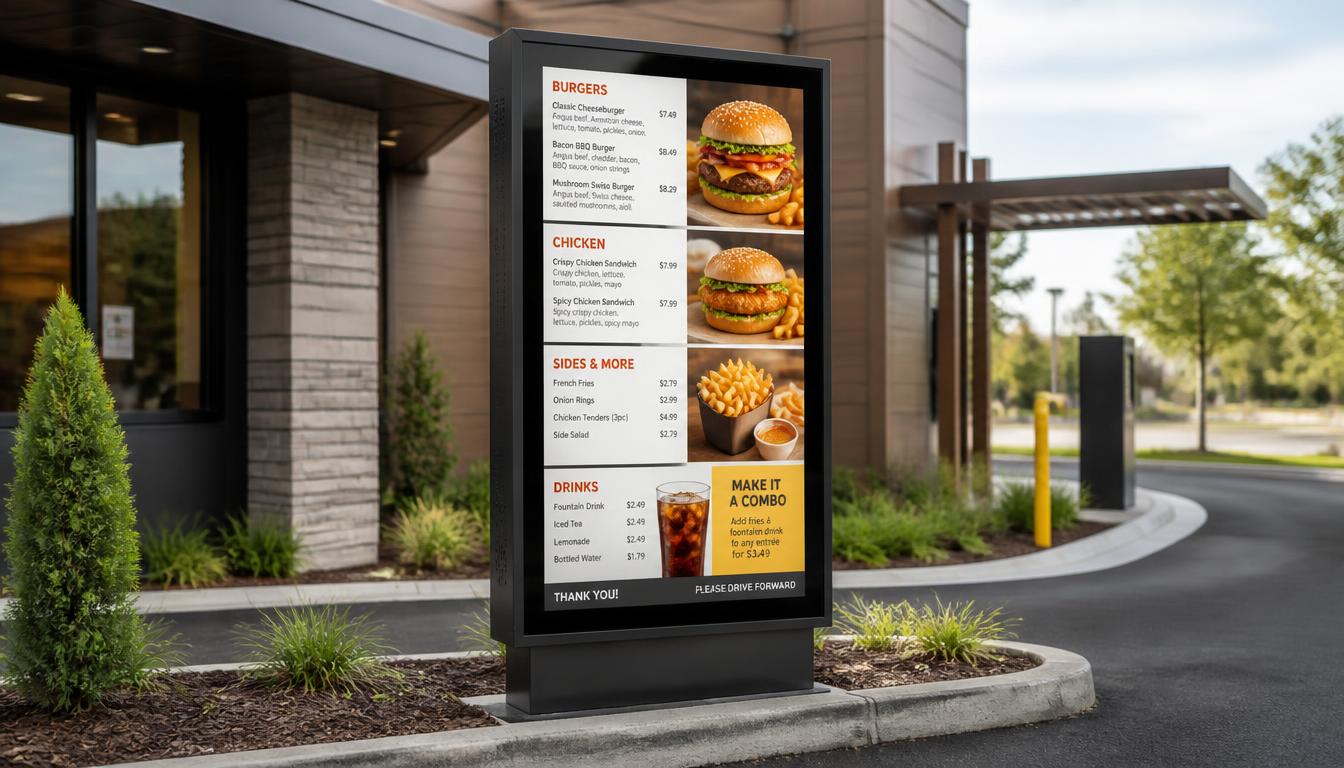
Drive-thrus have evolved a lot within the last few years. What was once a printed menu next to a speaker has become a bright digital screen with meal deals, changing prices, and even seasonal offers. In the case of quick-service restaurants (QSRs), this change is reasonable. Customers would like to place orders within a short time, and restaurants should have the freedom of updating menus during the day.
But there is one part of the setup that restaurant owners sometimes overlook: the digital drive-thru menu board enclosure.
An electronic menu can look spectacular on a wall, but outdoor electronic devices face much harsher conditions. Performance can be affected by rain, dust, direct sunlight, extreme temperatures, and accidental damage. Even a costly display can prove to be a costly liability instead of being a valuable investment unless it is appropriately safeguarded.
This is where the enclosure comes in. It protects the screen and internal parts while helping keep the menu visible and functional throughout the day.
Selecting the appropriate enclosure does not involve just identifying a metal box that can accommodate a television. It entails knowing about weather resistance, brightness, temperature control, security, and integration with your digital signage system.
Nento offers restaurant-centric digital signage solutions, which unite outdoor-ready hardware, content management software, and support for challenging foodservice settings.
Looking to upgrade your QSR infrastructure? Contact Nento today for a consultation on the best enclosures for your needs.
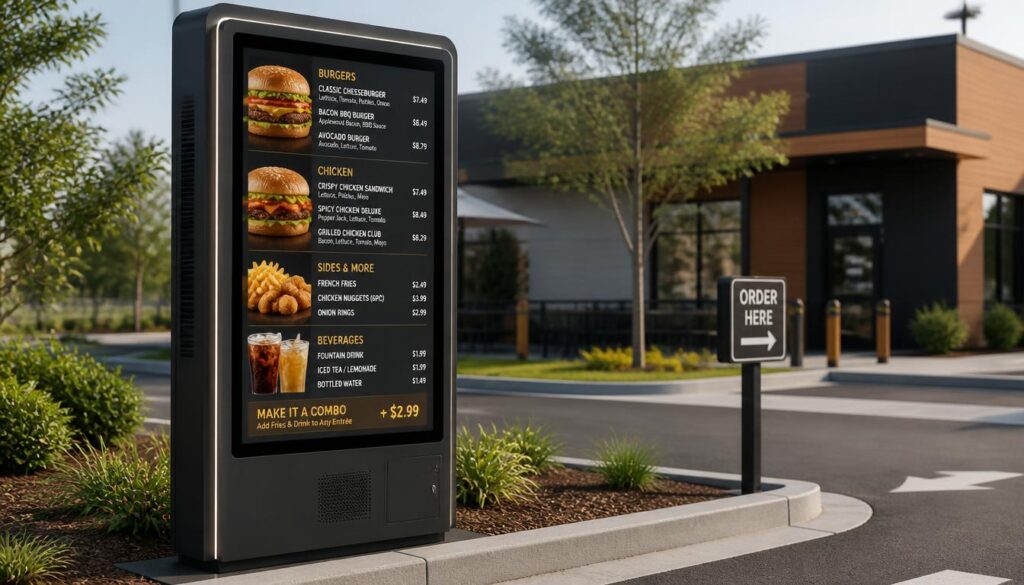
Why the Right Enclosure Is Critical for Your Drive-Thru
A drive-thru menu board has a more difficult task than a restaurant menu board. It is placed outside during extended periods, frequently in traffic, sunlight, wind, and variable weather conditions.
It is the enclosure that assists the equipment to survive in such an environment.
Protection Against Weather and Outdoor Conditions
A quality drive-thru digital signage enclosure protects sensitive electronics from rain, dust, airborne debris, and other environmental conditions.
This is important since the moisture that gets into the housing may destroy wiring, media players, and display parts. Dust can also interfere with ventilation and cooling systems.
Find suitable Ingress Protection (IP)-rated enclosures. A common protection rating for outdoor digital signage is IP65, which means the enclosure is dust-tight and protected against water jets.
The relevant rating is, however, determined by the location of the installation. A display installed under a drive-thru canopy might not have the same needs as one frequently exposed to rain or high-pressure washdowns.
Also verify that the mentioned rating is applicable to the entire installed unit, cable entries, and access panels.
Sunlight Readability Matters Just as Much
Protection against weather is a necessity, yet customers should be able to view the menu.
Even a drive thru screen that is rendered unreadable in the afternoon is not fulfilling its role, although the enclosure may be fully weatherproof.
Outdoor screens usually require brighter displays than indoor screens. Brightness is measured in nits, and a display in direct sunlight may need about 2,500 nits or more, depending on the location.
The glare is also controlled by anti-reflective glass and proper positioning of the screens.
Another convenient feature is automatic brightness adjustment. It enables the screen to be bright in the daytime and dim at night, when excessive brightness may disturb drivers.
Durability and Long-Term Costs
It is not always easy to replace a damaged screen. This could involve the cost of the display, technician visits, spare parts, and disruption of the ordering line.
Some of these risks can be minimized by a well-defined enclosure.
This is especially critical with external menu boards mounted close to vehicles, whereby accidental impacts and vandalism are also other considerations.
The most cost-effective enclosure is not necessarily the least expensive, as it might need constant repairs.
Don’t let the weather ruin your ROI. Explore Nento’s outdoor digital signage solutions today.
The Brains and the Brawn: Hardware and Software Integration
There are two important components of a dependable drive-thru menu system.
The hardware protects the electronic components and displays the content. The software determines what customers see.
They both have to collaborate.
Choosing the Right Enclosure Material
Many enclosures for drive-thru digital menu boards use powder-coated aluminum, stainless steel, or other durable metal constructions.
All materials have merits.
Powder-coated aluminum is fairly light and can resist corrosion when finished appropriately. Stainless steel is also strong and resistant to corrosion and is applicable in a challenging environment, but it is heavier and more costly.
The right option is based on the local weather, installation requirements, and maintenance needs.
In the case of coastal restaurants, the resistance to corrosion is a special consideration since the exposure to salt may deteriorate inappropriate materials.
The enclosure must also allow technicians to service internal parts without having to tear down the whole installation.
A display that is difficult to service can turn out to be costly to maintain.
Why Drive Thru Digital Signage Software Matters
Hardware by itself cannot provide all the benefits of a digital menu.
Driving through digital signage software gives restaurant managers the ability to update prices, post promotion pictures, schedule various menus, and control the content remotely.
As an illustration, a restaurant could showcase breakfast sandwiches up to 10:30 AM and automatically change to burgers, fries, and lunch combinations afterwards.
An employee is not required to go out and change a printed board.
Restaurant chains can also use cloud-based software to make updates to multiple locations using a single dashboard.
It can also assist in maintaining the price and availability of products in line with day-to-day operations when well incorporated with compatible POS or inventory systems.
The Connection Between the Enclosure and CMS
The menu content is sent to a compatible media player or screen by the content management system (CMS). The housing gives the physical space where that equipment is housed.
These are distinct functions, although they are compatible.
As an example, the enclosure must have enough space for the display and, where applicable, the media player. It must also have appropriate power connections, secure cable routing, and a good temperature management system.
The performance of equipment can be influenced by poor ventilation irrespective of the quality of software.
This is the reason why the best drive-thru menu boards must be considered as an entire system, not as individual parts that are bought without taking into consideration compatibility.
The investment is safeguarded by a robust enclosure. Reliable software helps make that investment worthwhile.
Key Features to Look for in a Digital Drive Thru Menu Board Enclosure
Outdoor enclosures are not all the same in terms of protection and functionality.
Restaurant owners ought to match the specifications with the actual requirements of their drive-thru restaurant before they make a purchase.
Temperature Management
The weather in the outdoors can differ significantly during the year.
Direct sunlight can cause the enclosure to be heated much higher than the air temperature in summer. In winter, low temperatures can affect display performance and internal electronics.
An enclosure can be equipped with fans, sealed heat exchangers, heaters, or active cooling systems to ensure that the conditions within the enclosure are acceptable.
This is particularly critical when the display is part of larger drive-thru order systems that also include media players, communication devices, and network connections.
Verify the range of operating temperatures of the entire assembly, not only the screen.
Security and Impact Resistance
Drive-through menus are placed near to customers and cars.
The enclosure should thus provide appropriate protection against tampering, accidental impacts, and unauthorized access.
Tamper-resistant locks, secure access panels, reinforced housing, and impact-resistant safety glass are useful features.
Protective bollards or barriers could also be required in restaurants whose drive-through lanes are narrow to minimize the chances of vehicle contact.
These features cannot avert all the incidents, but they can assist in minimizing the chances of damage.
Cable Management and Maintenance Access
A clean installation is simpler to develop and tends to be more professional.
Cables of power, network, and any audio wiring must be safely run and kept out of water.
The design must also enable the maintenance staff to check seals, change parts, and clean the display without causing undue disturbance.
Ask the supplier about servicing the unit before making a final decision.
Screen Size and Viewing Distance
A bigger screen is not always better.
There should be an enclosure that is able to hold a display that can be read easily by customers in their vehicles. Visibility is affected by screen size, mounting height, viewing angle, and distance between the car and menu.
In the case of drive-thru menu boards for restaurants, the menu format is as vital as the display size.
Customers should not have to read small letters while waiting in the queue.
Appearance and Brand Consistency
The enclosure is also part of the restaurant’s outdoor appearance.
The drive-thru can be dressed up with a modern display, but a large or unfinished unit will make the display appear outdated.
The enclosure is to be complementary to the building, ordering lane, and signage around it.
This is where the outdoor menu will be included in the broader visual identity.
The display outside the restaurant should fit its surroundings, whether the restaurant uses bright brand colors, a minimalist design, or a more traditional look.
The best outside restaurant menu boards are both appealing to the eye and durable enough to withstand outdoor conditions.
Quick Enclosure Comparison Checklist
| Feature | What to Look For | Why It Matters |
| Weather protection | Appropriate IP rating and sealed cable entries | Helps protect electronics from water and dust |
| Brightness | Sunlight-readable display with adjustable brightness | Keeps menus visible in changing lighting |
| Cooling and heating | Climate control matched to local temperatures | Helps prevent overheating or cold-related failures |
| Security | Tamper-resistant access and impact-resistant glass | Reduces the risk of damage |
| Materials | Corrosion-resistant, durable construction | Supports longer service life |
| Compatibility | Correct dimensions, mounting, power, and media player space | Avoids installation and maintenance problems |
| Service access | Accessible components and replaceable parts | Makes repairs and routine maintenance easier |
| Design | Clean housing that matches the restaurant | Maintains a professional storefront |
Optimizing the Customer Experience
The enclosure helps protect the equipment, yet the actual purpose of the system is to enable customers to order more easily.
Even with an excellent menu and fast staff, ordering can take longer if customers cannot understand the menu.
Readability Helps Reduce Ordering Confusion
An understandable menu provides the customer with the information he or she requires prior to reaching the ordering point.
Prices are to be in plain sight. Categories of products ought to be rationally arranged. The menu should have images that support it and not too many.
These details can be more easily observed with various lighting conditions because a high-quality drive thru screen makes them more visible.
This will minimize the number of unwarranted questions at the speaker and enable customers to make decisions with more confidence.
Clear Menus Support Faster Service
Small delays may impact the line even during the lunch rush.
Customers who are unable to read the menu may ask staff to repeat a price, clarify a combination or check availability.
Clear external menu boards enable customers to prepare their orders before speaking.
Digital displays also enable restaurants to showcase a combination that is popular and limited-time offers without complicating the entire menu.
The outcome may be a faster ordering process, especially when content is designed for quick decisions.
Audio Integration and Communication
Most drive through restaurants have menu boards with microphones, speakers, and order confirmation boards.
The enclosure and surrounding structure may need to accommodate compatible audio components or provide secure mounting points for them.
Effective communication is important since customers are usually making orders when they are dealing with traffic noise, weather and car engines.
An effective audio system, complemented by legible digital signage, may help reduce misunderstandings between customers and employees.
In the case of restaurants that are upgrading their current systems of drive thru orders, hardware compatibility is to be verified prior to installation.
Keeping the Ordering Experience Consistent
The customers need to be presented with the information which reflects what is actually being sold by the restaurant.
When the price or promotion displayed on the menu is not the same as that which the POS system displays, then this will result in confusion during checkout.
Effective digital signage management can minimize such discrepancies through controlled updates, promotion scheduling and compatible integrations.
Centralized content management can also be used to ensure that the same brand presentation is used across various drive-thru locations in the case of multi-location businesses.
Ready to streamline your drive-thru experience? Request a demo of Nento’s integrated hardware and software solutions.
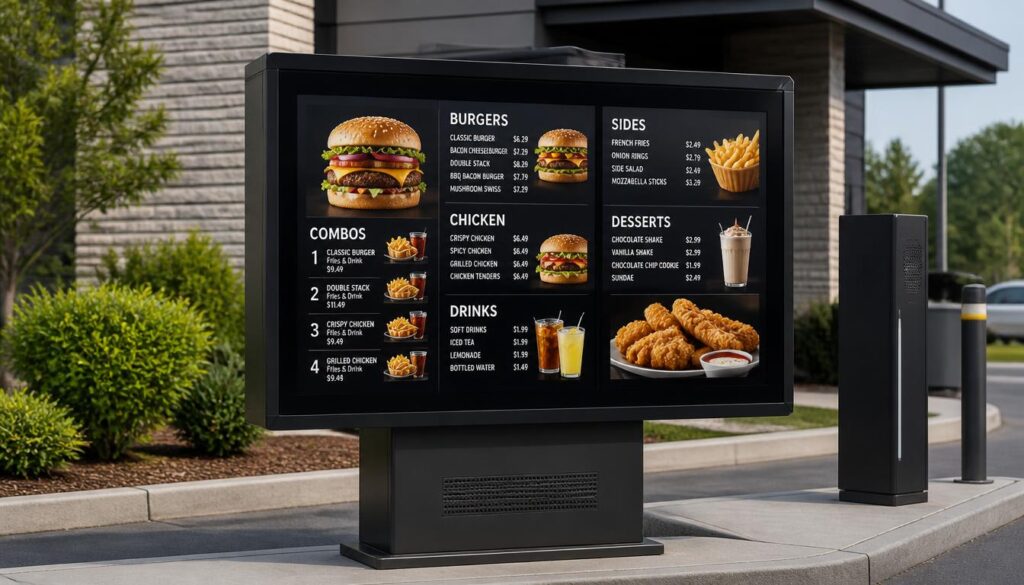
The Future of Drive-Thru Technology
Drive-thru technology is continuously developing. Digital menu boards are becoming more and more integrated with ordering software, analytics software, and restaurant management software.
Making the correct choice of enclosure today must therefore consider the possible future changes in the system.
AI-Powered Menu Recommendations
Artificial intelligence can assist restaurants in determining which products to display based on the time of day, inventory, customer demand and sales patterns.
For example, a restaurant could advertise cold beverages on hot afternoons or breakfast specials in the morning.
These aspects rely on the integration of compatible software and data, and they demonstrate how digital menus can be more responsive.
Voice Ordering
Another emerging application is voice-enabled ordering.
Voice technology can be used in the appropriate environment to assist customers in making orders as they interact with menu displays and POS systems.
Nonetheless, noise in drive-through lanes can affect voice-ordering reliability.
Even with more automated ordering systems, clear visual menus will remain important, as well as reliable communication equipment.
Energy Efficiency
Outdoor displays use power, especially in the case of high brightness.
Modern systems can reduce unnecessary energy consumption through automatic dimming, scheduled operation and efficient thermal control.
The enclosure is also a factor. Temperature control helps keep the equipment within its operating range, although heating and cooling may consume additional energy.
Restaurants are advised to take into consideration the constant electricity and maintenance expenses and the startup cost.
Planning for Future Upgrades
The pace of technology is quicker than outdoor infrastructure.
In comparing the best drive thru menu boards, seek systems that enable the components to be changed or updated without having to reconstruct the entire system.
Future changes can be facilitated by modular media players, accessible internal components, and flexible mounting configurations.
This flexibility can also make it easy to expand into new locations by the growing restaurant chains.
An effective enclosure must safeguard the current equipment, without unduly restricting future possibilities.
Frequently Asked Questions
What is the primary function of a digital drive thru menu board enclosure?
It is primarily used to protect the display and internal electronic parts from outdoor conditions such as rain, dust, heat, cold and other possible damage.
The enclosure should be well designed, which will help with screen visibility, thermal management, and safe installation.
Can I use my existing screens with a new Nento enclosure?
Potentially, yes. Some outdoor enclosures are constructed to fit typical commercial displays.
But compatibility is based on the screen size, installation, brightness, ventilation, operating temperatures, and power connections.
Nento will be able to determine whether your equipment is applicable in the outdoor installation.
How does the software interact with the enclosure?
The drive thru digital signage software controls the content that is displayed on the screen within the enclosure.
It is able to manage menu updates, pricing, promotional schedules and other features that it supports.
The enclosure is not typically in charge of the content. Rather, it shields the screen and hardware associated with the digital signage system enabling it to work in the outdoors.
Are these enclosures suitable for all climates?
There are a great number of outdoor enclosures that can be used in a great variety of climates, yet not all models can be used in all places.
Some have internal heaters for cold weather, while others need fans, heat exchangers or active cooling to manage heat.
Ensure the equipment is certified to work in the real temperature, sunlight, humidity and weather conditions of your restaurant, before buying.
What is the difference between an outdoor menu board and an indoor one?
Outdoor menu boards are usually more in need of weather protection, increased brightness, reduced glare, and temperature control.
Some outdoor installations use IP65-rated enclosures or similar protection, but the required rating depends on the environment.
The indoor menus are typically in a more controlled environment and do not require the same amount of weather resistance.
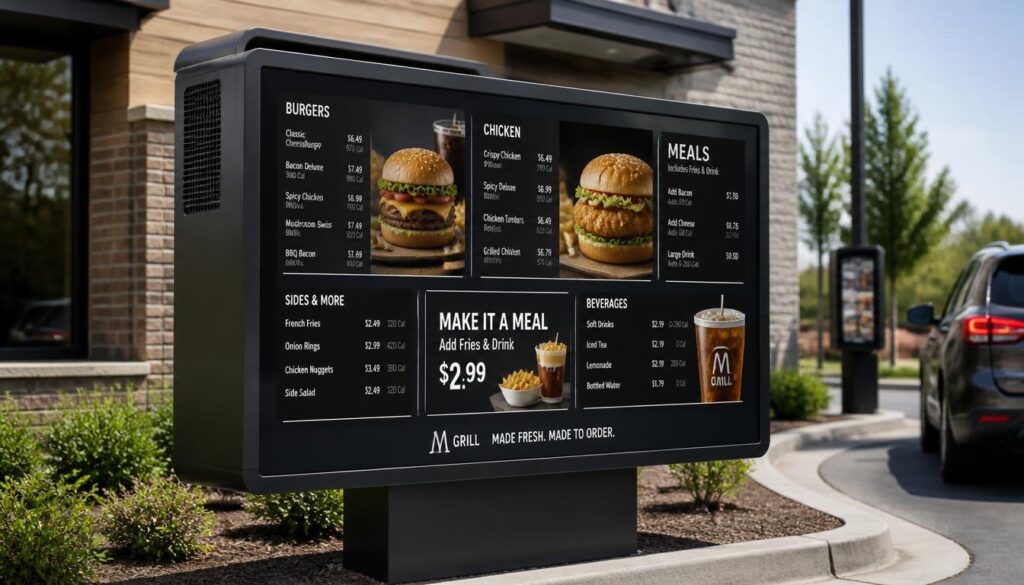
Conclusion
Choosing the right digital drive thru menu board enclosure is about more than screen protection. It also helps keep restaurant ordering reliable, readable and easy to manage.
Outdoor menu boards are affected by issues which indoor displays hardly experience. The influence of sunlight, rain, dust, temperature variations, and unintentional damage may impact the work of the equipment and the experience of the customers.
A quality enclosure is one of the ways to overcome those challenges through appropriate materials, weatherproofing, temperature regulation, and safe installation.
Hardware is half the tale.
Reliable drive thru digital signage software enables restaurants to update menus, schedule promotions, manage prices and keep content consistent across locations.
Combined, the right hardware and software can make a drive-thru experience simpler to customers, and more convenient to restaurant crews.
Nento offers restaurant-specific digital signage technology, hardware options, content management solutions, and support to help businesses plan their digital upgrades.
The trick here is to select a system that fits your restaurant now but leaves room for future improvements.
Take the guesswork out of your digital upgrade. Partner with Nento to build a drive-thru that is durable, smart, and profitable. Get a Quote Today.