Introduction
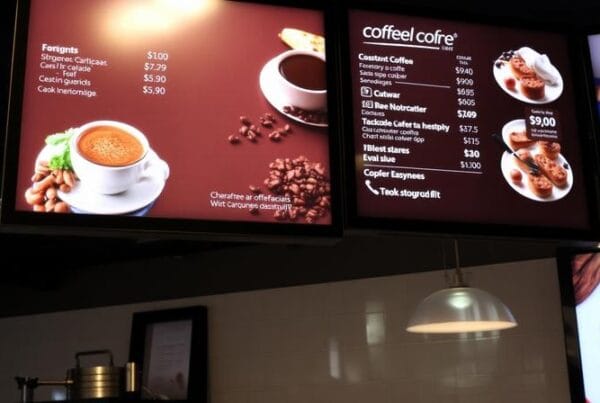
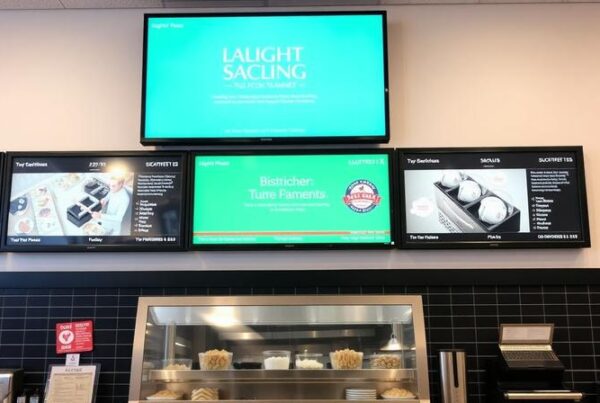
Modern restaurants can no longer rely on the use of static posters and chalkboard menus. Your menu today is a living sales tool, which must be updated in real time, market high-margin items, facilitate quicker orders, and work even during the lunch rush. This is the reason why a lot of restaurant owners have to carefully compare digital signage software before selecting a platform.
The thing is that the market seems to be overcrowded. There are platforms that are simple television players. Others include enterprise systems that are developed to serve a mall, office, or even a retail store. However, restaurants do not need the same thing. What will be effective in a corporate lobby might not be effective in a fast-moving cafe, drive-thru, food court, or quick-service restaurant.
This guide is specifically based on the hospitality industry. It distills the features that are most important, the silent expenses to be aware of, and how to compare digital signage software for restaurants without becoming distracted by flashy yet unnecessary characteristics.
In this comparison, Nento serves as a convenient point of reference for what reliable, restaurant-specific software ought to provide: easy updates, cloud management, dayparting, POS integration, offline playback, and support that is based on foodservice urgency.
Before you dive into the specs, use Nento’s Restaurant Digital Signage Evaluation Checklist to ensure you don’t miss a single critical requirement during your comparison.
The Non-Negotiable Core Features
Before looking at restaurant-specific tools, every platform must pass a few basic tests. A strong digital signage software comparison should start with usability, cloud control, hardware flexibility, and support.
The User Interface: Drag, Drop, and Done
Complex software is not something that restaurant teams have time to utilize. If a manager has to change a price with the help of HTML, CSS, or IT support, the platform is already too complicated.
The most effective system must include a visual editor in which users can add pictures, edit text, modify prices, schedule menus, and preview screens before publishing. This is especially true when the menus are frequently changed.
Some legacy platforms have numerous features, yet their dashboards are too old-fashioned and require excessive training. Speed is of the essence in a restaurant. A manager ought to have the ability to change a promotion, a breakfast menu, or a lunch special within minutes.
Nento’s dashboard is user-friendly for hospitality. The drag-and-drop interface also enables teams to update the menu on a daily basis, something that is easy even to non-technical personnel.
Cloud-Based CMS vs. Local Storage
A content management system that is based on the cloud enables users to control screens from anywhere. Cloud control simplifies updating menus, promotions, and announcements, whether you have a single location or a franchise network of locations, all through one login.
Older systems tend to rely on local storage or USB updates. That can be fine with a single display but is an enormous issue when there are multiple displays or locations. The fact that one has to send a person to update one screen at a time wastes time, and there is a risk of outdated content.
Nento’s cloud CMS enables updates of connected screens. It also allows offline playback so that screens will still display cached menus in case of an internet outage.
Hardware Agnosticism: The ROI Saver
Certain top digital signage systems need proprietary media players or certain hardware. This may add up to setup costs quickly, particularly when every screen is to be provided with a dedicated device.
Hardware flexibility is critical since restaurants typically have screens or desire low-cost rollout alternatives. A hardware-agnostic platform can run on common devices like Android players, Fire TV devices, or Windows PCs.
When comparing restaurant digital signage software, you need to ask yourself one thing: will this software make me buy costly hardware?
The flexibility of hardware offered by Nento helps save on initial expenses and simplify scaling for small restaurants, cafes, and multi-location chains.
24/7 Monitoring and Support
A restaurant menu screen cannot go down during peak service. At 12:30 PM, a slow support ticket will not suffice in case the display malfunctions.
Seek automated offline playback, remote troubleshooting, and live support. Budget systems might appear cost-effective, but lack of proper support can become expensive when the screens malfunction during peak times.
Nento offers proactive remote monitoring and backup support that is oriented around restaurant urgency. When one of the screens or players goes offline, the problem can be detected in time before it can affect the customer experience.
The Restaurant-Specific Feature Set
This is where generic signage solutions part ways with real restaurant digital menu software. The features required by restaurants should go beyond simple slideshow playback and correspond with day-to-day foodservice operations.
Dayparting and Automated Scheduling
Different restaurants have different menus at different times. Breakfast, lunch, dinner, happy hour, late-night deals, and seasonal specials might need various screen content.
An effective platform will be one that automatically switches content. Managers are not required to change screens manually when breakfast is over.
As an illustration, a restaurant can have the breakfast dishes available until 10:30 AM, a lunch menu between 10:30 AM and 4 PM, and dinner promotions later in the day. This maintains the menu up-to-date and minimizes employee effort.
The dayparting tools of Nento enable restaurants to time transitions to the minute and make it easier to control menu timing.
POS System Integration
POS integration is one of the most important features in any digital restaurant menu software. In case a product sells out, the display should change. When there is a price change, the digital menu is supposed to indicate the new price. In case of a promotion, it should remain in line with the register.
In the absence of POS integration, employees will have to make updates in both systems separately. That creates errors, price discrepancies, and customer frustration.
When comparing platforms, consider whether the software has open APIs or system connectors for systems like Toast, Square, Clover, Revel, or other restaurant POS vendors.
The API integration of Nento assists in reflecting inventory and price changes in real time and eliminates the typical problem of saying, “Sorry, we are out of that.”
Dynamic Pricing and Promotional Rotation
Restaurants need flexibility. Ingredient costs change. Promotions change. Some products require additional exposure during slow times. These changes should be facilitated by a powerful platform.
Digital signage can rotate promotional banners, emphasize combos, present limited-time offers, and experiment with menu layouts. This is where the digital menu board software is more than just a display tool. It turns into a sales optimization tool.
Nento allows promotion rotation and A/B testing, which assist restaurants in determining what offers may support a higher average ticket value.
Engagement and Social Proof Integration
Contemporary consumers are sensitive to reviews, ratings, and social evidence. Digital signage can show customer reviews, Instagram posts, social media feeds, or user-generated content within the restaurant.
This can assist in helping new customers trust the brand and notice popular products. For cafes and casual restaurants, it is also possible to make the space more active and community-oriented with the help of social content.
Nento can support social proof widgets, which enable restaurants to present real-time ratings, reviews, and customer content in a regulated manner.
Compliance/Nutritional Information
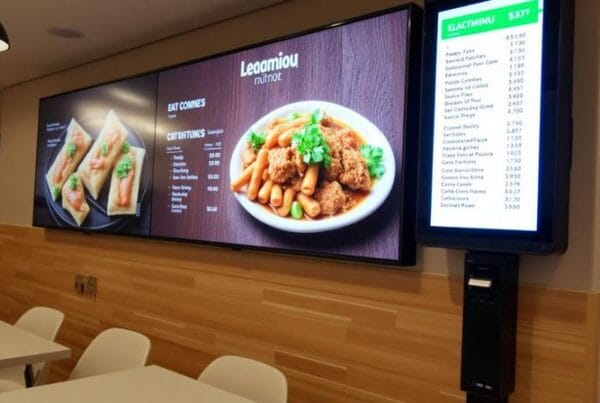
The software must make it easy for restaurants to comply when they are required to display calories, allergens, or nutritional information. The management and updating of nutrition data should not be hard.
A robust restaurant app must have the calories, allergens, item descriptions, modifiers, and dietary information fields. This is especially true in the case of chains and regulated markets.
Nento has restaurant-oriented templates, which aid in the management of menu information in various locations.
The Hidden Costs of Comparison
When comparing digital signage software, a monthly subscription is not the end of the story. The actual cost includes hardware, content design, installation, support, training, and time spent operating the system.
Per-Screen Licensing Fees
Some providers have a per-screen, per-month charge. This may prove to be costly to restaurants that have several menu boards, pickup screens, drive-thru screens, and promotional screens.
You must also calculate the cost based on your current number of screens and your future expansion to determine the platform to select. One screen can be affordable, but ten or fifty screens can become expensive.
Nento offers flexible pricing that can scale with restaurant growth.
Content Creation Costs
Most restaurants purchase signage software and later discover that they still require professional-looking menu designs. When all templates need an external designer, the price will go up rapidly.
The software must have templates that are specific to restaurants for menus, combos, promotions, limited-time offers, desserts, drinks, and pickup screens.
Nento has professional templates that enable restaurants to customize images, prices, logos, and menu items without having to hire a designer whenever they want to change anything.
Installation and Training
Some providers have additional fees when onboarding, training, or setting up. Others provide little documentation, and the restaurant team is left to figure it out on its own.
A great provider must assist in installation, screen connection monitoring, employee training, and initial troubleshooting.
Nento offers onboarding and training to make sure that the managers are able to use the platform without any hesitation.
Quick Comparison Table
| Feature to Compare | Generic Signage Software | Restaurant-Focused Software | Nento Standard |
| Menu updates | Manual or limited | Real-time menu control | Cloud updates from one dashboard |
| Dayparting | Basic scheduling | Breakfast/lunch/dinner automation | Minute-level scheduling |
| POS integration | Often limited | Essential for pricing and inventory | Deep API integration |
| Hardware | May be proprietary | Flexible device support preferred | Hardware-agnostic options |
| Templates | General layouts | Restaurant menu templates | Built-in restaurant designs |
| Offline playback | Not always available | Highly important | Cached content continues. |
| Support | Ticket-based | Fast response needed | Restaurant-focused support |
The Verdict—How to Choose the Best
The digital signage best suited to your restaurant is not necessarily the costliest platform. It is the one that suits your workflow, menu complexity, staff skill level, and growth strategy.
A single-location diner will not require the same setup as a national franchise. The dayparting and seasonal drinks promotion may be the most important to a coffee shop. A QSR might require drive-thru quick service, POS, and order accuracy. A casual restaurant chain might be more concerned with table promotions, wine specials, and dessert upsells.
Avoid the Shiny Object Trap.
Never select software just because it has flashy effects, 3D effects, or complex visual effects. These features can appear amazing in a demo but do not add much value when the platform is not reliable, cannot be integrated with POS, does not support offline playback, or the menu cannot be edited easily.
The top digital signage system for restaurants should make operations easier, not more complicated.
Calculate Real ROI
To choose the best digital menu board software, calculate more than the subscription cost. Look at:
- Software cost
- Hardware cost
- Training and installation costs
- Time saved in updating menus
- Printing costs avoided
- Reduced pricing errors
- Promotions supporting increased sales
- Better upselling opportunities
- Reduced complaints from customers due to obsolete menus
If the software saves five hours per week in menu management, then that can equal 260 hours annually. The payback can be significantly higher than the screen cost itself if it also assists in encouraging a larger basket size by promotion rotation.
Nento’s Philosophy
Nento is a middle ground: strong enough to support enterprise restaurant chains, yet easy to use in single-location restaurants. It strikes a balance between pricing, user-friendliness, and restaurant-specific capabilities.
To most operators comparing the best software for digital menu boards in restaurants, the platform that the staff will use on a daily basis will be the winning platform.
Ready to upgrade your restaurant’s customer experience? Schedule a personalized demo with Nento today and see how our software compares to the legacy players in real time.
Frequently Asked Questions
What is the difference between digital signage software and digital menu board software?
Digital menu board software is a particular form of digital signage software. It also has restaurant-oriented features like dayparting, POS integration, nutritional information, automated price changes, menu templates, and inventory changes. Generic signage software may only play a video or slideshow.
Can I use any hardware with any digital signage software?
Not always. Certain platforms have proprietary media players, whereas others are hardware independent. Nento can work with off-the-shelf Android, Fire TV, or Windows devices to help cut down on setup expenses.
How much does digital signage software for restaurants typically cost?
Costs vary widely. Free tools are available but are limited, whereas the more advanced platforms may be more expensive per screen per month. When comparing alternatives, add up the total cost of ownership, including software, hardware, installation, templates, training, and support.
Is it hard to train staff to use digital menu boards?
It depends on the software. Restaurant teams usually need drag-and-drop editing, easy dashboards, templates, and easy scheduling. In case the platform needs coding or long training, it is unlikely to be suitable for a restaurant setting.
What happens if my internet goes down during service?
Quality software includes offline playback. The screens still show the previously cached content and updates again when the internet comes back. Always ask about offline mode and only then select a platform.
Can digital signage software integrate with my existing POS system?
Yes, provided that the software has an open API or pre-built POS connector. When comparing platforms, inquire about their integration with systems like Toast, Square, Clover, Revel, and other large restaurant POS systems.
How quickly can I roll out digital menu boards across multiple locations?
Using cloud-based software, templates and updates can be pushed to multiple locations in a short time after installing the hardware. The implementation schedule typically depends more on hardware installation, screen positioning, and network configuration than on the software.
Conclusion
When comparing digital signage software for restaurants, pay attention to the following features that have a direct influence on the day-to-day running of the restaurant: POS integration, dayparting, hardware flexibility, ease of use, offline playback, templates, and support.
A restaurant does not require software that only looks good in a demonstration. It must have a platform that can endure the morning rush, lunch rush, and dinner service as well as the continuous menu changes without slowing down the team.
The right digital signage is an investment in efficiency, compliance, customer experience, and revenue. It is not only a wall screen. It forms a part of the way the restaurant sells, communicates, and operates.
Select a partner with knowledge of the speed and pressure of foodservice.
Stop comparing on your own. Let Nento’s experts walk you through a side-by-side comparison with your current provider. Visit Nento to book your personalized demo and get a custom quote tailored to your store count.