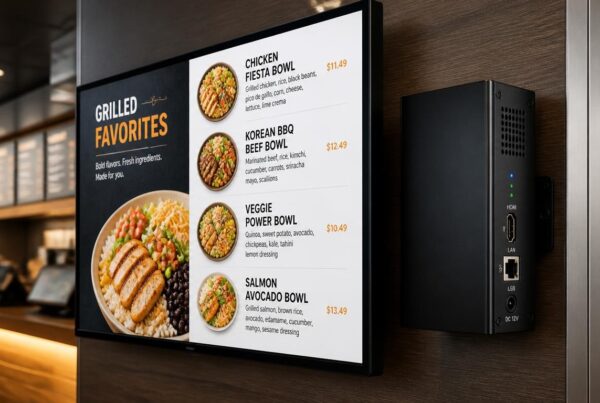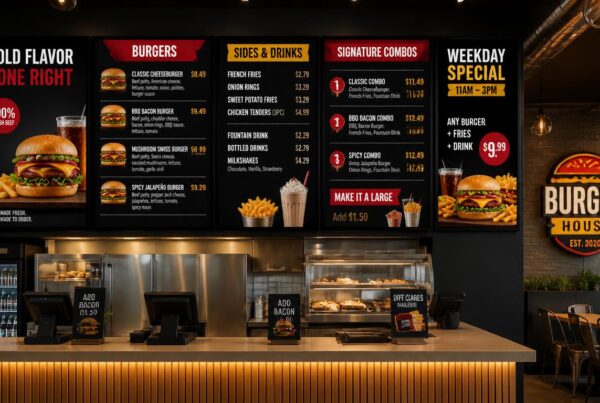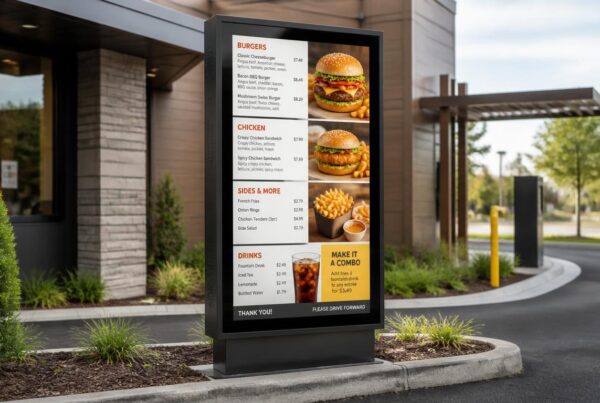
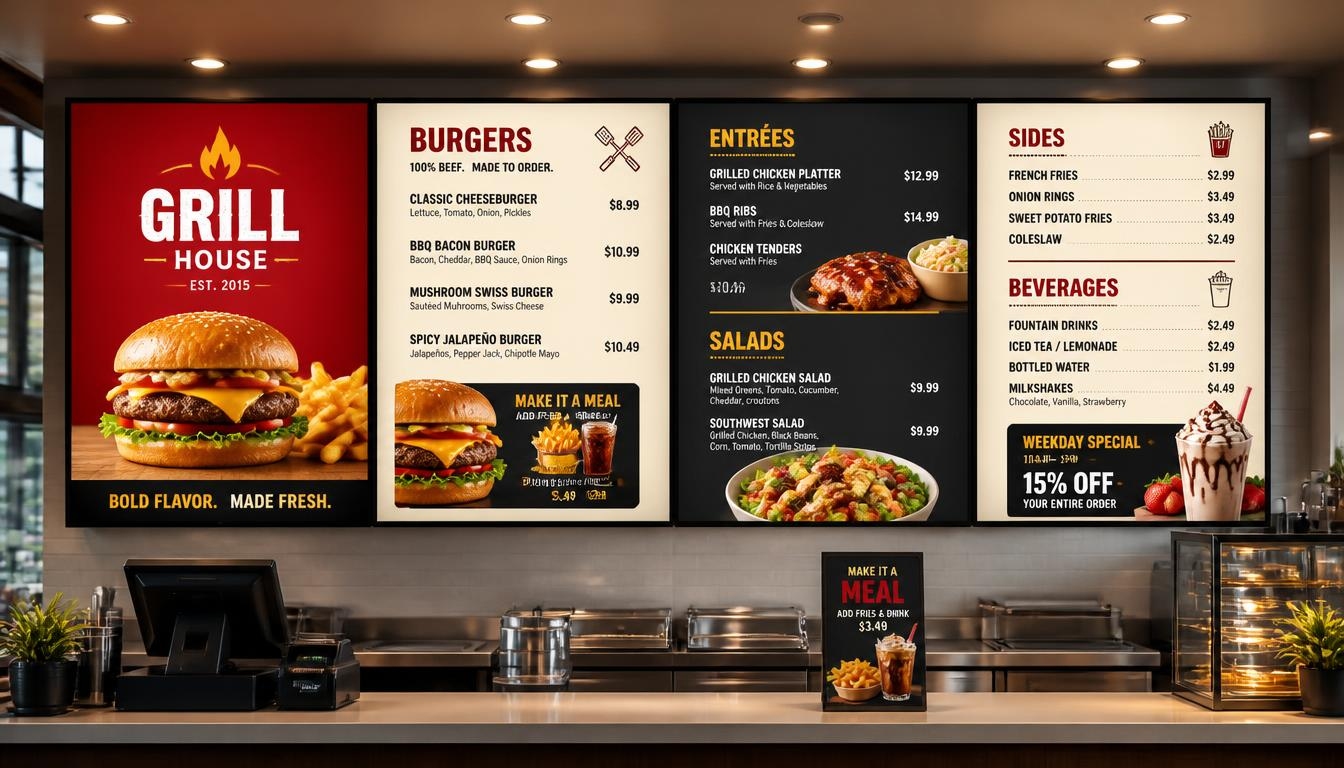
Not much can be said on a printed poster. When it is up, the message will remain constant until it is physically removed by someone. That would be fine with a permanent notice but is an issue when prices are altered, promotions are discontinued, or when customers require new information. Business digital signage is a far more flexible approach to this.
Go to a shopping mall, restaurant, hotel, or corporate office today, and you will find screens performing jobs that were previously done by printed signs. Others have advertisements, others give directions, and others have information that varies over the day.
It is a simple technology. A digital signage display shows information that is managed by software and enables companies to change images, videos, announcements, and other information without the need to replace the physical materials.
What is useful is that it is possible to provide the appropriate information at the time when people really need it. A restaurant will be able to advertise breakfast in the mornings and dinner specials in the evenings. A retailer does not have to print another poster to present a new collection. It is possible to update the schedules of meetings on multiple floors in an office.
Naturally, putting up screens does not necessarily enhance communication. The businesses require the appropriate mix of hardware, software, location, and content.
Nento assists companies to unite these aspects using digital signage solutions that are specific to various industries and operating conditions.
Ready to modernize your communication? Contact Nento today for a free consultation.
Why Your Business Needs Digital Signage
Old-fashioned advertising has not been forgotten. Posters, banners, and signs printed out are also useful, especially where the information is not frequently changed.
However, with constant changes in messages, static signage can be limiting to businesses that change their messages frequently.
Flexibility is the key benefit of digital signage. Businesses do not have to print and design new materials every time they want to carry out a promotion; they can update the information that is on their screens.
Immediate Updates and Real-Time Messaging
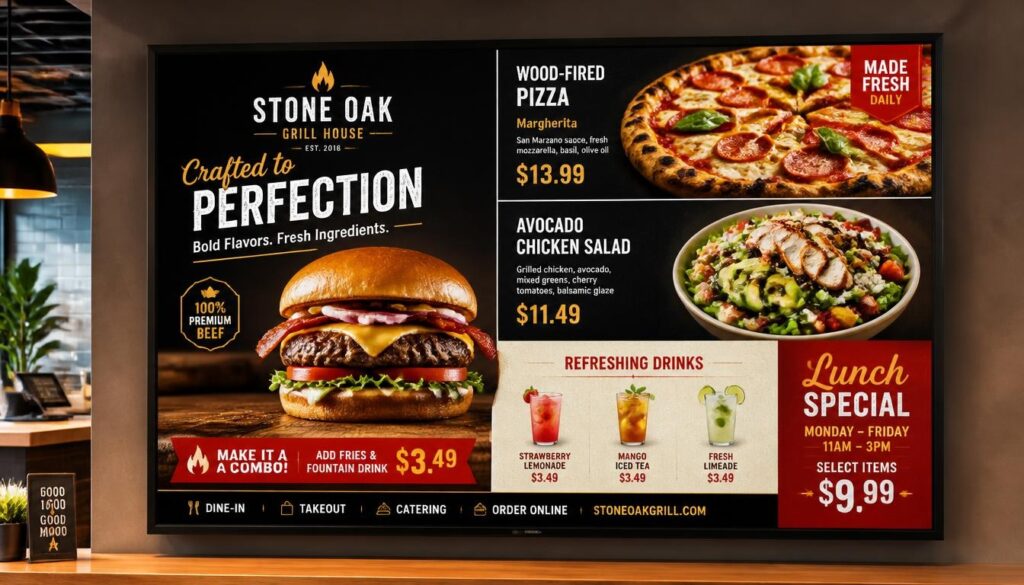
Consider a restaurant that must remove a sold-out item from the menu during the lunch rush. Using a printed board, employees might need to discuss the issue with all customers.
The digital menu can be updated much faster.
This rule applies to the retail shops that provide temporary discounts, hospitals that show the information about queues, and offices that provide important announcements.
The changes can be published to the desired screens without having to access every screen manually with appropriate software and connectivity.
This makes digital signage for business particularly useful when information changes frequently.
More Opportunities to Attract Customers
Placed in a strategic location, a screen can assist businesses to shine in the crowded setting.
As an illustration, a fashion store can have a short video of its new line on its display. A bakery might display the fresh pastries out of the oven. A restaurant may have an offer in the form of lunch at the entrance.
Motion and attractive visuals can draw attention to these messages.
That does not guarantee more foot traffic or sales. This is determined by the content, location, timing, and audience. Nonetheless, digital signage provides businesses with greater liberty to experiment with various promotions and determine which ones customers will react to.
Lower Recurring Printing Costs
Printing advertising materials involves recurring costs.
The new promotions might involve graphic design, printing, delivery, and installation. Companies with multiple locations might have extra coordination expenses.
Digital signage involves initial screen and software costs, but regular content changes no longer require replacing printed materials.
In the long run, the savings would be significant to the businesses that have high turnover of menus, advertisements, or announcements.
The economic gain must be assessed in terms of equipment expenses, power usage, software subscriptions, and maintenance.
A Better Customer Experience
Information is more readily available with good signage.
The visitor of a hospital might require some directions. A restaurant customer would like to have a preview of the menu. A person who is in a meeting should be aware of what room to go in.
These daily interactions can be assisted with the help of digital displays.
They are able to present the pertinent information in a simple format and update that information as the circumstances vary.
Hiring a specialized digital signage provider can also make installation and content management easier, especially when multiple screens need to work together.
Understanding the Hardware: What Screens Are Used for Digital Signage?
One of the first questions businesses ask is what screens are used for digital signage.
The solution is determined by the location where the display will be placed, the duration of the time it will be used, and the nature of the materials that will be displayed.
There is a large difference in the needs of a small indoor information screen and an outdoor advertising display in the direct sunlight.
Commercial-Grade Displays vs. Consumer TVs
A standard TV can be appropriate in a basic indoor system, particularly where it will be used for only a few hours a day.
But commercial digital signage displays usually offer functions that are intended to be used in business. They can have increased operating-hour ratings, increased brightness, remote device management, and be portrait- or landscape-mountable, depending on the model.
There are commercial displays that are rated to be operated 24/7.
This is important in restaurants, hotels, transport facilities, and any other place where there are screens that can be operating throughout the day.
Companies must verify the manufacturer’s rated operating hours instead of assuming that all commercial displays can run continuously.
LCD vs. LED Displays
The terms LCD and LED are commonly referred to when comparing screens, but the terms can be confusing.
A lot of LCD displays are based on LED backlights. Direct-view LED displays, by contrast, form images using arrays of light-emitting diodes.
LCD displays tend to be convenient in indoor menus, information boards, and advertising boards that are seen at a relatively short distance.
Direct-view LED displays may be applicable to larger installations, video walls, and a few high-brightness applications.
The correct decision will depend on viewing distance, installation conditions, image detail, and budget.
Interactive Touch Screens
Interactive screens enable the customers to interact with the information shown.
This can be self-ordering kiosks, store catalogues, hotel directories, and visitor check-in systems.
An interactive display allows users to make choices, navigate information, or accomplish supported tasks, unlike a traditional screen, which only displays the content.
The systems need to have appropriate touch-enabled hardware and software.
Video Walls
A video wall is a collection of multiple displays/LED modules that form a single large visual space.
Businesses use video walls for product launches, promotions, and corporate presentations, especially in large open areas.
They are able to produce a robust visual impression, although installation would have to be well thought out in terms of screen alignment, content resolution, viewing distance, and maintenance.
Indoor vs. Outdoor Requirements
The screens outside require greater protection as compared to indoor screens.
The sunlight may cause typical screens to be hard to read, and rain, dust, and temperature variations will impact electronics.
Outdoor installations can be in need of increased brightness, suitable weather resistance, enclosures, and thermal control.
In the case of digital screen signage, the most appropriate display is not always the biggest and most costly one. The best screen is one that remains readable and reliable for its intended purpose.
Quick Screen Comparison
| Screen Type | Common Applications | Main Consideration |
| Commercial LCD | Menus, offices, retail displays | Resolution, brightness, operating hours |
| Direct-view LED | Large installations, advertising walls | Viewing distance, pixel pitch, installation cost |
| Interactive touchscreen | Kiosks, directories, self-service | Touch responsiveness and software compatibility |
| Video wall | Lobbies, events, flagship stores | Synchronization and maintenance |
| Outdoor commercial display | Storefronts, drive-thrus, public information | Sunlight readability and weather protection |
The Backbone: Network Digital Signage System
Digital signage setup includes more than just screens.
The delivery, updating, and management of the content are determined by the system behind them.
A network digital signage system is a system that links compatible displays or media players to a central content management platform. This enables businesses to manage various screens without having to go to them one at a time.
How Cloud-Based Management Works
The digital signage software is used by a business to create or upload content.
That content is then disseminated to specific screens or media players via a network connection by the software.
To illustrate, a restaurant chain may make a seasonal offer in its head office and then plan to have it run in a number of locations.
The correct content is delivered to each location, and the central team is in charge of the campaign in general.
There are also systems where downloaded material is stored locally so that screens may still show existing material in case of momentary disconnection of the internet.
Centralized Control Across Locations
It is not very difficult to operate a single display. It is more complex to manage fifty screens in many cities.
The ability to control centrally also enables businesses to group screens according to their location, department or purpose.
A retailer might showcase a national promotional campaign but may have individual stores have local offers.
In the same manner, an office may handle the company-wide announcements whereas the departments may show their announcements.
This saves on redundancy and aids in ensuring uniformity of messages.
Scalability as Your Business Grows
One screen can be placed near the entrance and be used by a small business.
It can later include menu boards, advertising screens or promotional screens in other branches.
The digital signage business environment encompasses simple single-screen displays up to huge networks with hundreds of displays under its management.
Scalable software is more easily expanded since additional screens can be added without necessarily substituting the current management system.
Security and Access Control
Display screens that are connected to the network should also be well secured.
Role-based permissions, secure connections, reliable software patches, and control over content publication should be sought by businesses.
In the case of bigger organizations, it can also be vital to isolate signage devices on secure business networks.
Not all platforms offer the same security features, and therefore such features ought to be verified before deployment.
Looking to scale your network digital signage system? Explore Nento’s enterprise-grade infrastructure solutions.
Core Digital Signage Software Features That Actually Matter
Hardware is also valuable, but software determines how easily a business can use signage.
The most applicable digital signage software capabilities are those which ease the process of creating the content, scheduling, monitoring and updating on a daily basis.
Content Management System
A content management system or CMS is a system in which the users make and arrange the content that is displayed on their screens.
An effective CMS must allow easy uploading of images, editing messages, creating playlists and publishing content without any technical expertise.
In cases where businesses frequently have promotions, templates that can be reused can save them a lot of time.
Automated Content Scheduling
Scheduling gives businesses the opportunity to determine the time specific messages should be displayed.
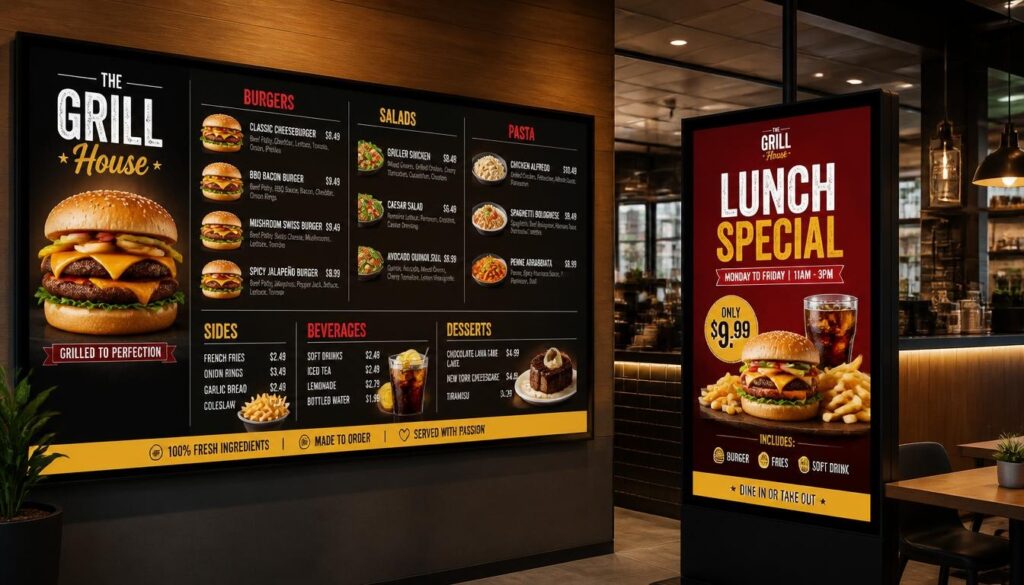
A cafe may display breakfast deals up to 11 AM and then start lunch deals afterwards.
A retail store might have a sale on a weekend to be initiated on a Friday evening and vanish automatically once the sale is over.
This saves staff time and prevents outdated campaigns from being left on the screen.
Remote Monitoring
With screens being installed in multiple locations, the technical problems might not be noticeable to managers at once.
Remote monitoring can be used to detect devices that have lost connection, or ceased normal reporting.
This can give the administrators alerts and the ability to investigate the problems without going to the site depending on the system.
It can be applied to those businesses that operate bigger screen networks.
Analytics and Performance Measurement
Analytics may help companies understand how their signage is being used.
Simple systems can have playback logs, campaign schedules and device status.
More sophisticated systems can combine signage playback data with sales information or support optional audience-measurement systems.
Nevertheless, a playback report does not indicate that customers have viewed the screen and other features like eye tracking demand special hardware, software and relevant privacy controls.
Businesses need to know what their analytics are measuring to use the data in making decisions.
Third-Party Integrations
Certain platforms are compatible with POS systems, social media feeds, weather or calendars or business information tools.
These integrations have the capability of making content on the screens more relevant.
As an example, a restaurant might be able to match menu availability with an appropriate POS system, or an office display might indicate upcoming events in a calendar.
Real integration abilities are dependent on the provider and must be confirmed prior to installation.
Content Is King: What Can You Display?
The finest digital signage system will not be able to provide value when the content is perplexing or useless.
The content must be appropriate to the audience, environment and time that people will need to view the screen.
High-Resolution Images and Video
Images and videos are common forms of digital signage supported content.
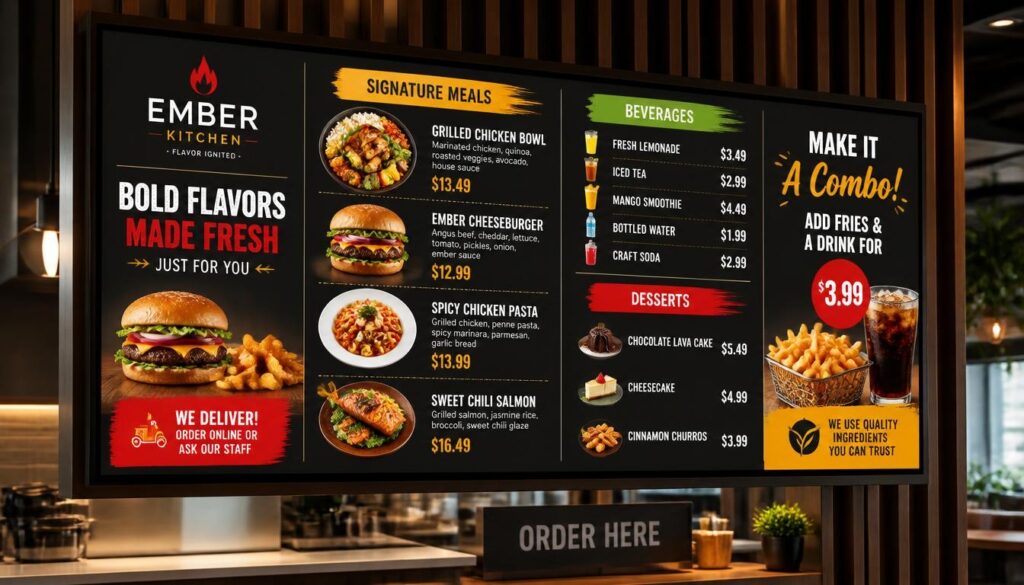
Retailers can use product photography, restaurants can display menu items, and hotels can show facilities or local attractions.
The short video loops may be a good idea especially when the customers have sufficient time to observe them.
But it is important that motion must not disturb valuable information. A menu that keeps on moving can be seen as very impressive but becomes hard to read.
Dynamic Information
Information that is frequently changed can also be displayed using digital signage.
Such things as menu prices, order status updates, event schedules, weather reports, news tickers and public announcements are examples.
In this content, accuracy is of particular importance.
Businesses should also consider what happens if a screen loses its connection to live data.
Interactive Content
Touch screens can display maps, directories that can be searched, catalogs and self-service interfaces.
A shopping mall may have an interactive store directory and a hotel may use a touchscreen to assist visitors to locate meeting rooms or facilities.
The interface must be easy to navigate and to access.
Social Media Walls
Businesses can use social media content to showcase customer experiences, community activities, and updates about the brand.
A restaurant may include some photos of customers and a university may include some posts concerning the events.
Moderation of content should be done and companies should keep in mind permission and privacy before putting up user-generated content.
Best Practices for Engaging Content
The simplest signage is usually the most useful and can be understood using a few principles:
- Be concise and clear in messages.
- Use strong contrast and clear fonts.
- Ensure that significant details are seen at the desired viewing range.
- Adapt content to viewers and place.
- Avoid excessive animation.
- Periodically refresh offers and time-limited information.
- Provide a call to action when the screen is supposed to prompt action.
When a customer is passing by a shop window, he/she might have several seconds to read a message. A breakroom worker will have additional time.
The difference should be reflected in the content.
Choosing the Right Digital Signage Solutions for Business
No one-size-fits-all set up can be effective across organizations.
The digital signage solutions that best suit business are determined by the industry, operating environment, budget at hand, and communication objectives.
Retail Stores
Signage is frequently used by retailers to market new arrivals, discounts, seasonal collections and loyalty programs.
Window-facing displays can attract attention before customers enter, whereas in-store screens can focus on products or offer more details.
In these applications, appealing images and appropriate positioning on the screens are especially vital.
Corporate Offices
Digital signage is frequently used in corporate settings to communicate internally.
The screens can show company announcements, meeting times, visitor information, performance dashboards, or employee recognition.
A centrally controlled system assists in maintaining uniformity of information throughout the departments and buildings.
Healthcare Facilities
Digital screens can be used in hospitals and clinics to provide directions, queue information, service announcements, and educate patients.
Such environments need specific considerations on readability, accessibility, privacy, and information accuracy.
Sensitive personal data should not be publicly displayed without the necessary protection.
Restaurants and Quick-Service Businesses
Digital signage is used in restaurants to display menus, promotions, drive-thru and pick up order information.
A fast-food restaurant may schedule breakfast and lunch menus at different times, whereas a cafe may emphasize seasonal drinks during the day.
The design should be clear, as customers are usually required to make decisions in a hurry.
Why the Right Provider Matters
Choosing a digital signage solution provider involves more than comparing screen prices.
The usability of the software, hardware compatibility, installation, training, support and scalability should be considered by the businesses.
An effective provider must be able to know what the organization aims to accomplish and suggest an arrangement to suit those purposes.
Nento provides digital signage to restaurants, retail, corporate offices, healthcare and other businesses with its cloud content management system.
The Future of Digital Signage Business
Digital signage is getting increasingly intertwined with business data and other digital systems.
As the technology advances, there will be additional opportunities to businesses to provide relevant content and control displays effectively.
AI and Personalization
AI can assist companies in selecting which message to show based on the time, location, inventory or customer demand.
As an example, a restaurant might advertise cold drinks in hot weather and a retailer might advertise the products at hand.
Individual viewer personalization also raises other privacy concerns, and companies need to be cautious with regard to the collection and use of customer information.
Better Data-Driven Decisions
The performance of digital signage may be measured along with the sales data, customer feedback, and operational data.
A retailer can make comparisons between the sales of the featured items prior to and during a campaign.
A restaurant could test different menu layouts at comparable times of day to determine which layout is easier for customers to use.
This will enable companies to enhance their content using facts as opposed to guesses.
More Energy-Efficient Operations
Electronic displays use power and will ultimately need to be changed.
Nevertheless, companies can minimize unnecessary energy consumption through appropriate brightness levels, scheduled operating hours and efficient hardware.
The conversion of printed materials to digital content can also save on the recurrent paper waste especially in cases where promotions keep on changing.
The overall environmental impact still depends on equipment lifespan, energy use and proper disposal.
Integration With Existing Business Systems
The further evolution of digital signage will be more intertwined with inventory applications, schedules, orders, and other business programs.
The aim is to ensure that the information is more useful and accurate without adding additional work.
A screen must not be another system that the employees have to take care of all the time. Ideally, it ought to facilitate communication.
Frequently Asked Questions
What is the cost of implementing a digital signage business solution?
The prices depend on the size of the screens, hardware requirements, software subscriptions, installation and maintenance needs.
A small system can only require the presence of a single screen and an appropriate media player, whereas a big network has more infrastructure and requires central control.
Nento has scalable solutions for various businesses. Companies ought to weigh the initial and the recurrent expenses to project how much they are likely to get back.
What screens are used for digital signage?
The digital signage may be based on commercial LCD displays, direct-view LED displays, interactive touchscreens, and video walls.
Simple installations can also be conducted using some consumer televisions.
Nonetheless, commercial-grade models are generally better suited to longer operating hours, while outdoor use requires appropriate weather-rated equipment. Some commercial displays are rated at 24/7 operation but this must be verified on a case-by-case basis.
Can I update content on my digital signage screen remotely?
Yes. With a cloud-connected digital signage system, authorized users can publish content remotely.
Using the software, updates may be delivered to a single screen, to a chosen group, or to several business locations, depending on the software.
New content typically needs to be synchronized over an active network connection.
What kind of content can I display?
Content supported by digital signage may include images, videos, menus, promotional slides, scrolling text, weather information, social media feeds, and compatible HTML5 content.
Touch-enabled maps, directories and catalogs may also be facilitated by interactive displays.
Supported formats are based on the software, media player and the display capabilities.
Why choose Nento as my digital signage provider?
Nento is an integrator of digital signage content management software and display and player solutions to suit various business settings.
Its platform facilitates content creation, scheduling, remote updates, and centralized screen management.
Businesses have the opportunity to explore hardware and software solutions provided by Nento to discover a solution that fits their communication requirements.
Conclusion
Digital signage in businesses has transformed how organizations interact with their customers, staff and visitors.
Businesses do not have to use fully printed materials but can use digital screens to distribute up-to-date information, advertise products, and control messages in various locations.
The advantages are not limited to looks. Good signage can help to minimize redundant updates, enhance consistency, facilitate marketing campaigns, and make valuable information more accessible.
However, the value comes from combining the right elements.
An appropriate screen will make the content visible. Quality software will enable easy updates. Design assists individuals to comprehend the message. And a clear content strategy keeps the system relevant.
The most appropriate strategy to be adopted by businesses that are thinking about the investment is to start with a certain goal. Select the equipment that fits the environment, ensure that the software is user-friendly and gauge whether the displays are working or not.
Digital signage is not just an added cost. It can be a long-term communication, customer experience, and brand presentation investment when planned.
Take the first step towards transforming your space. Book a demo with Nento and let us build a custom digital signage solution for you.