In contemporary business, screens abound. They are used by restaurants to show menus, retailers to show promotional videos, and offices to announce and communicate internally. The screen is just part of the setup. The software determines what appears on it.
This is where digital signage display software comes in.
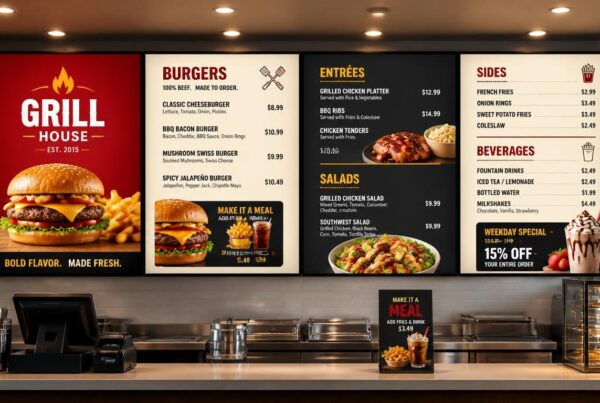
Consider operating three screens above a restaurant counter. The breakfast is over at 11 AM, and then somebody has to change the menu with the lunch offers manually. In a different place, the manager does not take out the promotion of yesterday. In the meantime, the marketing team already has the campaign of next week ready but has no easy method of posting it in all the branches.
It is these issues that digital signage software is meant to address.
Modern platforms enable businesses to generate content, set promotions, control multiple screens, and update information without being on-site. Integrations, analytics, and automated content delivery are also supported by many systems.
The problem is to select the appropriate platform. There are so many digital signage CMS solutions, cloud services, media players, and design applications out there that it can be hard to tell what features are necessary and what are not.
This guide describes the various kinds of digital signage software, the functionality of the technology, and the considerations businesses ought to make before making an investment.
Looking for a trusted partner? Discover how Nento simplifies digital signage for businesses of all sizes.
What Is Digital Signage Display Software?
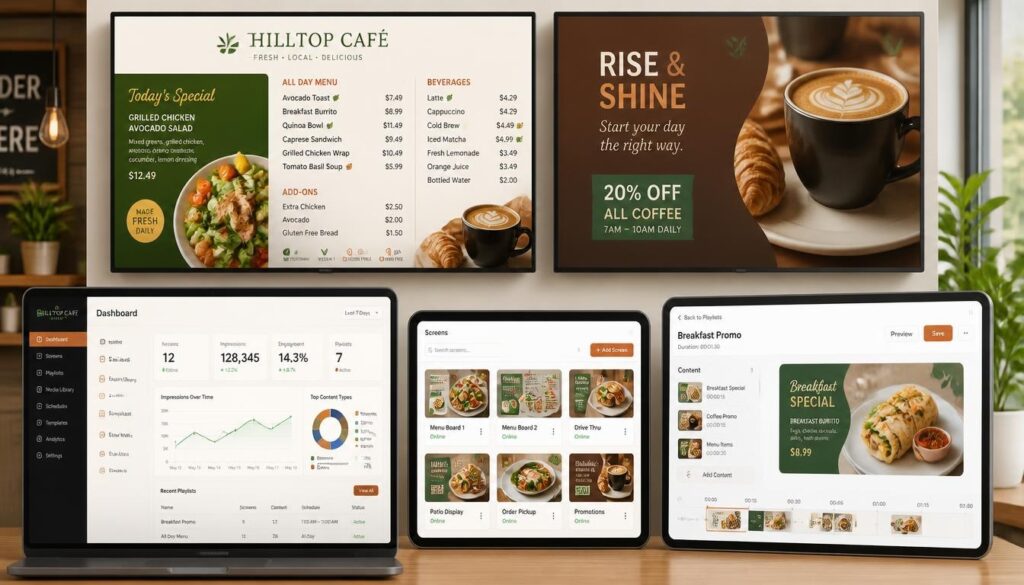
Digital signage display software refers to a platform that is utilized to design, control, plan, and deliver content to digital screens. It enables businesses to manage what is on display without having to manually change the images or to hook up a computer every time there is a change.
An example is that a retail store can plan promotions over the weekend. A hotel will be able to refresh the information about the events during the day, and a restaurant will be able to change the breakfast, lunch, and dinner menus automatically.
These changes are done through the software via a central management interface.
How Is It Different From Digital Signage Hardware?
Digital signage hardware comprises the physical components: screens, media players, mounting systems, and network connections.
Content and instructions are dealt with by software.
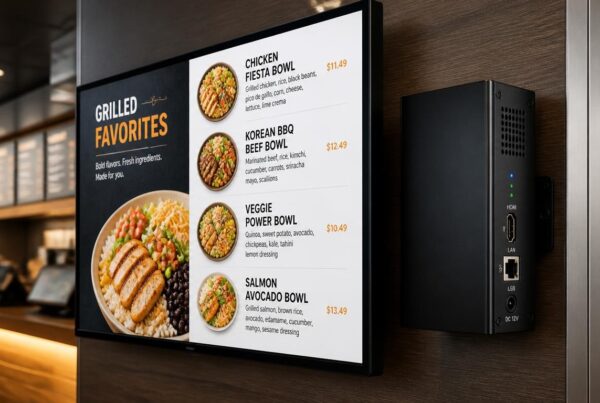
The software sends content and instructions to a media player, which then plays the content on a connected screen. Certain commercial displays have in-built media players, whereas others require an external media player.
Consider the hardware to be the equipment displaying the message and the software to be the system controlling it.
Both need to work together.
Where Is Digital Signage Software Used?
Digital signage is used in various ways by businesses in various industries.
Retail outlets have product promotions and seasonal campaigns. In restaurants, there are menus and food advertisements. Patient information and directions are presented on screens in healthcare facilities. The announcements of employees are shared by corporate offices, and event schedules and campus updates are shown at schools and universities.
You can also come across electronic signage software, digital display management platforms, or digital signage programs.
These names are occasionally used interchangeably by vendors but are generally used to refer to tools that assist businesses to control content that is shown on electronic screens.
Core Components of a Digital Signage Software System
A full digital signage software system normally consists of a number of interrelated elements. Knowing their functions makes it simpler to compare the platform and determine what your business needs.
1. Content Management System (Digital Signage CMS)
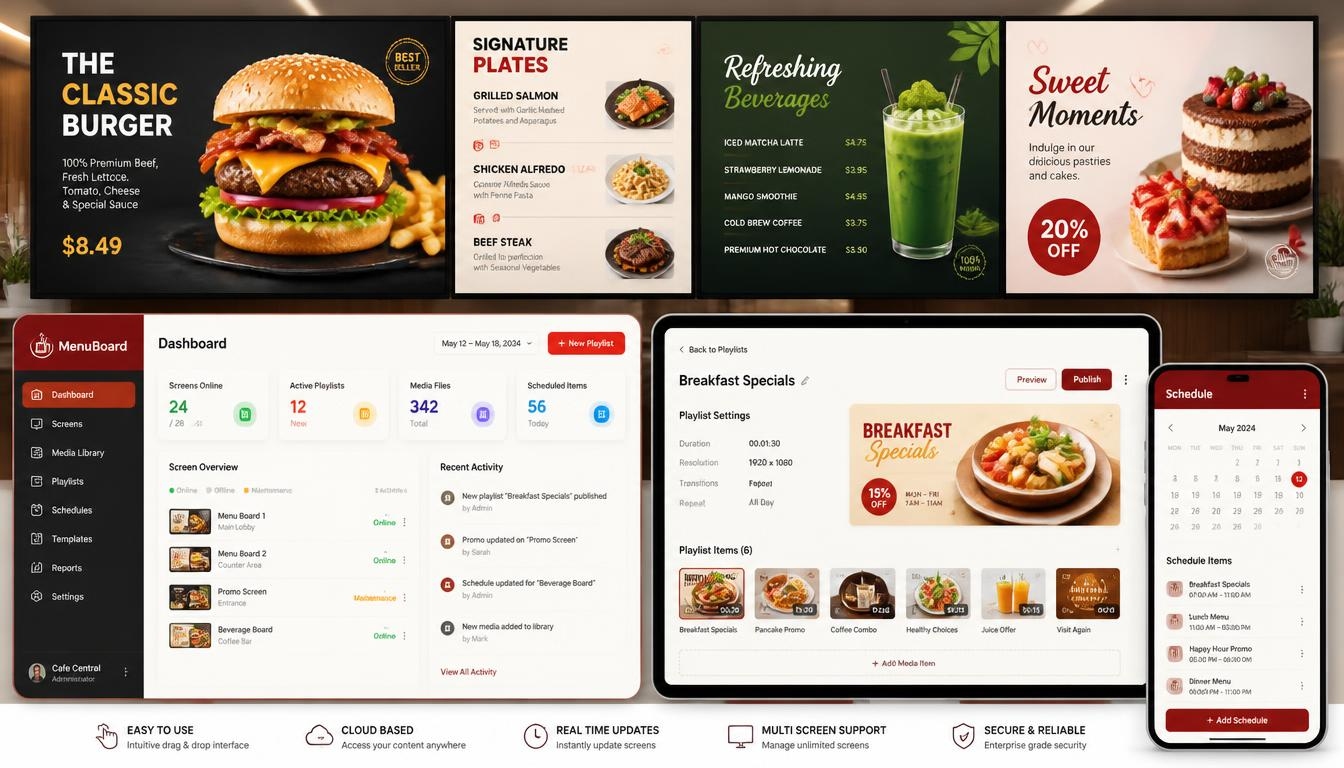
The digital signage CMS, or Content Management System, is the central workspace where users organize and control screen content.
A CMS enables companies to post pictures, videos, announcements, and other content. Users are allowed to make playlists, organize content, and decide when and where it will be displayed.
As an illustration, a cafe manager can post a promotion of a seasonal drink and program it to be displayed on specific screens every afternoon.
User roles and permissions are also supported by good CMS platforms.
A chain of restaurants can also give its marketing department the ability to coordinate national promotions, but at the branch level, only the local menu information can be updated.
This helps prevent unauthorized changes and maintain consistency.
2. Digital Signage Player Software
The content is managed by the CMS, but there is an element that displays it.
Digital signage player software is used on a media player, compatible computer, or commercial display with an inbuilt processor.
It takes the content of the CMS and plays it as per the schedule given.
The various operating systems supported by different platforms include Android, Windows, and ChromeOS.
The reason why hardware compatibility is important is that not all player applications will be compatible with all screens or devices.
Why Offline Playback Matters
Some signage applications save downloaded content in local storage.
If the internet connection goes down, a player that supports offline playback can continue displaying the previously downloaded playlist.
This would be particularly helpful in restaurants and retail outlets where blank screens during the working hours would be inconvenient.
Nevertheless, real-time information and new updates might not be available until the connection is restored.
3. Digital Signage Cloud Software
Screen management is more flexible with cloud-based platforms.
Using digital signage cloud software, a management dashboard is available to authorized users via the internet rather than depending solely on the on-site computer or server.
A marketing manager is able to post content to multiple locations without necessarily visiting them.
Cloud infrastructure simplifies the process of adding new screens, managing user accounts, and distributing software updates, as well.
In the case of expanding businesses, it can minimize the technical effort involved in expanding a signage network.
The main consideration is connectivity. Even when the player supports the playback of offline content, remote management usually demands an internet connection.
4. Digital Signage Automation Software
One of the most useful features of the modern signage is scheduling.
Digital signage automation software enables the business to create content changes beforehand as opposed to updating the screen manually.
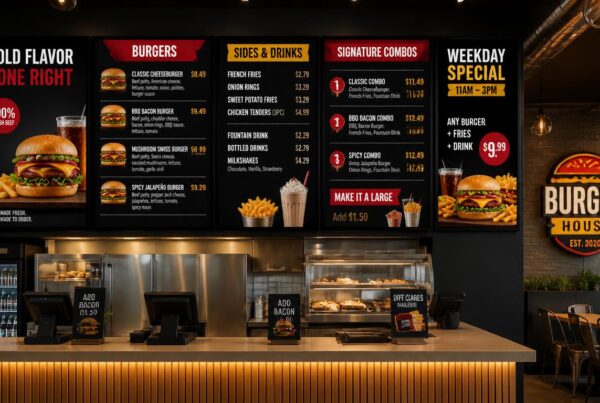
A restaurant may have breakfast menus until 11 AM, lunch combinations during the afternoon, and dinner specials in the evening.
More sophisticated systems may serve conditional content using compatible data sources, like weather, events, inventory, or business schedules.
As an illustration, a cafe may create various promotional messages during hot and cold weather.
Automation reduces repetitive tasks, but the rules must be properly configured and tested.
5. Digital Signage Design Software
The content management can only be effective when the content appears professional.
Digital signage design software assists companies in creating visual layouts for their screens.
The modern tools can provide drag-and-drop editing, customizable templates, image libraries, text formatting, and various screen orientations.
A restaurant is able to create a branded menu with its colors and food photography. A corporate office is able to develop standardized templates of announcements to various departments.
Reusable templates are particularly useful when the businesses have regular promotions.
They enable the teams to modify the message without having to redesign the whole screen.
See how Nento’s all-in-one digital signage software system brings these components together seamlessly.
Key Features to Look for in Digital Signage Display Software
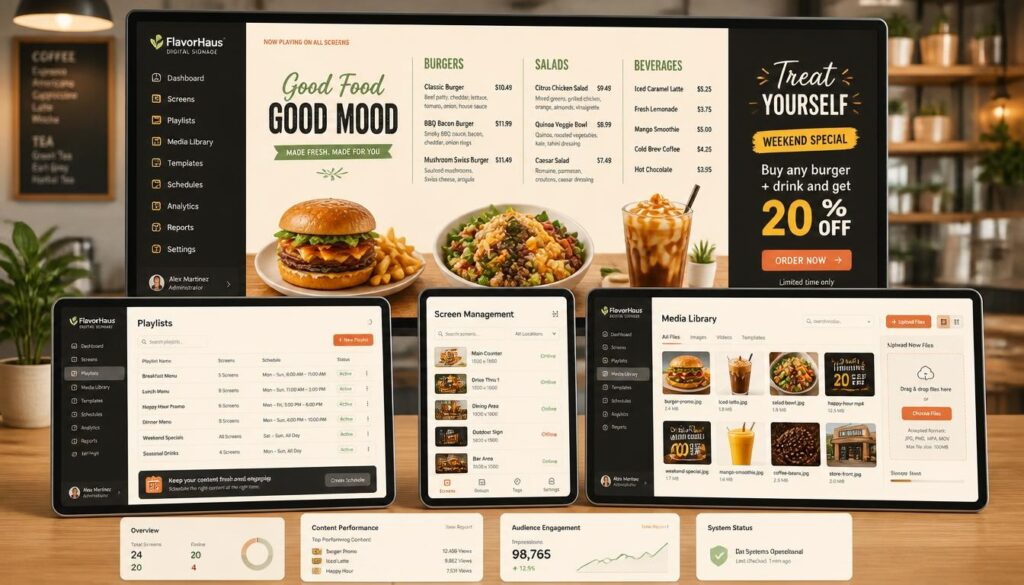
Not all businesses require a sophisticated enterprise platform. Nevertheless, there are some characteristics that enable digital signage to be more convenient to manage regardless of the size of the company.
A User-Friendly Interface
Monotonous work ought to be easy.
The staff members must be able to post a photo, revise a price, or update an announcement without advanced technical expertise.
An intricate platform may end up adding more work rather than eliminating it.
Multi-Screen and Multi-Location Management
It is not very difficult to control one screen. Managing dozens of screens in multiple locations requires more coordination.
Find software that allows users to group displays, publish content to selected screens, and maintain consistent branding.
This is especially relevant to the restaurant chains, retail groups, and organizations that have multiple offices.
Remote Updates and Scheduling
Businesses ought to be in a position to modify content without necessarily having to access each display.
Scheduling will also aid in avoiding promotions that are out of date being displayed on the screen.
An effective system must enable users to establish start dates and expiration dates as well as repeat playback schedules.
Integrations With Existing Systems
There are platforms that are integrated with POS systems, calendars, social media, weather services, and business data sources.
Such integrations are capable of minimizing manual updates.
As an example, a restaurant can synchronize pricing information or availability information with a compatible POS system.
Nevertheless, providers vary in terms of integration capabilities. Companies need to confirm that the platform supports their existing systems before buying.
Analytics and Reporting
Reporting capabilities can enable managers to know what was scheduled and shown.
Certain systems offer proof-of-play reports, device status information, and campaign histories.
More sophisticated analytics might involve more software or hardware.
The difference between content playback and actual audience should be made. Reporting that an advertisement was played does not always indicate that customers watched it.
Security and User Permissions
A company must have control over access to its screens and publication of content.
The features that are useful are role-based access, authentication, secure communication, and software update management.
Audit logs and integration with existing identity management systems can also be a factor of importance in large organizations.
Content Compatibility and Reliability
Before deciding on a platform, make sure it is able to support the content your business requires.
Images, videos, HTML5 content, web-based information and high-resolution playback are common requirements.
Support for 4K video, advanced animations and interactive features depends on the software and media player.
Effective digital signage management software must be able to streamline operations day-to-day rather than provide an additional complex system that employees find difficult to maintain.
Types of Digital Signage Software: Cloud, On-Premise, and Hybrid
There are various ways of implementing digital signage.
The correct alternative is determined by the technical capabilities of a business, security needs, quantity of screens and budget.
Cloud-Based Digital Signage Software
The cloud-based systems enable companies to operate screens via an online application.
The software vendor usually takes care of the central application infrastructure, whereas the business takes care of its content, users, and devices to which it is connected.
This setup is ideal with companies that desire to have remote access without their own signage server.
It is especially handy with businesses that have multiple locations.
The greatest weakness is the dependence on the network connectivity to get remote updates and cloud services.
On-Premise Digital Signage Software
On-premise systems are installed in the infrastructure of an organization.
This provides businesses with a greater level of control of their servers, software configuration and data environment.
These systems can be appropriate in those organizations that have certain IT policies or integration needs.
They may, however, require greater in-house technical expertise.
The IT team of the organization may be required to maintain, update, back up and provide security to the infrastructure.
Hosting on-premise does not necessarily imply enhanced security. This is dependent on the system configuration and maintenance.
Hybrid Digital Signage Solutions
Hybrid systems are a combination of both cloud management and local capabilities.
As an example, content can be handled via an online CMS with media players locally storing approved content.
Local infrastructure is also used by some organizations to support specific data or operational needs.
The advantage is that it is flexible, but hybrid deployments might increase configuration and support requirements.
SaaS vs. Licensed Software
The other difference is related to the payment and accessibility of the platform by businesses.
Software-as-a-Service (SaaS) typically includes a subscription fee that is periodic. Licensed solutions can include a one-time software fee, and additional maintenance or update fees.
These pricing models are not the same as deployment models. Cloud elements can be part of a licensed solution, and a pay-as-you-use product can be hosted locally.
| Software Option | Main Advantage | Main Consideration |
| Cloud-based | Remote access and easier expansion | Internet connectivity for management |
| On-premise | Greater control over local infrastructure | Internal maintenance requirements |
| Hybrid | Combines remote management and local capabilities | Potentially more complex configuration |
| SaaS subscription | Predictable recurring software charges | Long-term subscription costs |
| Licensed software | May offer greater purchasing flexibility | Updates and support may cost extra |
For many small and medium-sized businesses, cloud-based subscriptions provide a practical starting point.
Organizations with specialized infrastructure requirements may prefer other arrangements.
Nento offers digital signage cloud software tailored to your needs. Request a free demo today.
Benefits of Using Digital Signage Display Software
The value of digital signage depends on what it helps companies achieve.
An effective platform allows communication to be more adaptable and less repetitive than when updating physical displays.
Centralized Content Management
One of the greatest benefits is having the ability to control multiple screens using one dashboard.
A chain store can organize campaigns in all branches, whereas a headquarters can handle announcements within its premises.
This assists teams in keeping uniform information and not having to manually update each display.
Reduced Printing Expenses
Companies that switch menus, advertising or promotion materials quite often can save on the use of printed signs.
Digital displays will also need equipment, software, electricity and maintenance and the overall cost must be considered.
Nevertheless, screens can be reused in various campaigns, thus minimizing the printing needs.
Faster Updates
Businesses are able to react in time when information is altered.
A restaurant is able to delete an unavailable item. A shop can announce a weekend discount. A notice that is important can be updated in an office.
The software allows changing the content rather than waiting to get the printed replacements.
Improved Customer Communication
The important information can be made more accessible through digital signage.
Clear menus assist customers in comparing. Visitors are directed by wayfinding screens. Queue displays give information regarding waiting or pick up processes.
Good design and location of the screens determine the effects, although the flexibility of digital content opens more opportunities to enhance communication.
Consistency Across Locations
Branding may not be easy to manage in businesses which have multiple locations.
Centralized management and templates facilitate the use of similar colors, fonts, messages, and promotional materials.
Permission to update selected information can still be given to local teams.
Better Opportunities for Measurement
Analytics assists companies in comparing campaigns and making decisions.
A retailer would be able to study sales of featured products in various promotions. A restaurant could compare the average order value when various menu layouts are presented.
Such comparisons are supposed to take into consideration other variables influencing sales, although they offer a more systematic method than assumptions.
Opportunities to Earn Advertising Revenue
Appropriate screen placement may also be used by businesses to show sponsored material using advertising software.
This opens up another potential application of digital signage other than internal communication and product promotion.
The revenue of advertising is however determined by the demand of the audience, the location of the screen, the inventory available and the commercial agreements with the advertisers.
How Digital Signage Advertising Software Drives Revenue
Some businesses use digital signage only for their own messages.
Others have screens in places that may attract the attention of advertisers like shopping centers, retail stores, hotels and entertainment spots.
This is where digital signage advertising software becomes useful.
Turning Screens Into Advertising Space
A mall can dedicate a section of its screen network to the retailers advertising events or products.
A hotel may have advertisements of local attractions whereas a shopping space may show approved brand campaigns.
Advertising management software assists in the organization of such campaigns and the setting of the time and place of advertisement.
Location-Based and Time-Based Campaigns
Not all adverts apply to all audiences.
The software may assist the businesses in the scheduling of campaigns based on location, the time of the day or any other available parameters.
As an illustration, one of the food courts may offer lunch deals during midday and evening deals during the evening.
This will render advertising more pertinent than showing the same content repeatedly.
Programmatic Advertising Integration
Other more advanced signage platforms allow programmatic advertising using third-party systems.
This enables automated buying and delivery of advertising inventory.
Programmatic compatibility is not however universal. Companies that are planning to use this model are advised to verify the integrations needed, reporting systems, and business deals.
Measuring Advertising Performance
Relevant metrics can include scheduled ad plays, proof-of-play logs, campaign duration and screen availability. Audience impressions require separate measurement or estimation.
More information might be provided where appropriate audience-measurement instruments are in place.
Businesses ought to be cautious to not equate perceived audience exposure with assured engagement.
In the case of advertising networks, precise reporting is essential as advertisers require to be informed of what they are buying.
Want to monetize your screens? Explore Nento’s digital signage advertising software solutions.
Industries That Benefit From Digital Signage Display Software
Digital signage has various applications across the environments.
The best installations are those that target a certain communication requirement and not just the addition of screens.
Retail
Product promotions, seasonal campaigns, new arrivals, and customer directions are some of the uses of signage by retailers.
Offers may be advertised to passing customers by window-facing displays, and product information displayed on screens within the store.
Healthcare
Digital signage can be utilized by hospitals and clinics to provide patient information, manage queues, give directions and communicate with staff.
The issue of accessibility, right information and privacy are of particular concern in the health care environment.
Corporate Offices
Screens are used by businesses to make internal announcements, meeting room schedules, performance dashboards, and visitor information.
The centralized management aids in ensuring that messages are similar throughout the departments and buildings.
Education
Schools and universities have the ability to post event calendars, campus announcements, room information, and important notices.
Emergency communication can also be enhanced with the use of digital signage provided that it is integrated with the right, independent, and reliable alerting practices.
Hospitality
Digital signage is used in hotels, cafes and event venues for menus, guest information, promotions, conference schedules and directions.
Scheduled content comes in handy especially when various activities occur during the day.
Transportation
Airports, stations, and transport facilities are equipped with digital schedules, wayfinding, service, and safety notices.
These settings require reliable systems since information can change frequently.
Nento provides the digital signage solution to companies in some of these sectors and enables organizations to control the content as per their business needs.
How to Choose the Right Digital Signage Software Company
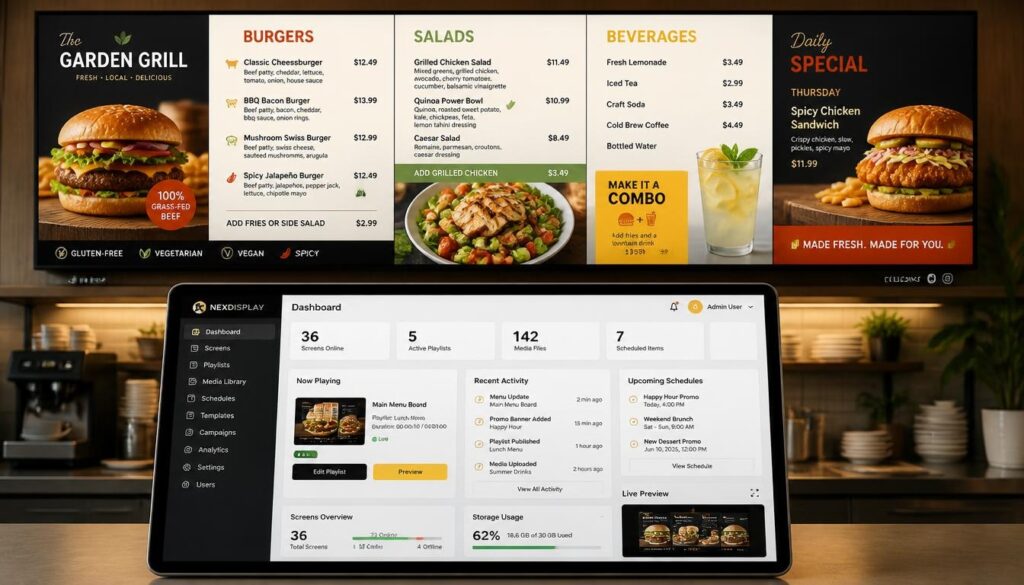
Choosing a digital signage software company should involve more than comparing subscription prices.
A system that seems cheap at first might turn out to be expensive when it is hard to use or is not compatible with the current equipment or when it cannot be expanded in the future.
Start With Your Business Needs
Determine what the screens should do.
Do you have restaurant menus, retail promotions, employee announcements or customer information on display?
Basic content might only require a basic slideshow system. More advanced capabilities might be needed for live data, interactive displays, or large networks.
Check Scalability
Consider what you would like to have set up in one or two years.
In case you intend to grow to a number of places, ensure that the platform has a multi-location management feature and has the right user permissions.
Planning growth is simpler than fixing an inappropriate system afterwards.
Understand the Full Cost
Inquire about software subscriptions, media players, installation, support, updates, and any other integration fees.
Compare the anticipated overall cost in a number of years.
The cheapest price of the month does not necessarily imply the best value in general.
Evaluate Customer Support
Even the systems which are reliable sometimes require help.
Ask how the provider responds to technical inquiries, software issues, device configuration and account maintenance.
Ask about availability of support and response plans.
Read Reviews and Examine Case Studies
The independent reviews may give helpful information concerning usability and support.
Case studies can also assist, particularly in cases where they detail deployments that are like your business.
Seek certain facts and not unsubstantiated assertions of sales.
Request a Demonstration
One of the most effective methods of testing a platform is a live demo.
Ask the provider to demonstrate uploading content, adjusting prices and schedules, and managing screens and users.
Where feasible, test the platform with content of the nature you want to show.
Confirm Hardware and Software Compatibility
Prior to the subscription, ensure that the software is compatible with your current displays and media players.
Compatibility should be verified against the specific supported devices and operating system versions (Android, Windows, ChromeOS or others).
Nento provides cloud-based content management, scheduling, templates and support for compatible signage players in various business settings.
Nento is a digital signage software company offering cloud-based content management solutions. Schedule a personalized demo today.
Common Mistakes to Avoid When Selecting Digital Signage Programs
At times businesses take longer to select the screens than assessing the software.
It may cause post-installation problems.
Choosing Based Only on Price
Low subscription fee can be appealing, but lack of features can be a source of extra work.
Before making a choice, compare usability, hardware compatibility, support and total cost.
Ignoring Future Expansion
A one-screen system might not be feasible as the business expands.
Select a platform that has the capacity to handle the number of devices and locations you are likely to have.
Overlooking Ease of Use
Employees will not want to update content when they find the software challenging.
Usual activities are supposed to be handled without the assistance of the specialists.
Failing to Test Support
Pose questions prior to buying.
A provider’s response during evaluation can show how easy it may be to get assistance in the future.
Neglecting Content Workflows
Someone should design, endorse, plan and check screen content.
Without defined responsibilities, promotions can be left in place without being deleted or wrong data can be left on them.
Underestimating Hardware Compatibility
Not all displays support every signage application.
Check operating systems, playback capabilities, screen resolutions and network requirements before installing the software.
The Future of the Digital Signage Display Software
Digital signage platforms increasingly are becoming integrated with other business systems.
The changes that will probably have the greatest impact are those that reduce manual work and make the displayed information more relevant.
AI-Powered Content Optimization
Artificial intelligence can assist companies in preparing layouts of promotions, planning campaigns, and determining which content is worth more attention.
As an example, sales information may be used by a retailer to aid in the selection of featured products.
These recommendations should still be reviewed by staff, especially when they involve pricing or product availability.
More Interactive Displays
The touchscreens and self-service interfaces are broadening the purpose of the signage beyond passive communication.
Customers can view catalogs, order, get directions or get more information using displays.
Such applications demand appropriate hardware and interfaces that are easy to use.
Data-Driven Personalization
Linked systems are able to modify messages according to location, time, weather or other pertinent information.
As an illustration, a restaurant may advertise cold drinks when the weather is hot or change menus automatically at different service times.
Individual customer personalization needs proper privacy safeguards and data security.
Integration With IoT Devices
IoT devices and sensors can also offer more information that affects displayed content.
The potential uses are room occupancy data, environmental data, or equipment status.
These abilities are based on trusted integrations and a well-defined operational need.
Cloud-First Management
Cloud-based platforms will continue to appeal to organizations managing screens at multiple locations.
The work of maintaining an expanding signage network can be made easier by remote content publishing, centralized device management and reusable templates.
The current cloud-based management and content design tools of Nento can be used to form a foundation on which businesses interested in adopting these interlinked workflows can rely.
Frequently Asked Questions
What is digital signage display software?
Digital signage display software is a platform whereby businesses can create, manage, schedule and deliver content to electronic screens.
It typically involves a CMS, compatible player software, and display control tools in one or more locations.
What is the difference between a digital signage CMS and display software?
A digital signage CMS is used to control the content development, arrangement and scheduling.
Digital signage display software is a more general term that can encompass the CMS, player software, remote device management, automation and other tools.
Other providers interchange the terms since these elements are bundled.
Do I need internet access to use digital signage cloud software?
Cloud-based management and content synchronization typically require Internet access.
Nevertheless, some signage players support offline playback by storing downloaded content locally, so previously published material can still play during temporary connection issues.
Until connectivity is restored, live feeds and new updates might not be available.
Can I use digital signage display software with my existing screens?
Often, yes.
Numerous platforms are compatible with commercial displays, compatible smart TVs, or external media players that can be connected via HDMI.
Nento supports Android, Windows and ChromeOS, but player compatibility should be verified for the specific device and operating system version.
How much does digital signage display software cost?
The pricing is based on the number of screens, the features needed, licensing model of the software, and the complexity of the deployment.
Small companies can use subscription plans, while bigger companies might need specialized enterprise services.
When comparing costs, hardware, installation and maintenance should also be considered.
Ask Nento to provide a custom quote to get familiar with what you can get.
What industries use digital signage advertising software?
The digital signage advertising software can be implemented in the retail stores, shopping centers, hospitality facilities, transportation facilities, and other places that have appropriate advertising spots.
Schools, health care organizations and corporate facilities can also use signage for approved promotional or sponsorship material, based on their policies.
Is digital signage automation software difficult to set up?
Simple scheduling is typically easy with a contemporary content management system.
More advanced automation involving POS systems, APIs, sensors or live data may require additional configuration.
A provider demonstration may assist businesses to learn what automation features are incorporated and how they operate.
What should I look for in a digital signage software company?
Look for reliable software, clear pricing, hardware compatibility, responsive support and control over content on the number of screens you need.
User permissions, security, offline playback, templates and integration options should also be considered.
Nento provides cloud-based digital signage management, content creation software, scheduling, and player options. A demo will assist in identifying whether the platform will fulfill your needs.
Conclusion
One of the most significant selections to make when developing an effective screen network is selecting the appropriate digital signage display software.
The displays can be appealing, but the software will show how easy it is to update, schedule, distribute and manage the content.
A trusted system integrates a number of elements: an easy-to-use CMS, player software, cloud administration, design applications, and automation.
Centralized control and uniform branding are particularly useful to businesses that have to control more than one location.
The most effective method is to begin with your communication objectives, examine the equipment that is currently available, and select the software that the employees will be comfortable working with.
Flexibility will be even more important as digital signage is becoming more related to business data and interactive technologies.
The right platform should do more than make screens look better. It must help businesses communicate better, manage content effectively and open new possibilities for interacting with customers.
Ready to elevate your digital signage? Partner with Nento and experience the difference. Get started with a free consultation today.