Introduction
A customer enters your restaurant and glances at the menu, and he begins to make a decision about what to order. Before they have even tasted the food, the screen above your counter has already made an impression. Is the menu clear? Are the food pictures attractive? Are they able to read the prices without straining their eyes?
These facts are more significant than a lot of restaurant owners think.
The dining experience in a competitive foodservice industry includes atmosphere and convenience. There is still a place for traditional printed menus and chalkboards, but they are less flexible. Each price change, seasonal offer, or sold-out item may require a second manual change.
A more viable alternative is an LCD signage display. It enables restaurants to display menus, food pictures, promotion videos, and any other vital information on screens that can be changed at any time.
But when it comes to the selection of a screen, it is more than simply selecting the biggest television you can afford. The performance of the system is determined by brightness, resolution, working hours, location of the screen, compatibility with the software, and viewing distance.
One display could be enough in a small cafe to show drinks and pastries, and many linked screens could be necessary in a fast restaurant to show menus, promotions, and order details.
The right digital signage display screen should make it easier for customers to place orders and for employees to manage the menu.
The guide discusses the technology, hardware choices, software needs, and installation factors that can assist restaurants to invest in the right direction.
Ready to modernize your restaurant’s visual experience? Contact Nento today for a free consultation on the perfect digital signage solution for your venue.
Why Restaurants Need an LCD Signage Display
The menus of restaurants are more frequently changed than customers may think.
Prices go higher, new items are introduced, promotional deals run out, and popular goods are at times sold out before the day is over. In cases where a restaurant uses printed boards all the time, such changes can be frustrating.
Digital displays enable owners to have greater control over what the customers are viewing and at what time.
More Opportunities to Promote Menu Items
Good food photography can draw attention to products that customers might not otherwise notice.
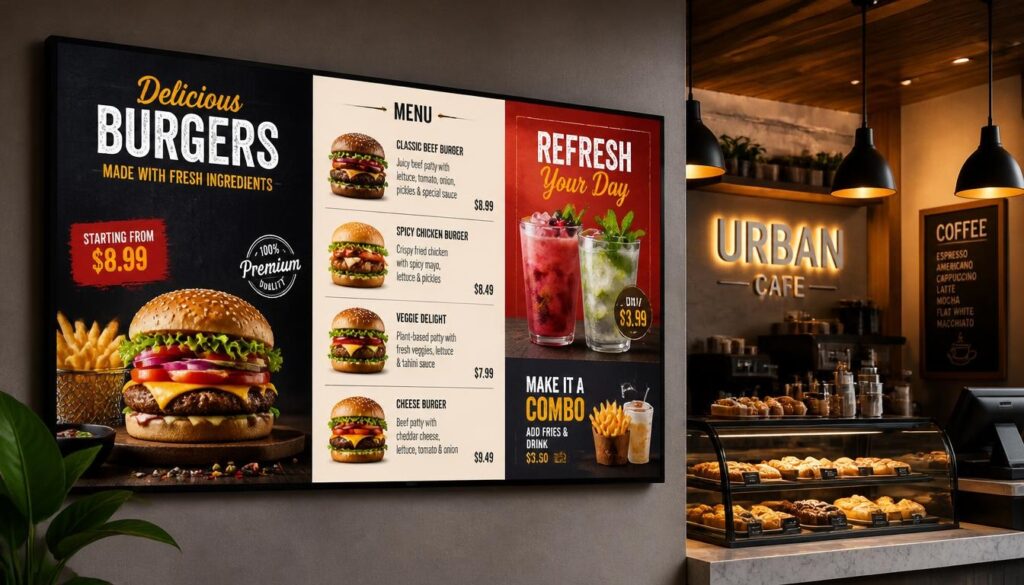
Take an example of a burger restaurant with a close-up picture of a new signature burger and a meal combination next to it. A client who initially intended to get a sandwich may also have a second thought of getting fries and a beverage.
The same tactic can be useful in coffee shops, bakeries, and dessert counters.
An LCD signage display enables restaurants to showcase some of their products using appealing pictures, brief videos, and clear advertisements.
This opens up upselling and cross-selling opportunities, but the reality of improvement in sales lies in the offer, price, and customer reaction.
Faster Menu and Price Updates
A printed menu is not alterable immediately.
When a product is out of stock, employees might need to cover the item on the board, change a poster, or repeat the explanation over and over.
Using digital LCD signage, the menu information can be updated using compatible content management software.
Restaurants are able to adjust prices, display seasonal deals, and remove unavailable products without replacing the whole board.
Automatic synchronization of the chosen pricing or availability information can also occur where appropriate POS integrations exist.
Reduced Printing Costs and Waste
Printed menus have to be designed and printed again and again, which incurs costs to the restaurant.
Digital screens do need a hardware investment but can showcase numerous varieties of menus and campaigns without the need to replace physical materials.
Using the same screen, a cafe can update its seasonal drinks, advertise the weekend offers, and add new products.
In the long run, it can save printing costs and waste that is posed by promotional materials that are thrown away.
A More Convenient Customer Experience
The customers value clear and up-to-date information.
Digital menus can organize food items into categories, show prices in bold letters, and help customers decide what to order before heading to the counter.
Waiting-area screens may also be used to show the status of orders or show useful content when customers are waiting.
The advantage, however, lies in having good design. A messy online menu can be as perplexing as an untidy paperboard.
It is not just to substitute paper with a screen. It is to facilitate communication in restaurants.
Understanding the Technology: What Is an LCD Digital Signage Display?
An LCD digital signage display uses liquid crystal display technology to show images, text, and videos.
LCD is an abbreviation of Liquid Crystal Display.
The display is made up of liquid crystals embedded in the screen, which regulate the amount of light that is transmitted. The majority of contemporary LCDs have LED backlighting to light up the image.
This is a significant point of difference since LCD and LED are frequently used interchangeably in reference to televisions and digital signage.
Most of the products sold as LED TVs are LED-backlit LCD screens.
Why LCD Technology Works Well in Restaurants
LCD screens come in a diverse variety of sizes and resolutions.
They are able to display detailed menus, quality food photography, promotional videos, and other content without having to install large-format displays.
Commercial LCD signage offers an effective trade-off of image quality, equipment access, and affordability to many indoor restaurants.
It is especially appropriate for overhead menu boards, promotional displays, waiting areas, and information screens.
Commercial Displays vs. Consumer Televisions
The restaurant owner may be justified in wondering why he or she should buy a commercial display at the expense of a normal television, which costs less.
The response will depend on the intended use of the screen.
Consumer TVs are mainly designed for home use. Commercial digital signage displays can include additional options like increased brightness, longer operating-hour specifications, remote control, and installation options.
There are some commercial models that are rated as 24/7.
This is important to restaurants that are open long hours or have their displays on during the day.
Commercial screens can also be equipped with portrait orientation, automatic power scheduling, and compatible professional content management systems.
A simple restaurant setup can still be functional with a regular television, but the owner must verify the specifications of operating hours, warranty, and compatibility of software before making a purchase.
LCD vs. Direct-View LED vs. OLED
These technologies use different methods to create images.
| Technology | Main Characteristics | Restaurant Applications |
| LED-backlit LCD | Uses liquid crystals with LED backlighting; available in many sizes and resolutions | Menu boards, promotional screens, indoor displays |
| Direct-view LED | Individual LEDs create the image and are suitable for large modular displays. | Large feature walls, selected high-brightness installations |
| OLED | Self-emitting pixels with excellent contrast and deep blacks | Premium visual displays and selected hospitality environments |
LCD is often a cost-effective choice for standard restaurant menu boards.
A direct-view LED would be appealing when a company requires a large display with a minimum number of visible seams or special brightness needs.
OLED has the potential to make great images, though price and the possibility of retaining images under long stationary content are worth consideration.
No one display technology fits all restaurants.
The Role of Digital Signage Software
Even a screen cannot automatically update prices or alter menus during the day.
That requires software.
You might also come across the term “digital displays software,” which refers to applications used to create, schedule, publish, and manage screen content.
As an example, a restaurant manager can make a breakfast, lunch, and dinner menu and set it to display automatically.
The content is managed by the software and shown to customers on the display.
Key Features of Digital Signage Monitors for Restaurants
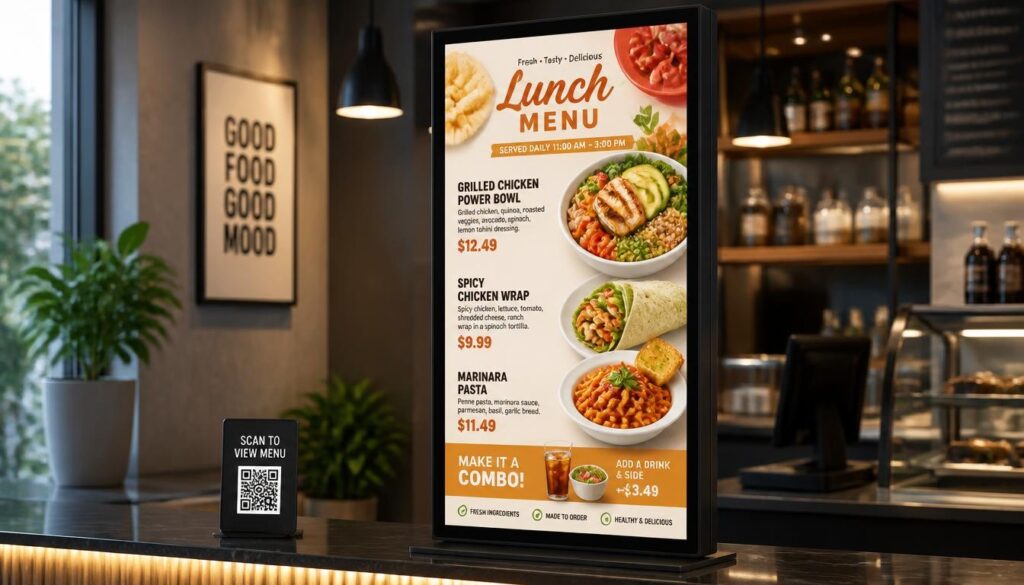
Not every display is as effective in a restaurant.
The restaurant owners must keep in mind lighting, working hours, screen position, maintenance, and distance of viewing by customers before investing in hardware.
Brightness and Visibility
Brightness describes how much light a display emits and affects how easily customers can view the screen in different lighting conditions.
It is measured in nits.
A screen mounted within a dimly-lit dining room can be used with medium brightness. A screen opposite big windows can be required to be much brighter to be readable in the afternoon.
In most indoor settings, commercial displays with about 300-700 nits may be appropriate, based on ambient illumination and glare.
Installations facing windows might need significantly brighter displays.
Higher brightness is not always better. An overly bright screen in a low-light restaurant will be uncomfortable to view.
The idea is to align the display to the environment.
Durability and Reliability
Restaurants have a tendency to work long hours.
A menu display can operate from early morning until late evening, especially in fast-casual restaurants, cafes, and fast-service restaurants.
Digital signage monitors are commercially offered with operating ratings to enable their use over long periods of the day.
Look through the specifications of the manufacturer such as temperature, recommended operating schedules, and warranty coverage.
Stable hardware will minimize chances of menu interruptions during peak service time.
Easy Cleaning and Maintenance
The equipment must be safe to clean in restaurants.
Screens mounted at the ordering counters can be subjected to fingerprints, dust, grease or even splashes.
Maintenance can be made easier by displays with suitable front surfaces and accessible mounting arrangements.
Nonetheless, cleaning techniques depend on the manufacturer.
Do not apply harsh chemicals directly to the screen. Follow the manufacturer’s recommended cleaning instructions.
Employees or technicians should also be able to access equipment for maintenance, so the design of digital signage and displays should allow this.
Screen Size and Position
A bigger screen is not necessarily more effective.
The optimal size will be based on the distance of the viewing, the complexity of the menu, the available wall space, and the number of displays that the restaurant will utilize.
One or two screens may be required in a small coffee shop, whereas a large quick-service restaurant could have a number of screens over the counter.
Check the menu where the customers will be standing.
If customers cannot read prices from the back of the queue, reconsider the font size, layout or display setup rather than just buying a bigger screen.
Don’t let outdated technology dull your restaurant’s shine. Nento offers digital signage display options for the foodservice industry. Request a quote today.
Types of Digital Signage Display Systems for Restaurants
Various sections of a restaurant should have various types of displays.
The purpose of a screen above the ordering counter is different than a screen near the entrance or the waiting area.
Knowledge of such applications assists restaurant owners to choose the appropriate digital signage display systems without installing redundant hardware.
Digital Menu Boards
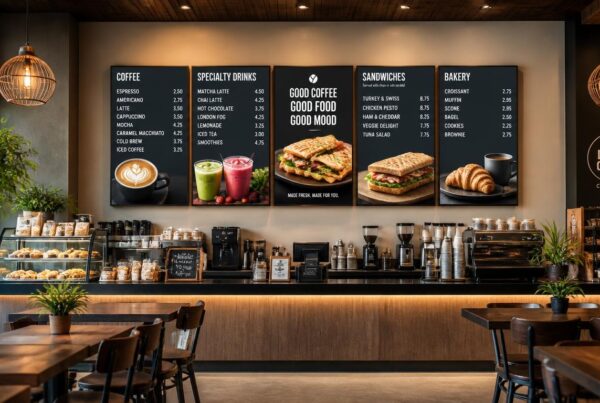
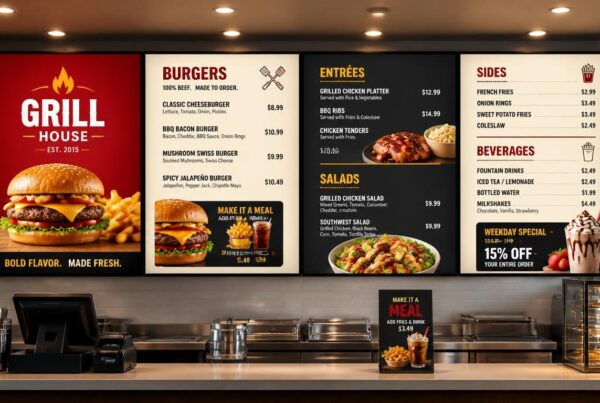
One of the most prevalent restaurant signage applications is digital menu boards.
They substitute the old printed menu with screens that show the type of foods, the prices, descriptions, and promotional deals.
A hamburger restaurant can have different screens on burgers, drinks and desserts.
On one screen, a cafe can have coffee and on the other, pastries or sandwiches.
The benefit is the flexibility. The changes in menu items can also be made digitally without a physical display being replaced.
Dual Screen Digital Signage
Dual screen digital signage involves two screens placed side by side or used together as part of the same signage setup.
This may be especially helpful in restaurants that require displaying not only necessary information about the menu but also advertising materials.
For example:
Screen one: The main menu, categories, and prices.
Screen two: Seasonal products, promotional videos, meal combinations or nutritional information.
This design allows promotional contents to have their own space without overcrowding the main menu.
The two screens can either be administered separately or operated on a common content management platform.
In case they require a perfectly synchronized video playback, they might require more synchronization features.
Outdoor and Drive-Thru Displays
Drive-thru screens are run in more challenging conditions.
They should be able to be read during sunshine and be resistant to weather, dust, and changes in temperature.
Outdoor installations therefore require high-brightness displays, weather-resistant construction and thermal management.
An average indoor LCD display cannot be installed outside without checking its suitability to the environment.
Waiting-Area and Room Screens
Not all restaurant screens should have a menu.
Waiting-area displays can show order status, promotional messages, branded videos or restaurant announcements.
A pizza shop may display brief videos of how to make a pizza, and a cafe may advertise its loyalty program or new events.
These displays can help to make the waiting time more informative and ordered.
Self-Ordering Kiosks
Touchscreen kiosks enable customers to view products, customize meals and place orders directly.
The kiosks unlike overhead displays need interactive software and touch-enabled hardware.
They can be applied in restaurants where the customers enjoy the advantage of having a look at detailed choices or tailoring their orders.
But accessibility and maintenance requirements, kiosk software and payment integration should be looked at as distinct requirements as opposed to regular menu signage.
The Network and Software: Powering Your Restaurant’s Digital Signage
An effective screen must have a reliable system behind it.
Restaurants might be left to replace files manually or per display without proper software.
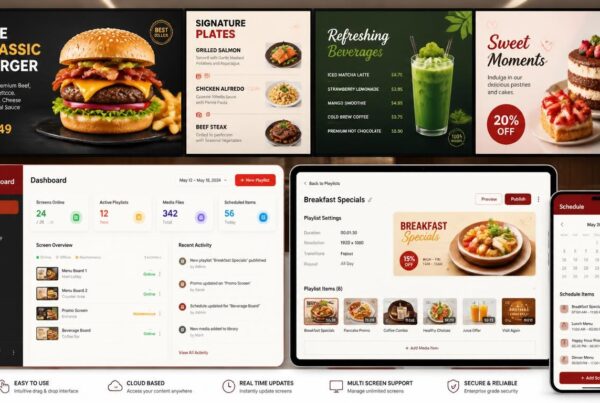
The whole set up is simplified with digital signage software.
Content Management and Automatic Scheduling
A content management system or CMS is a system that enables restaurant managers to post and arrange menu content.
They are able to make playlists, alter prices, modify photos and arrange promotions.
For example, a coffee shop might use the following schedule:
| Time | Display Content |
| 7:00 AM–11:00 AM | Breakfast menu and morning coffee combinations |
| 11:00 AM–4:00 PM | Lunch offers and sandwiches |
| 4:00 PM–9:00 PM | Dinner menu, desserts, and evening promotions |
The system changes the content according to the schedule.
This is referred to as dayparting.
It assists restaurants to have up-to-date menus without requesting staff to change them individually.
Managing Multiple Restaurants From One Dashboard
A network digital signage system refers to a system where screens or compatible media players are linked to a central management platform.
This is especially useful to restaurant chains.
A head office can issue a new promotional campaign in selected locations, but it is possible to allow individual branches to make approved local updates.
An example is a restaurant chain that may have the same menu design in all their restaurants but they put different prices where it is required.
The centralized administration contributes to brand continuity and minimizes redundancy in administration.
Digital Signage Screen Synchronization
When multiple screens are mounted side by side, their content may need to be synchronized, depending on what they display.
Screen synchronization in digital signage can mean two different things.
The initial one is content consistency. This implies that various screens get the appropriate menus, branding and planned promotions.
The second one is synchronized playback. This means that videos or animations are timed to play together across multiple screens.
To illustrate, a restaurant might desire a promotional video which flows smoothly one display to the other.
That would not be as easy as just putting the same playlist on every screen.
Frame-level synchronization can be achieved with compatible media players, special synchronization capabilities, or a video-wall controller, depending on the hardware and software.
These capabilities should be ensured in case synchronized video is included in the design of restaurants.
Remote Updates and POS Integration
Online services enable users with the necessary rights to control the content without accessing every display.
A manager is able to modify a price, take off a sold-out item, or introduce a limited-time offer using a compatible device.
Certain signage platforms are also integrated with POS systems.
Menu prices and availability of products can be aligned with restaurant operations, where possible, with compatible integrations.
This has the potential to minimize errors between the menu board and the checkout system.
Nento provides centralized screen management, content scheduling, and POS integration features for restaurant digital signage. During setup, compatibility with a specific POS provider must be assured.
What Screens Are Used for Digital Signage in Restaurants?
A common question from restaurant owners is: what screens are used for digital signage, and which type is most suitable?
The solution will vary depending on whether the display is used indoors, outdoors, behind the counter or at an interactive ordering station.
Indoor LCD Displays
LCD screens installed indoors are an option that can be used in most restaurants.
They come in different sizes, produce clear images and can show detailed menus and food photographs.
The LCD displays that are used commercially may be especially appropriate to overhead menu boards, promotions, and waiting-areas.
In the case of the majority of typical indoor restaurant configurations, this is a reasonable starting point.
High-Brightness LCD Displays
Certain restaurants require screens that face windows or are exposed to intense sunlight.
In such places, normal indoor displays can be washed out.
LCD monitors with high brightness are created to enhance the visibility in harsh lighting situations.
Brightness levels of about 2,500 nits or more may be needed depending on the exposure and installation design in outdoor and drive-thru applications.
But brightness is not sufficient. Outdoor hardware also needs to provide appropriate weatherproofing and temperature control.
Direct-View LED and OLED Displays
Direct-view LED displays are capable of producing large visual displays without the apparent lines between separate LCD displays.
They can be appropriate in restaurant feature walls, high-end promotional displays, or abnormally large displays.
OLED has good contrast and image quality, and thus it is appealing to specific decorative or hospitality use.
Nonetheless, the technologies can entail various cost, maintenance, and content needs.
Commercial LCD technology can also be a viable option with standard menu boards with fixed prices and categories over a long period.
Touchscreen Displays
Touchscreen displays can be applied to self-service kiosks, interactive menus, customer information stations.
They need compatible software that allows customers to interact with the content.
Restaurants are also to pay attention to the screen height, accessibility, cleaning, and ease of navigation.
Which Screen Should You Choose?
| Restaurant Requirement | Suitable Display Option |
| Standard indoor menu | Commercial LCD signage display |
| Bright window-facing location | High-brightness commercial LCD |
| Outdoor or drive-thru menu | Weather-resistant outdoor display |
| Large decorative video wall | Direct-view LED or suitable LCD video-wall system |
| Self-service ordering | Commercial touchscreen |
| Premium ambiance display | Commercial LCD, OLED, or suitable LED installation |
The best option is the one that matches the actual viewing environment and operational requirements.
Setting Up Your Restaurant’s Digital Signage and Displays
After picking the hardware and software, the next step is to plan the installation.
A properly placed screen with easily readable content would be more practical than a big screen that is mounted in the inappropriate place.
Begin With Screen Position
Take into account the flow of customers in the restaurant.
In what place do they come in? Where do they wait? What is the distance between them and ordering counter? What do they require at each stage?
Typically, they are displayed in:
- Above ordering counters for main menus.
- Near entrances for promotions and daily specials.
- In waiting areas for order updates and announcements.
- In drive-through lanes for outdoor ordering.
- Near pickup counters for collection instructions.
Do not keep screens where they can be easily reflected or obstructed by some other objects.
Actual Actual Screen Design Content
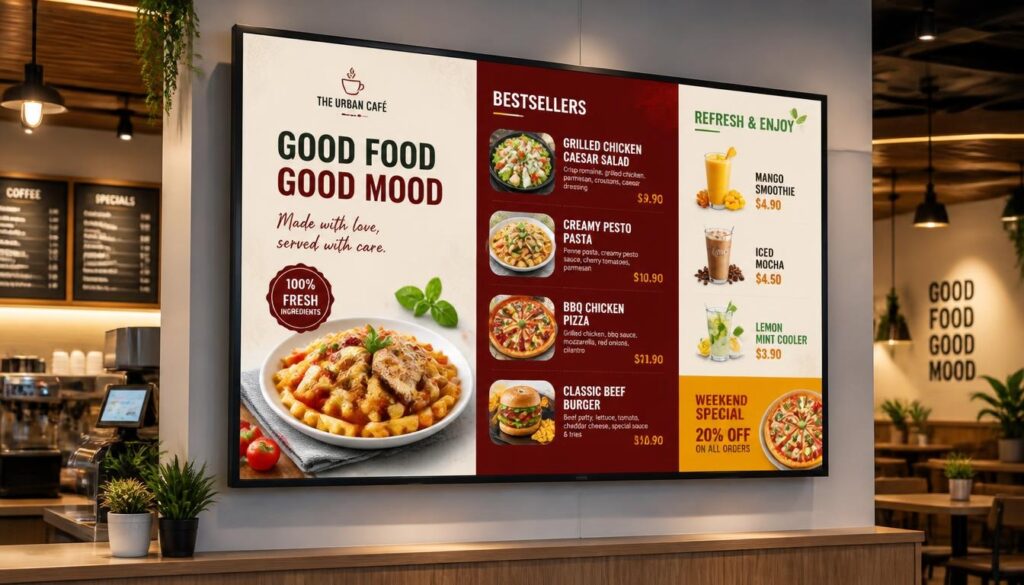
The menu should not be printed and just stretched over the television.
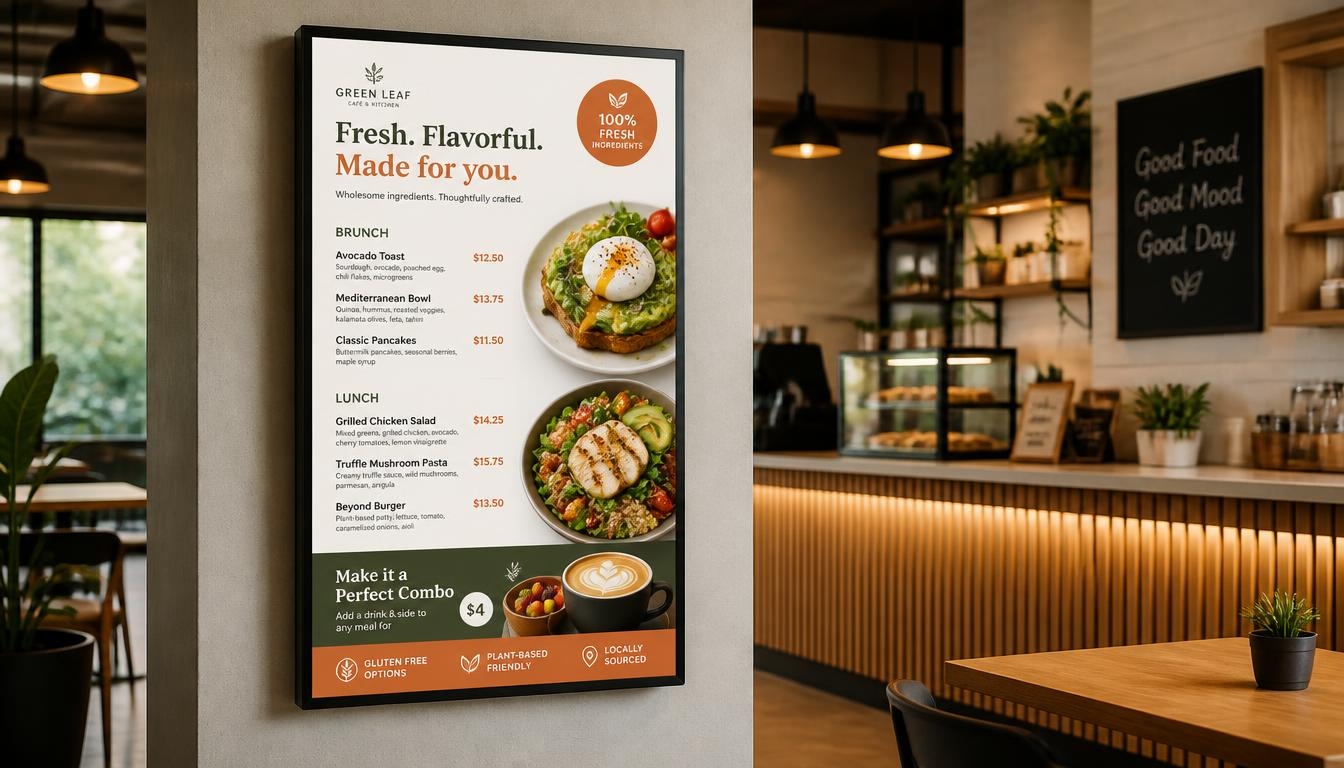
Digital menus should have readable fonts, easy to understand prices, good contrast, and spacing.
Good-quality food photography can make selected products stand out.
Nevertheless, the excessive amount of photographs, animation, or advertisements can complicate the menu.
Make the key information reachable especially at the times when there is a rush to the service.
Check Playback and Check Connectivity
The majority of the current signage systems involve a media player or compatible built-in player linked to content management software.
There are installations that utilize Wi-Fi, and those that utilize wired Ethernet.
A stable network connection helps new content reach the screens reliably.
It is also useful to select a system that can continue playing previously downloaded content during temporary internet outages.
This is especially crucial when the menu board is critical to day-to-day ordering.
Connect With Restaurant Operations
Where supported, digital signage can be connected with POS or inventory systems.
This can enable prices, promotions or availability of products to remain similar across various platforms.
Not every integration is the same though.
Establish what information can be automatically synchronized and what changes need to be approved by hand.
Start Small and Grow
Not every restaurant needs a large screen network from the start.
A small cafe would start with a single display.
With the expansion of the business, new screens can be added with promotional materials, distinct menus or new sites.
It is easier to do this expansion by choosing scalable software.
Nento provides restaurant-based signage software, content development, and integrated hardware solutions and support to businesses with a single cafe or multi-location businesses.
From single-location cafes to multi-branch restaurant chains, Nento specializes in designing and installing digital signage and displays tailored to the food service industry. Schedule a demo with our team today.
Frequently Asked Questions
Can I use a regular TV as an LCD signage display in my restaurant?
Yes. A consumer television can work for basic indoor signage, particularly when operating hours are limited.
Nevertheless, commercial digital signage monitors can be brighter, have a longer operating-hour rating, be remotely manageable, and be covered by commercial warranty.
Commercial displays can be considered in restaurants that have screens operational all day.
How often can I update the menu on my digital signage display screen?
You can update the menu whenever necessary.
Having compatible digital signage software, restaurants are able to adjust prices, update photographs, delete those items which are not available, and plan new promotions.
The updates may be prepared and published remotely. How quickly the changes appear depends on the software, player connectivity and system setup.
What is dual screen digital signage, and is it suitable for restaurants?
Dual screen digital signage involves two screens that are located side by side or under the same management.
In the case of restaurants, a single screen can show the main menu and the other one can show seasonal offers, videos, or special offers.
This helps separate important menu information from promotional content and makes both easier to understand.
How does screen synchronization for digital signage benefit my restaurant?
Synchronization assists in coordinating the content between two or more displays.
Simple content synchronization helps keep menus and routine updates consistent across screens, without necessarily making their content identical.
More sophisticated playback synchronization enables animations or videos to work in multiple displays simultaneously.
This comes in handy especially with multi-screen menu layouts and video walls.
What screens are used for digital signage in outdoor or drive-thru settings?
Drive-thru lanes and outdoor restaurants tend to use high-brightness commercial displays with appropriate environmental protection.
There are also outdoor displays that have brightness ratings of 2,500 nits and above to enhance the visibility in the sun.
Weather resistance, protective glass, temperature control and screen placement are also important considerations.
An ordinary indoor LCD display cannot be considered an outdoor display.
Can a network digital signage system manage multiple restaurant locations?
Yes.
A network digital signage system enables authorized users to control the displays connected to it via a central dashboard.
The restaurant chains are able to post menus, promotions, and changes in branding to the chosen locations without having to visit each screen.
Local changes can also be managed by individual branches where permissions allow.
What is the typical lifespan of an LCD signage display in a restaurant?
Certain commercial LCD displays and LCD components are specified to operate about 50,000 hours, whilst others are of different specifications.
50,000 hours, at 24/7 operation, is approximately 5.7 years at continuous operation.
The rated operating life is, however, not a guarantee that a display will be fault free throughout that time.
Actual lifespan depends on the hardware, operating temperature, brightness, maintenance and daily usage.
The owners of restaurants are encouraged to look at the specifications and warranty of the manufacturer as opposed to using a general estimate of the lifespan.
Conclusion
Choosing an appropriate LCD signage display can make a significant difference in how a restaurant displays its menu and interacts with customers.
Electronic displays provide flexibility that is difficult to achieve with printed menus. It is possible to update prices and schedule promotional content and food photography can assist customers to pay attention to featured products.
Nevertheless, the presentation is just a portion of the investment.
Reliable software, proper hardware, readable menu design and a reasonable installation plan are also required in restaurants.
A single commercial LCD display can be a good choice in an indoor cafe, and a bigger quick-service restaurant might require a multi-screen setup. Brightness and weather protection are also other requirements of drive-thru operations.
The right digital signage display panel should fit the restaurant’s ambience rather than simply provide the highest resolution or the biggest screen.
Using an appropriate network digital signage system, restaurants will also be in a position to control content on multiple displays and locations without having to use manual updates.
The best way businesses should go about an upgrade is to have a clear objective, select hardware that can support it and employ software that employees can comfortably operate.
Nento is your trusted partner for restaurant digital signage. From dual screen digital signage setups to enterprise-level digital signage display systems, we design, install, and support solutions that drive results. Visit Nento today to book your free strategy session and take the first step toward a smarter, more engaging restaurant.