Introduction
A company may invest thousands of dollars in high-resolution and bright screens and still fail to get customers to notice them. It is not usually the technology that is the problem. It is what is on the screen.
Consider a restaurant with a busy menu with small fonts, a retail outlet with poor promotional photos, or a corporate lobby with hard-to-read announcements. The screens can be performing excellently, but the message is being lost.
This is where a digital signage template designer comes in.
A good template provides a structure to your content. It dictates the location of headlines, pictures, prices, logos, and promotional messages. More importantly, it ensures that customers are able to comprehend the information without necessarily halting to read the screen.
Everyday updates are also made easier with templates. Businesses can use approved layouts, swap images, revise prices, and post new content instead of designing a new layout each time a promotion is altered.
This uniformity is even more useful to businesses that have multiple offices.
Not all templates are, however, appropriate to all businesses. The menus of the restaurants, retail promotions, outdoor advertisement, and corporate announcements all demand varied design strategies.
The selection of the appropriate digital signage design firm can assist companies to design layouts that reflect their brand, use their software, and are practical to use on a daily basis.
This manual describes what constitutes a good digital signage template, when it is worthwhile to hire a professional to design it, and how Nento can assist companies to produce content that is both attractive and efficient.

Why You Need a Professional Template Designer for Digital Signage
The most frequent error that businesses commit is to use digital signage as a printed poster.
They draw a graphic, fill it with information, and stretch it on a large screen. It might appear fine on a computer, but when displayed on a large screen, the content can be hard to read from a few feet away.
There are design requirements of digital screens.
Customers will have a few seconds to look at a display. Lighting conditions may change during the day, and screens may show either moving or static content.
A professional digital signage template designer understands these challenges and creates layouts suited to the environment.
Readability From the Right Distance
Effective digital signage begins with effective communication.
Someone who is waiting in line at a restaurant must be able to find menu categories and prices within a short period of time. A passerby in front of the store could have just a few seconds to see an offer.
This depends on text size, spacing, contrast, and visual hierarchy.
A professional designer takes into account the distance to the viewers, what information should be given priority, and the amount of content that the screen can comfortably show.
As an illustration, a restaurant menu could have broad category names, explicit prices, and a single featured product image instead of having photos next to each food item.
It is not aimed at covering the whole screen. It is in order to simplify the information.
Consistent Branding Across Screens
Multi-screen businesses tend to have a problem with a uniform appearance.
One screen may use different fonts, another may place the logo elsewhere, and a third may use promotional colors that do not match the brand.
This problem is addressed to a large extent by customizable digital signage templates, which offer a reusable design framework.
The colors, spacing, typography, and logos can be kept constant, whereas product information and promotions can vary.
It comes in handy, especially in restaurant franchises, retail stores, hotels, and organizations that have multiple branches.
Faster Content Updates
It is time-consuming to make each promotion manually.
A company that is planning a weekend sale might require a graphic on the various screens, locations, and display settings.
The team can easily change the details of the offer with the ready-made templates without having to redesign the layout.
A cafe will be able to refresh their seasonal beverages, a retailer will be able to announce new arrivals, and an office will be able to make announcements with ready-to-use layouts.
This saves time on duplication of design and assists companies to roll out campaigns in a better manner.
More Interesting Visual Communication
An attractive template is not just one that employs good colors.
It creates a flow of information in such a way that viewers observe the most significant message.
That can be supported with the help of subtle animation, good product photography, and well-selected digital signage background templates.
Nevertheless, too much motion or ornamentalism can prove distracting.
The most powerful designs typically strike a balance between the visual appeal and simplicity.
Key Elements of High-Quality Digital Signage Design
When comparing templates for digital signage, it is good to look beyond the surface.
A template must be user-friendly and screen-friendly and must be adaptable to fit various contents without losing its format.
There are a number of design features that should be singled out.
Digital Signage Background Templates
The setting of the whole show is established by the background.
A restaurant may use warm, soft colors, whereas a corporate office may prefer neutral colors and straight lines.
Digital signage background templates that are good are those that complement the message and not compete with it.
Text may be hard to read due to busy photographs, complex patterns, and low-contrast colors.
Monochromatic gradients, dull textures, and balanced color schemes are more practical.
Another consideration is resolution. The background pictures must be befitting the size of the display in order to be clear when displayed on a bigger screen.
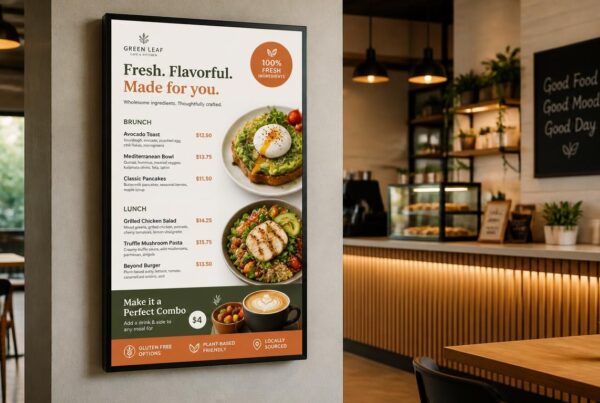
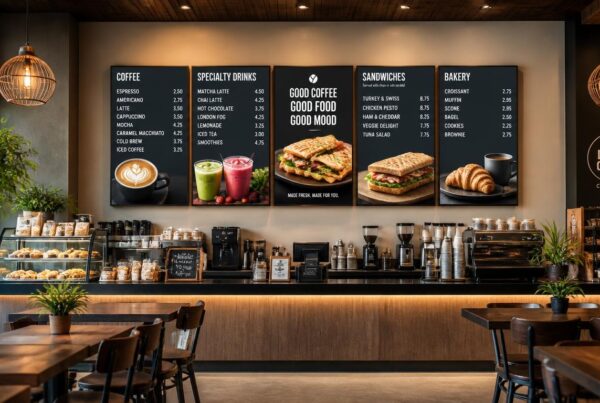
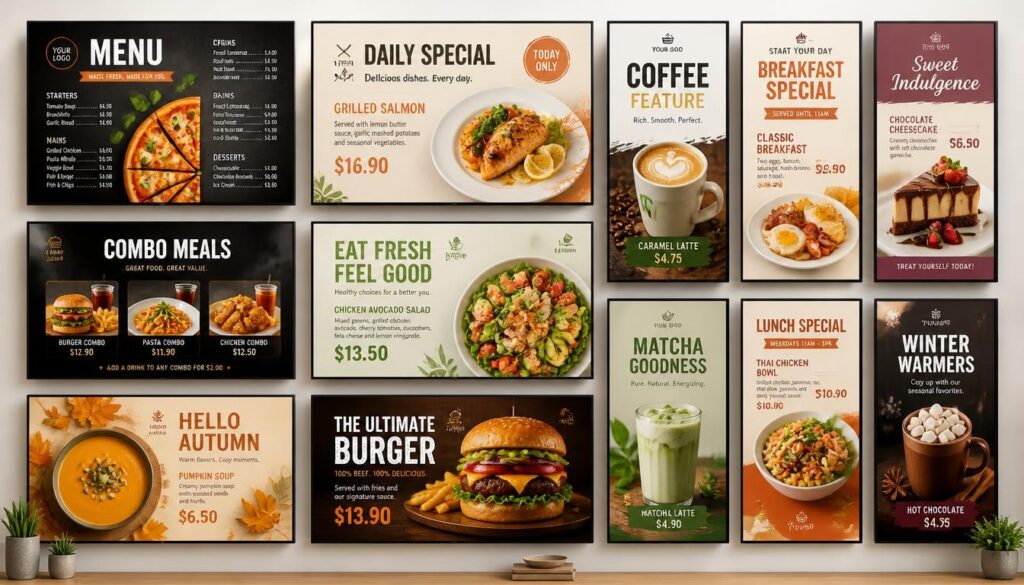
Digital Signage Restaurant Templates
Restaurants have certain content needs.
The customers should be able to view product names, prices, categories, and occasionally dietary or allergen information.
These details must be well arranged on a digital signage restaurant template without interfering with the space to have nice food photography.
An example of this is a fast-food restaurant with a three-zone layout:
- Categories and prices of the main menu.
- Featured meal combinations
- Daily specials or limited-time offers.
The same structure may be applied to a coffee shop, but it has to focus on the size of drinks, seasonal drinks, and personalization.
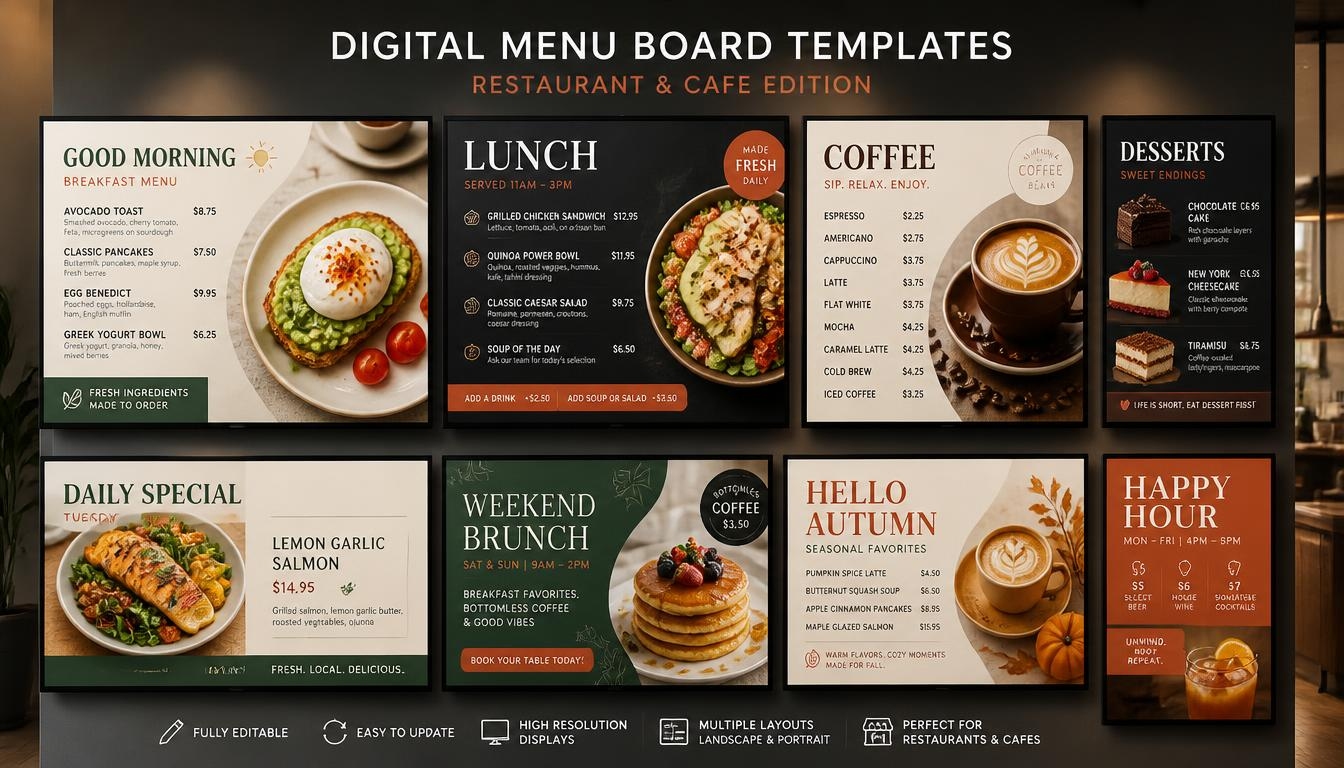
Dayparting also works with good restaurant templates that enable businesses to alternate between breakfast, lunch, and dinner menus using pre-scheduled content.
Outdoor Signage Design Templates
Outdoor screens are exposed to varying conditions.
They can be viewed by people walking, driving, or passing by a storefront. Information can also be difficult to read due to bright sunshine and reflections.
An outdoor signage design template should use bold text, high contrast, and concise messages.
As an illustration, the outside of a cafe could have a promotional display that reads:
Fresh Coffee + Croissant — Morning Special
Such a message can be grasped at a glance compared to a description of the offer that is lengthy.
There should also be reasonable margins in outdoor templates so that the text of importance is not too near the edges of the screen.
Nonetheless, no good design can turn a typical indoor television into an outdoor one. Screen brightness, weather resistance, and installation requirements should be dealt with individually.
Modular Digital Screen Templates
It should be easy to edit a digital screen template.
If changing a product photograph also changes the prices or layout, the template is not very practical.
Modular templates give specified space to text, pictures, logos, and other content.
This enables the users to substitute single components and maintain the general design.
It is particularly useful when companies manage many displays or frequently change promotions.
Digital Signage Website Templates
Other businesses desire their displays to show data on websites, calendars, dashboards, or social media feeds.
A digital signage web template may offer a layout that will display web-based information on a screen.
An example is a corporate lobby that displays announcements and weather information, and a hotel that displays event details in an online schedule.
Web content can be presented as a supported browser component, webpage widget, or data integration depending on the signage platform.
Not all websites display properly on digital signage screens. Some pages require scrolling or interaction.
To present on the screen, the content must be organized in a way that the viewers do not have to go through a complete website to comprehend it.
Choosing the Right Orientation
Templates must also conform to the orientation of the display.
Landscape screens are usually 16:9 and can be used in menu boards, corporate announcements, and promotional displays.
Portraits tend to display a 9:16 format and are suitable in the case of directories, retail advertising, and vertical advertising.
An effective template must consider these differences instead of merely scaling up an existing layout to suit all the screens.
The Role of a Digital Signage Design Company
Free design tools or simple templates are used as a starting point in many businesses.
That would be effective when it comes to basic announcements or a one-time promotion. Nevertheless, companies that have more intricate needs can use the assistance of professional design.
A specialized digital signage design firm may assist in linking branding, content structure, and software functionality.
Design Strategy Based on Your Business
The first step to professional design is to know the purpose of the screen.
A restaurant menu should have the ability to facilitate fast ordering. The product being promoted in the store should become instantly identifiable. A company poster must not distract the workers but convey the message effectively.
The same template will not be equally effective in the three environments.
A good design partner puts into consideration the audience, the screen position, distance of viewing and the message before choosing the layout.
Templates That Work With Your Software
It is not very helpful to have a beautiful design that cannot be updated by employees.
Some templates are provided as complete images, so regular changes may require editing them in a separate design program.
More adaptable digital signage software templates have editable fields or layouts, which are operated directly with a compatible content management system.
Businesses are able to change prices, change pictures and arrange campaigns without having to re-write the design.
In assessing the providers, enquire whether the templates can be edited directly in the software or they have to be re-created in a different design program.
Custom Designs That Match Your Brand
Ready-made templates are time-saving, yet do not necessarily represent the unique appearance of a business.
Approved colors, fonts, logos and product photography can be used by professional designers in creating branded layouts.
In the case of a restaurant chain, that could be a uniform menu with breakfast, lunch, and dinner variations.
In the case of a retailer, this may be the use of seasonal campaign templates that retain familiar branding in the stores.
The idea is to produce material that would be an extension of the business and not a standard advertisement.
What to Check Before Choosing a Design Partner
One practical way of comparing providers is to pose some practical questions:
- Are they able to provide examples that are applicable in your industry?
- Do templates work with your current digital signage software?
- Do your staff members have the ability to perform regular updates without expert help?
- Do they provide both landscape and portrait layouts?
- Is the same design system able to work across locations?
- What design support, training and revisions do they offer?
A partner is supposed to facilitate content management and not to make a person rely on external designers.
Maximizing Efficiency With Nento
Companies require digital signage messages that are professional without requiring hours to update.
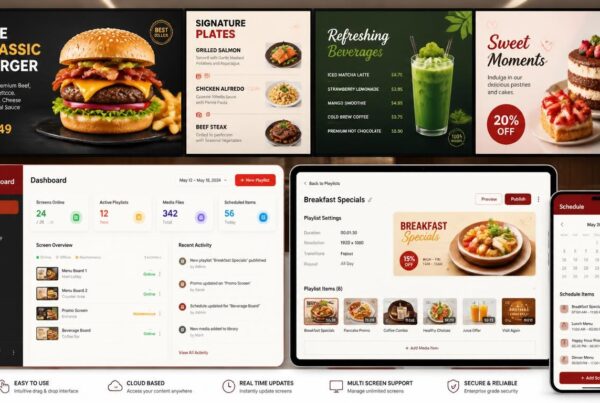
Nento offers content design tools, customizable templates and cloud-based digital signage management to help make that process easier.
The platform offers the means of creating and publishing screen content whether a business requires a single menu board or a coordinated set of displays.
Templates for Different Industries
Nento provides a collection of designs to restaurants, cafes, retail stores, service businesses, workplaces and other settings.
Users can choose an appropriate starting layout and adapt it to their brand.
As an illustration, a restaurant can start with a menu template and change the names of the products, photos, and prices.
A retail outlet may choose a promotion design and alter the offer information and then post it to its screens.
Easy-to-Use Design Tools
The content editor of Nento enables companies to design layouts, fonts, colors, photographs and promotional details.
Its templates assist in minimizing the necessity to design each graphic manually.
It can be helpful in cases when a manager has to make frequent changes and does not have any professional experience in design.
Uniform Content in All Places
Shared templates enable businesses operating in more than one location to maintain consistent branding.
The design structure can be used across various menus, promotions or messages in separate branches.
Scheduled campaigns can also be easily coordinated by centralized content management.
As an illustration, a restaurant chain can create a seasonal promotion with the help of a standardized template and send it to chosen screens.
Professional Design Assistance
Other businesses would like to manage templates on their own. Some others require assistance in developing a complete visual system.
Nento also provides professional menu design and onboarding services to businesses in need of help with their initial setup or continued content needs.
This allows companies to choose ready-made templates, create their own designs, or get further assistance in the design.
Ready to Transform Your Screens?
Contact Nento today to schedule a demo and see how our templates can elevate your brand.
Creative Ideas to Improve Your Digital Signage Strategy
After you have a set of reusable templates, then you need to determine how to use them.
Digital signage does not require the same message to be displayed throughout the day.
Businesses can use the appropriate content strategy and software features to make their screens more customer-relevant.
These are five ideas to consider.
The Time-Based Mood Template
The ambience of a restaurant varies across the day.
Breakfast service can be light and lively whereas dinner service tends to require warmer colors and a less formal display.
Businesses can plan various visual themes instead of using the same design throughout the day.
As an illustration, a cafe can use a light background and breakfast photography in the morning and then change to a warmer color palette to promote evening desserts.
Such a method does not involve the use of technology to gauge customer feelings. It can be achieved by simple time-based scheduling.
The Interactive Selfie Background
Branded content can be provided to customers by retailers and entertainment venues, where customers have the opportunity to interact.
Among the ideas is to employ digital signage content templates that have a special section of customer photographs.
One of the customers might capture a photo on a compatible kiosk or related application and decide to place it in a branded frame.
This can stimulate involvement and social sharing.
Nonetheless, companies should obtain appropriate permission before displaying customer photos and comply with applicable privacy requirements.
The Data-Driven Outdoor Template
Outdoor content can be more relevant when it responds to current conditions.
As an illustration, a cafe can advertise cold drinks during hot afternoons and warm drinks during cold climates.
An outdoor signage template might also change background colors or promotional messages based on temperature or weather data.
Such changes demand a compatible software, an appropriate source of data, and properly set-up automation.
Even the outdoor display has to be suitable to the environmental conditions.
The Zone Restaurant Menu
Arranging restaurant menus into distinct areas is one of the most feasible ways of using personalized digital signage templates.
Businesses will be able to use various parts of the screen as the different information areas rather than using the whole screen as one large promotional screen.
For example:
| Menu Zone | Content |
| Main menu | Products, categories, and prices |
| Featured offer | Meal upgrades, combinations, or limited-time specials |
| Additional information | Relevant dietary or allergen information and ordering details |
This structure makes it easier to update one area without changing everything else.
It also assists customers in locating vital information and still being able to see promotional offers.
Critical allergen data must always be updated, available, and easily understandable to customers who require it.
The Vertical Website Integration
Another way of linking physical signage and online is through portrait displays.
A vertical layout might be used to display the chosen news updates, posts, event announcements, or approved social media posts by a business.
As an illustration, a hotel could display event details from its website, or a retail store could show selected social media posts.
An appropriate digital signage web template may aid in arranging this information to a vertical screen.
The trick is not to show a full web page which needs to be scrolled. Rather, present chosen data in a way that can be easily read.
The signage software and the services it is connected to determine compatibility with live feeds and web content.

Frequently Asked Questions
What Is a Template Designer for Digital Signage?
A digital signage template designer can be a professional or a software tool used to create reusable designs for electronic displays.
These designs provide designated areas for text, photographs, videos, logos and other content.
Businesses are able to update the content without developing a new design altogether.
How Do I Choose the Best Digital Signage Design Company?
Find a provider that has examples of design, experience in the industry, compatible software and practical editing tools.
A good digital signage design company should understand the differences between restaurant menus, storefront advertisements and corporate information screens.
The customization options, content management, training and support of the provider will also be of interest.
Can I Customize Templates for My Specific Needs?
Yes. Numerous contemporary signage systems have templates that can be edited.
Nento’s content design tools enable users to customize colors, fonts, images, text and promotional information.
This assists companies in retaining their branding and keeping the information fresh frequently.
What Are Digital Signage Content Templates?
Digital signage content templates are pre-built templates that are designed to be used by specific types of screen content.
This can be restaurant menus, promotional advertisements, welcome screens, company announcements, event schedules and social media displays.
They assist companies to retain the same layouts with varying information presented.
Why Is Outdoor Signage Design Different?
Outdoor signage is generally seen at a distance and in more harsh lighting conditions.
An outdoor signage template should therefore use readable fonts, high contrast, short messages and clear visual hierarchy.
The hardware should also be able to withstand sunlight, weather and outdoor operating temperature.
Do I Need a Digital Signage Website Template?
Not always.
A template based on a web site can be handy when a company needs to display real-time web content, dashboards, event details or social media feeds.
Nevertheless, certain signage platforms may support compatible webpages or widgets without the need to have a different web site template.
The correct solution is determined by the content, software features and the way the display will be used by viewers.
How Often Should I Update My Digital Screen Template?
The design itself does not have to vary all the time.
The structure can be reused for a long time if it remains readable and matches your branding.
Whenever products, prices, promotions or other information are changed, the content must be updated.
Seasonal themes and visual updates can also keep screens up-to-date, but consistency is also essential.
Ready to Get Started?
An effective digital signage template is not just a pretty screen.
It makes information easy to grasp, ensures branding remains the same and enables businesses to update information without needless design efforts.
In the case of restaurants, it can include more understandable menus and more prominent promotional deals. In the case of retail stores, it may be regular seasonal advertising. In offices, it can mean professional announcements and information that is easy to maintain.
A digital signage template designer must understand these differences and offer layouts that fit the business.
Equally important, the templates are to be compatible with the software that employees can operate with comfortably.
Nento combines customizable templates, content creation and digital signage management to help businesses create, update and publish screen content.
Whether you want a digital signage restaurant template or a more advanced corporate design, the aim is the same: to make each screen practical, readable, and aligned with your brand.
Don’t waste your computer monitors. Nento will be able to assist you with either a digital signage restaurant template or an elaborate corporate layout.
Explore Nento’s Template Library Today and take the first step toward visual excellence.