Introduction
A message can be given by one screen. When multiple screens are installed, they can remodel a whole area.
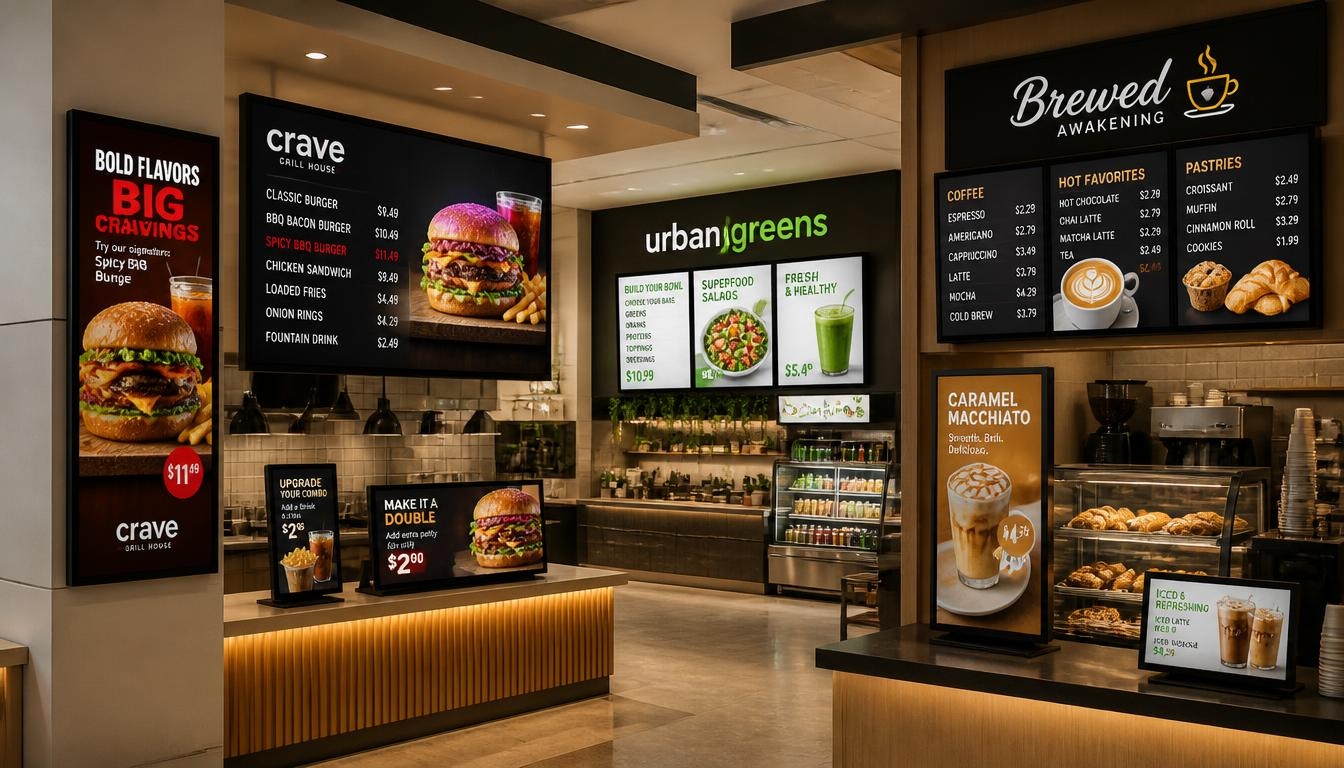
Consider a restaurant having three menu boards on top of the counter, a retail store having a big video wall, or a corporate lobby with announcements, visitor information, and promotion. These setups use screens in different ways, yet they share one requirement: the information must work together.
That is where digital signage and multiple displays become valuable.
Companies are using multiple screens to reach customers from different positions, organize information, and provide more appealing visual experiences. They will be able to provide each message with space it requires instead of cramming everything on a single display.
But controlling multiple screens is not as easy as just hooking up a few of the televisions. The use of different resolutions, incompatible media players, slow video playback, and inconsistent content can easily make a great installation a frustrating experience.
To have a successful digital signage multiple-monitor installation, it is essential to have the correct combination of displays, media players, software, and content design.
This guide describes the functionality of multi-screen signage, the hardware choices, the layout of multiple display configurations, and what businesses need to take into consideration when developing a larger screen network.
Ready to transform your space into a visual masterpiece? Contact Nento today to discuss custom multi-screen strategies.
Why Invest in Multi-Screen Digital Signage?
One display can be used to convey one primary message. However, when a business requires multiple types of information to be displayed or the visual impact to be larger, multiple screens provide greater flexibility.
More screen space is not the only advantage. What matters is how effectively that space is used.
Greater Visual Impact
The large, coordinated display will be able to draw attention that a small, standalone screen might not.
To illustrate, a retail outlet may have three interconnected screens to show a continuous promotional video. A video wall with destination photography or event highlights could be located in a hotel lobby.
These arrangements are able to become a part of the physical environment instead of appearing as normal advertisements.
It is one of the reasons why multi-screen digital signage is commonly used in retail outlets, hotels, entertainment spots, and business receptions.
But the number of screens is not the sole determinant of the impact. An effective two-screen installation can be more effective than a video wall that is crammed with too many screens.
Better Information Hierarchy
The possibility to organize information is one of the greatest benefits of multiple displays.
Businesses can also allocate various functions to various displays rather than displaying everything on a single screen.
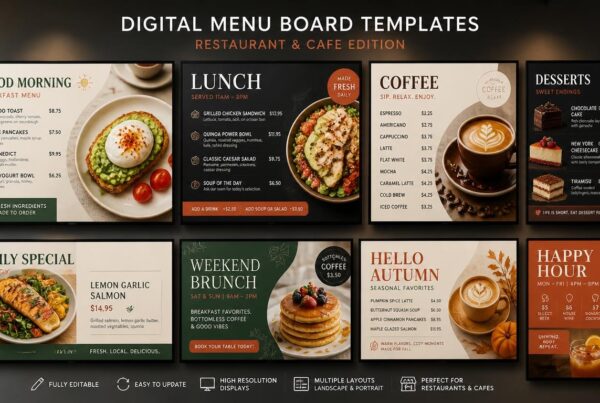
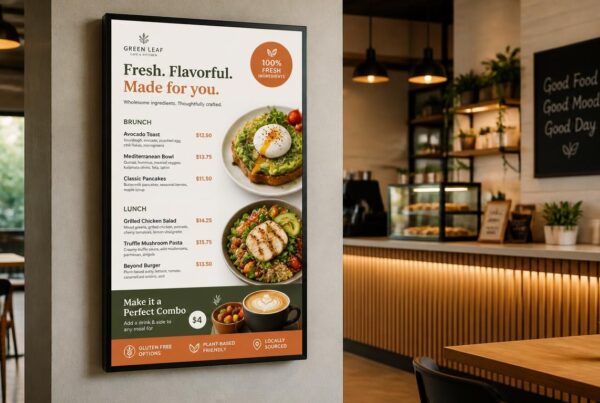
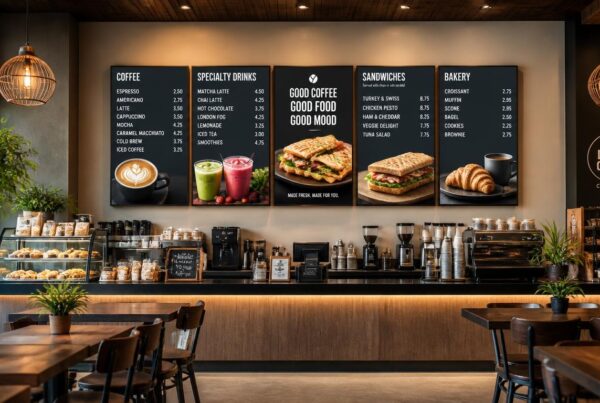
A restaurant, for example, might use:
- Screen one: Main menu and prices.
- Screen two: Drinks, desserts, and meal combinations.
- Screen three: Seasonal offers and promotional videos.
Such a structure facilitates easier access to information and maintains promotional messages in sight.
The same strategy might divide company announcements, meeting schedules, and performance dashboards in corporate environments.

More Flexible Content Management
Depending on the location, businesses can either portray the same message on all screens or have different content.
A mall can have a coordinated campaign on its entrance displays while individual stores have their own promotions.
The same seasonal campaign can be announced in multiple restaurants belonging to a chain, but with location-specific prices.
This is achievable with the help of modern digital signage display systems that have centralized content management.
Where Multi-Screen Signage Works Best
Different environments benefit from different arrangements.
| Business Environment | Multi-Screen Application | Main Purpose |
| Retail stores | Video walls and window displays | Showcase products and promotions |
| Restaurants and QSRs | Multiple digital menu boards | Organize menus and featured offers. |
| Corporate offices | Reception screens and information displays | Communicate announcements and updates. |
| Hotels | Lobby video walls and event screens | Provide guest information and branding. |
| Shopping malls | Advertising networks and directories | Promote stores and guide visitors. |
| Museums and galleries | Synchronized visual installations | Present immersive content |
The best digital signage solutions for business are designed around what the audience needs to see, rather than simply maximizing the number of screens.
Understanding the Hardware: What Screens Are Used for Digital Signage?
Businesses should look beyond the screens themselves before buying several displays.
The screens should be environmentally appropriate, and the media players and connections should accommodate the desired content layout.
A common question is, what screens are used for digital signage, especially when several displays need to work together?
Commercial Displays vs. Consumer TVs
Regular televisions can work for basic indoor signage, particularly when operating hours are limited.
However, commercial digital signage display screens often provide features designed for professional installations.
These can have longer operating-hour ratings, increased brightness, portrait orientation, and remote management and be compatible with video-wall systems, depending on the model.
These features can be valuable in the case of restaurants and retail settings in which screens are used during the day.
Commercial displays can also include smaller bezels, which can be more accommodating to some multi-screen configurations.
Review the specifications and warranty of the manufacturer before buying.
Digital LCD Signage
Digital LCD signage is often utilized in restaurant menu boards, retail promotions, and corporate displays, as well as smaller video walls.
LCD screens come in different sizes and resolutions and are relatively easy to install.
In the case of standalone displays, the thickness of the bezel might not be a big issue.
In the case of video walls, however, it is important.
The frame around the visible screen area is known as the bezel. When multiple LCD displays are stacked, the bezels will form visible lines between parts of the picture.
Narrow-bezel displays aid in minimizing such interruptions.
LCD Panels vs. Direct-View LED Walls
Businesses comparing digital signage and displays will also encounter direct-view LED technology.
Direct-view LED displays, unlike LCD screens that usually employ LED backlighting, form images using arrays of light-emitting diodes.
They can be built into large visual surfaces without the visible panel seams on traditional LCD video walls.
This renders them appealing to large promotional displays, auditoriums, and high-intensity retail settings.
Nevertheless, direct-view LED walls may have varying installation, maintenance, and budget needs.
LCD screens can still be a viable solution in traditional restaurant menus, as well as in smaller commercial installations.
The Role of Media Players
A media player or compatible built-in processor helps display digital signage content on the screen.
A standard digital media player signage system involves a player being fed content by a management platform and transmitting video or pictures to the display attached to it.
A conventional player can be created to work on a single screen.
A multi-display player for digital signage can provide several independent video outputs, enabling it to control several screens.
To take an example, a single compatible player could show a menu on one screen and a video advert on another.
Other installations have individual players on each screen.
This will require the right arrangement, which will be determined by the quantity of displays, the resolutions, and whether the content should be synchronized accurately.
Connectivity and Cabling
Multi-screen installations require planning for video and network connectivity.
The most typical ones are HDMI, DisplayPort, Ethernet, and Wi-Fi.
DisplayPort and HDMI transmit video between an appropriate player and display.
Ethernet or Wi-Fi enables the connected media players to be updated and interact with the content management system.
In larger synchronized installations, wired networking can be a better choice, as it offers a higher predictability of communication between devices.
Before installation, cable lengths, supported resolutions, and available ports should be checked.
Configuring Your Layout: Four Multi-Display Modes
The second choice after picking the hardware is the way the screens will integrate.
Not all multi-screen installations have to display the same content.
There are those businesses that would desire a single giant image and those that would rather have individual messages on display.
The awareness of the key configuration choices can prevent redundant hardware and software expenditures.
Stretched Mode: One Image Across Several Screens
Stretched mode is used to show a single image or video on many screens.
An illustrative example is that a retailer might develop a broad promotional image, which spreads over three adjacent displays.
The screens are combined to create a greater visual space.
This is applicable in branded campaigns, extensive product photography, and panoramic promotional material.
The content should, however, be prepared for the combined display size.
When screens have noticeable bezels, important text and faces should not be positioned across the gaps.
Mirrored Mode: The Same Content Everywhere
Mirrored mode shows the same content on multiple screens.
An example of this strategy could be in a shopping center displaying the identical announcement at various entrances.
A restaurant having multiple ordering points might also reflect its main menu to allow customers to have the same information in various locations.
Such an arrangement is fairly simple and can be accomplished using compatible display outputs or signal distribution devices.
It is especially helpful when the goal is to have consistent visibility and not distinct messaging.
Independent Mode: Different Content on Each Screen
Independent mode enables each display-to-display different material.
This is among the most feasible alternatives to restaurants, retail outlets and offices.
As an example, a business might use digital signage screens for social media updates on one, weather information on another, and promotional advertisements on a third.
A fast-food restaurant may divide food, beverages and special deals.
Independent playback needs either appropriate multi-output hardware or externally located media players and a central content management system.
Video Wall Mode: Multiple Screens as One Canvas
Video wall mode combines multiple screens into one larger visual installation.
An example of a 2×2 video wall is one that integrates four screens into one setup.
A multi-output player or a specialized controller is used on some video walls. Others have independent players that organize content via a network.
The system must take into consideration the positions of the screen, the resolution, timing and where necessary bezel compensation.
This is not merely hooking up a number of televisions and watching the same video.
Comparing Multi-Screen Modes
| Display Mode | Content Arrangement | Best Use |
| Stretched | One image extends across several screens | Panoramic campaigns and wide promotional content |
| Mirrored | Every screen shows identical content | Repeated menus and public announcements |
| Independent | Each screen displays different content | Restaurant menus, dashboards, and information zones |
| Video wall | Screens operate as one coordinated canvas | Large video installations and immersive displays |
The best arrangement depends on the message, available space, and how customers interact with the displays.
Software and Content Strategy for Multiple Displays
Hardware defines what can be displayed on a screen network. The ease with which the business can handle it is determined by software.
This difference is especially significant when multiple screens require frequent updates of the content.
Understanding Content Synchronization
One of the most significant technical aspects of multi-screen signage is synchronization.
There are however varying degrees of synchronization.
Content synchronization refers to making sure that all pertinent screens get the appropriate material and timetables.
Playback synchronization refers to the process of aligning the timing of pictures or videos to show up simultaneously.
As an illustration, three restaurant screens can show their breakfast menus at the same time without requiring frame-perfect video synchronization.
The requirements of a video wall displaying a single continuous moving image are far stiffer.
When one of the displays is a fraction of a second behind the others, motion can appear discontinuous.
Playback can be synchronized using specialized players, software and compatible synchronization mechanisms.
When installations are demanding, the businesses ought to test the synchronization under real working conditions.

Creating Multiscreen Content
A one-screen layout is not always easily scalable to multiple screens without modifications.
The content must consider the overall resolution, screen layout, aspect ratio and physical spacing.
An example is a pair of 1920 × 1080 screens side by side, which form an effective nominal canvas of 3840 × 1080 pixels, prior to bezel compensation.
A design that is ready to fit a typical 16:9 screen might not be functional in that expanded configuration.
Independent displays can be better served by the creation of coordinated displays instead of a single large image.
Restaurants are able to have a consistent color and typography and assign each screen a distinct menu category.
Utilize Templates to Have Uniform Branding
Templates enable one to control multiple displays without having to redesign all the screens.
A restaurant chain may share the same menu format with the branches but prices and promotional products may differ.
Retail companies can design templates of the campaigns that can be used on various screen sizes and orientations.
This maintains the overall presentation.
Centralized Content Management
One of the most helpful features for growing businesses is cloud-based management.
Managers can upload content, create playlists and schedule them from a central dashboard, rather than visiting each screen separately.
A digital signage multiple monitors network may consist of screens within a single building or in a number of business locations.
Nento offers centralized screen management, content customization, scheduling and multiple-display management tools.
Its published platform information also explains the video-wall set-ups with compatible Nento players.
Companies planning synchronized installations must confirm hardware compatibility, layout support and synchronization capabilities before deployment.
Struggling with content synchronization? Nento offers robust software solutions to manage your digital signage multiple monitors effortlessly.
Common Challenges and Troubleshooting
The use of multiple screens provides more possibilities, yet it also brings more technical needs.
Some problems are comparatively easy to solve. Others require changes to the hardware setup or content design.
Video Playback Delays
One common problem occurs when videos on different screens appear to be a few seconds out of sync.
This can occur due to the fact that various players may start playback at varying times or because the displays do not process video signals in the same manner.
In the case of video walls, a small difference in timing may be observed.
Potential solutions are supported synchronization features, matching video formats, checking network connections and minimizing unnecessary video processing.
In the case of critical installations, test the entire system instead of making assumptions about the ability of the same players to always be in sync.
Audio and Video Synchronization
Another challenge can be presented by audio.
When multiple screens are used to play sound at the same time, a slight timing difference can cause an echo or unpleasant listening experience.
In certain installations, a single coordinated audio output can be more practical than having separate audio from each display.
The media player and playback software should be able to accommodate the required configuration where the audio should be synchronized.
Gaps Between Screen Bezels
LCD video walls have physical spaces between panels.
These gaps can interrupt text, faces or other important visual elements.
Content designers are encouraged to consider locations of bezel and not to put the important information directly across the bezel.
Video-wall controllers can also apply bezel compensation, adjusting the image to account for the physical gaps between screens.
When it is important to reduce visible seams, direct-view LED walls can be used.
Hardware Compatibility Problems
Not all players support the same number of screens or video outputs.
There are those devices that can only reflect content and those that can show independent content on more than one monitor.
Review the supported output resolution, the number of independent outputs, video decoding features and software compatibility before buying.
It is the same with the displays.
Equipment with different resolutions or refresh rates may require additional configuration.
Planning for Equipment Failure
Part of a multi-display installation can be interrupted by a failed player or screen.
Spare equipment, remote monitoring and documented recovery procedures may be considered worthwhile in the case of business-critical applications.
Redundant components are also utilized to minimize the likelihood of a failure of a single hardware component to affect the entire digital signage display system.
The extent of redundancy will be appropriate based on the importance of the displays to the day-to-day operations.
A Practical Troubleshooting Checklist
Before launching a multi-screen installation, confirm that:
- Every screen uses the intended resolution and orientation.
- Media players support the required number of outputs.
- Video files use compatible formats.
- Screen positions match the content layout.
- Playback synchronization has been tested where needed.
- Network connectivity is reliable.
- Power and cable connections are secure.
- Staff know how to restart or replace a failed device.
A little preparation can prevent problems after the screens are installed.
Future-Proofing Your Multi-Screen Setup
Digital signage technology is on the rise.
Companies investing in new equipment must not just think about what they would like to show today but also how their needs would evolve.
Interactive Screens
Touch-enabled displays are increasingly used in restaurants, retail stores, hotels and public spaces.
With interactive kiosks, customers can navigate menus, find directions or get other information.
Nonetheless, interactive content needs compatible hardware and software.
A normal screen cannot be turned into a touchscreen with a mere program.
Media Player Management in the Cloud
The connection of the signage platforms to the cloud facilitates the addition of screens and control of the content remotely.
This can minimize the on-site updates as businesses grow.
Cloud-based digital media player signage systems also enable administrators to organize devices by location, track connected players and deliver content through a central interface.
Some players also support offline playback, meaning that previously downloaded content can continue playing during a temporary internet outage.
Artificial Intelligence and Audience Intelligence
Artificial intelligence can assist businesses to enhance the content scheduling and promotional choices.
As an illustration, software might propose the products to be displayed depending on the time of the day, the sales data, or inventory.
Further measurement technologies can also be utilized to achieve more advanced audience analytics.
Nonetheless, these characteristics need the right data, integrations, and privacy protection.
A playback report is not to be confused with evidence that customers viewed or engaged with a screen.
Creating a Scalable Network
A small restaurant might start with two menu boards.
It might later add promotional screens, a waiting-area display or screens at another location.
Choosing compatible hardware and centralized software can make this expansion easier.
The most appropriate long-term plan is to choose equipment that can fulfill the existing needs and can be upgraded reasonably in the future.

Frequently Asked Questions
Can I Use a Standard PC to Run Digital Signage Multiple Displays?
Yes. Multiple digital displays can be run on a typical PC using appropriate graphics hardware.
The number of screens, supported resolutions and playback performance, however, depend on the capabilities of the computer.
In challenging commercial applications, a dedicated multi-display player can provide more convenient remote control, predictable performance and continuous operation features.
Even a PC could be a viable choice provided that it is well-configured, secured, and maintained.
What Is the Difference Between a Video Wall and Multi-Screen Signage?
A video wall consists of a number of screens to form one coordinated visual screen, commonly depicting an ongoing image or video.
Multi-screen signage is a more general term. It can be multiple screens with various menus, announcements or adverts.
As an example, a multi-screen signage installation is three restaurant menu boards with distinct categories, although they do not have to be a video wall.
What Screens Are Used for Digital Signage in Bright Environments?
Commercial LCD displays with high brightness are typically designed to be installed in front of a window and other well-lit areas.
Direct-sunlight applications can demand much higher brightness than models that provide about 700 nits, so the latter can be appropriate to some bright indoor settings.
The proper specification is related to the ambient lighting, reflections, screen position and viewing distance.
Outdoor installations should also have appropriate weather protection and temperature control.
Do I Need Special Software for Multi-Screen Setups?
It depends on the type of setup.
In the event that a few screens are merely showing independent content, it might be adequate to have compatible signage management software.
In case the screens are required to display synchronized video on a single large canvas, then special video-wall or playback synchronization features might be required.
The software should be compatible with the hardware and display set up.
How Many Screens Can One Player Support?
There is no universal number.
There are also media players that support a single display, and those which have two, three, four or more independent video outputs.
A simple player can possibly mirror on more screens with appropriate signal distribution equipment, but mirroring is not the same as independent playback.
Larger video walls can be created using multiple synchronized players or specialized controllers.
Always verify the number of supported outputs, total resolution, and the necessary software capabilities prior to making a purchase.
Conclusion
Using digital signage multiple displays give businesses more flexibility in how they communicate with customers, employees, and visitors.
Multiple screens can help organize information, create larger promotional installations and display different messages in different parts of a business.
In the case of restaurants, it may include the division of menu categories and promotions. Retail outlets can develop synchronized video walls, whereas corporate environments can show announcements and operational information in multiple locations.
Nonetheless, a successful installation is not based on the number of screens alone.
Companies require appropriate displays, media players that can work with each other, a reliable connection, content that fits the layout chosen, and software that allows the updates to be easily handled.
In the case of synchronized video walls, timing, resolution and screen arrangement are of great concern.
The correct system must be scalable as well. A business can start with two screens and eventually grow to a bigger signage network without necessarily having to start all over again.
When equipped with the correct mix of hardware, software and content strategy, multiple displays can be made a viable communication instrument as opposed to a mere array of television sets.
Ready to build your multi-screen network? Nento offers digital signage solutions for business. Get in touch with our experts today to schedule a demo.