Introduction
One of your customers enters your restaurant, glances at the menu board, and begins to make a decision on what to order. You are given a few minutes to make your food attractive, display prices effectively, and highlight your best deals.
Now suppose that the screen presents a fuzzy PDF, old prices, and an advertising picture, which should have been removed last week.
The display could be costly, yet it is not doing your restaurant any favors.
This is one of the common issues with digital menu screens. Restaurants invest in screens and do not necessarily utilize the full capability of the screens.
The content of the modern digital signage is much more than just images of the menu. High-resolution food photography, short videos, animated advertising, order status data, and business-related content can be utilized by restaurants.
The actual possibility is in selecting the appropriate material and its proper management.
Using a realistic digital signage content plan, your screens can help customers get what they need, learn about other products, and get the correct information during the day.
And using the appropriate digital signage content management software, restaurant managers can update their prices, schedule promotions, and manage multiple screens without the need to use printed menus or complex manual procedures.
You could be running a small cafe, a busy quick-service restaurant, or a franchise on the rise, and this guide will help you know how to create, organize, and manage digital signage content that will help both your customers and your business.
Ready to transform your menu boards from static to sensational? Discover how Nento’s digital signage solutions can revolutionize your restaurant today.
Understanding Digital Signage Supported Content in Restaurants
It is always good to know what your screens are capable of displaying before you design your next menu.
Supported content for digital signage includes images, videos, interactive content, web content, and related information that the system can display.
These precise choices are dependent on the software, media player, and the screen you are utilizing.
For restaurants, this could range from a simple photograph of a burger to a connected menu that shows product availability.
High-Resolution Food Photography
One of the most useful types of restaurant signage content is food photography.
A clear photograph will enable the customers to see the size, presentation, and look of a product even before placing an order.
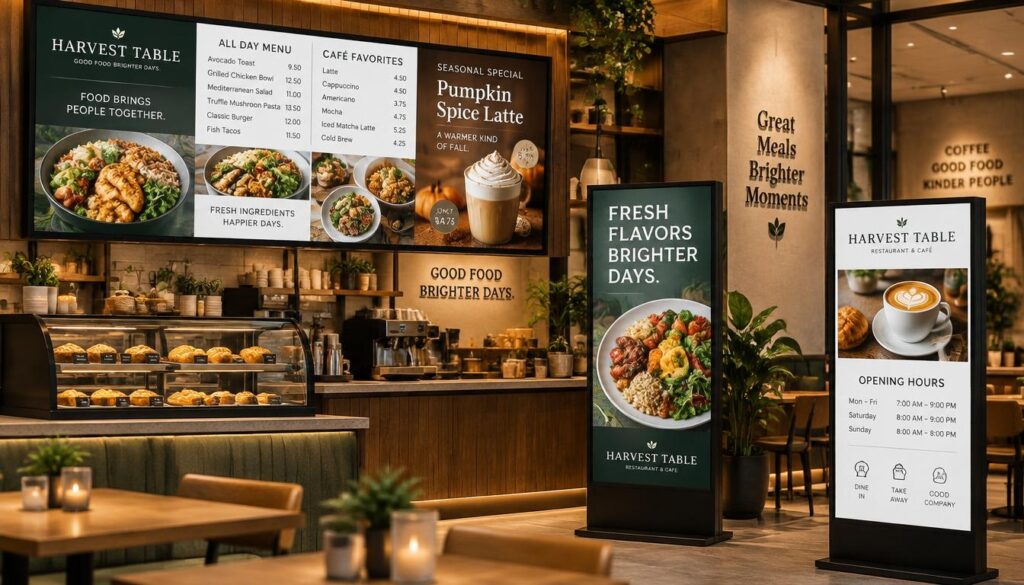
As an illustration, a cafe may have its seasonal iced latte with a photo of the real ingredients and the way it looks.
A burger restaurant can feature a new meal combination with a single powerful image and the name and price of the product.
The food being sold should be correctly depicted in photographs. Overedited or misleading pictures might create expectations that the restaurant cannot fulfill.
Popular image types include JPEG and PNG.
JPEG may be appropriate in food photography, whereas PNG may be applicable in graphics with the need to be transparent or have sharp text.
Animated Menus and Promotional Videos
Movement can be projected on digital screens and cannot be offered by traditional printed menus.
A restaurant could show a short video of the coffee being poured, a burger being put together, or a dessert getting its final touches.
Animation can also be used to emphasize a time-sensitive offer or launch a new product.
Nonetheless, the movement must reinforce the message but not take away the message.
Prices and product comparisons still require time on the part of the customers. When the whole menu continues to vary, it might be harder to order.
Video in MP4 format with a compatible codec, e.g., H.264, is usually an option, though playback requirements must always be verified against the signage player.
Live Promotions and Scheduled Promotions
Promotional messages that are time-sensitive can also be displayed in restaurants.
For example:
Happy Hour Starts in 10 Minutes—Selected Drinks at Special Prices
A café might schedule a breakfast offer to disappear automatically at 11 AM, while a quick-service restaurant could feature dinner combinations later in the evening.
Software can be used to handle such changes instead of manually changing the content.
More sophisticated systems can also use connected weather or inventory data to decide what to display on the screen.
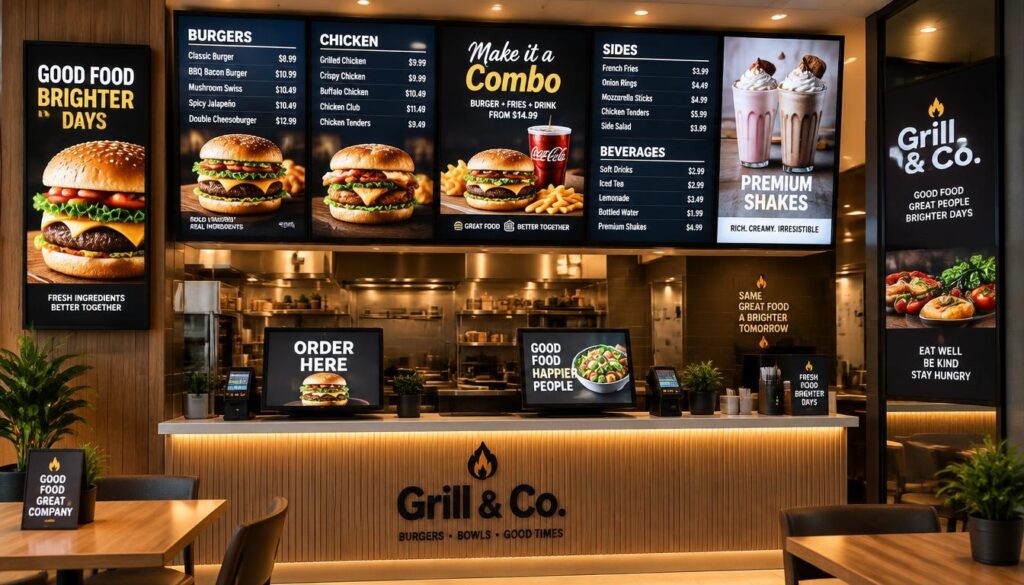
Status of Orders and Waiting
Advertising is not the only application of digital signage.
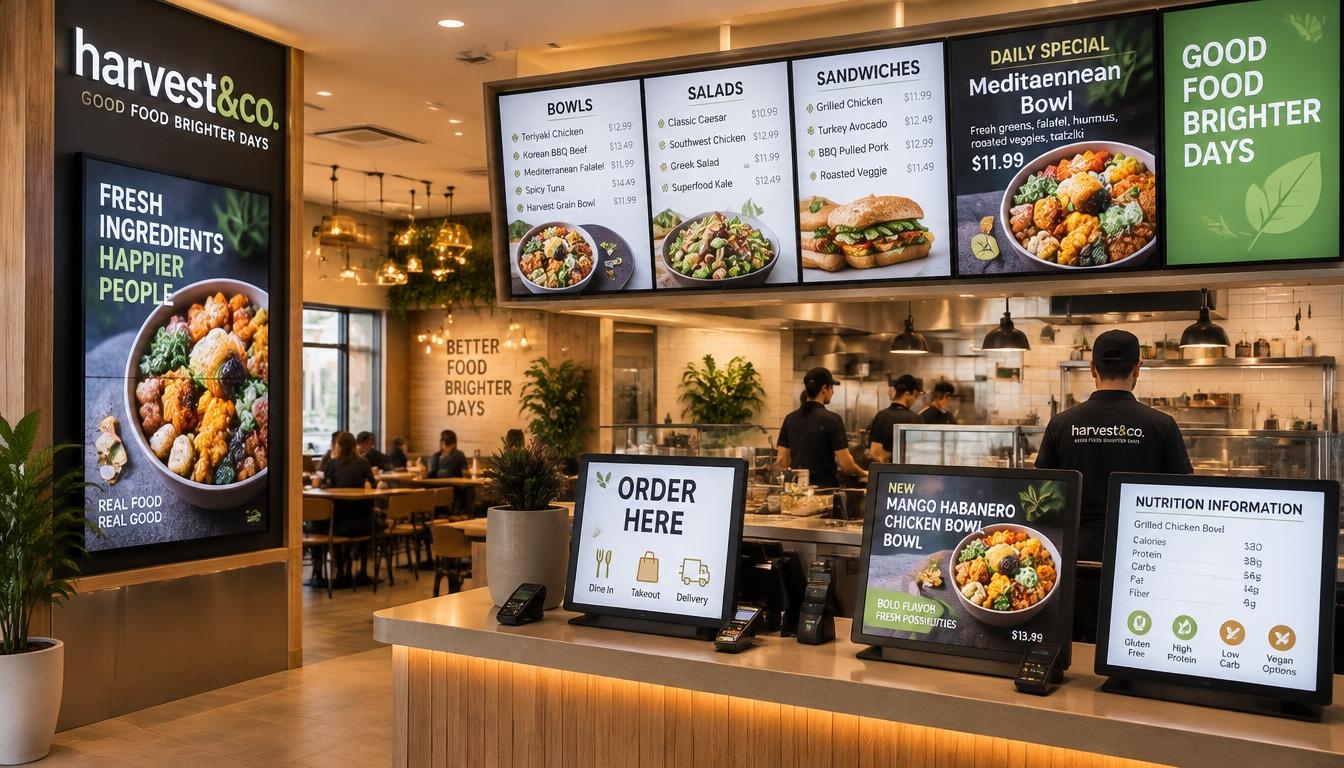
When their ordering systems support it, restaurants can use displays to display order numbers, pickup instructions, or estimated waiting information.
For example, an order pickup screen might show:
Order 142—Ready for Collection
Order 143—Being Prepared
This assists customers in knowing what is going on without having to keep on asking the personnel to update them.
Live Data, HTML5, and Social Media Content
Other platforms of digital signage may accommodate web-based content, HTML5 applications, social media integrations, and external data feeds.
They can be utilized to show approved customer photos, weather, event details, or content connected to compatible business systems.
Not all platforms support every feature and format. Before creating content based on a specific technology, restaurants need to confirm that their software and media players support it.
Common Content Formats at a Glance
| Content Type | Common Format or Technology | Restaurant Application |
| Food photography | JPEG, PNG | Menus, product features, promotions |
| Promotional video | MP4 with a supported codec | New product launches, food preparation clips |
| Animated layouts | Compatible video or HTML5 | Limited-time offers and branded animation |
| Live information | Supported web widgets or data integrations | Weather, events, and menu information |
| Order updates | Connected ordering system | Pickup and queue information |
| Social media | Supported feeds or approved media | Customer photographs and community content |
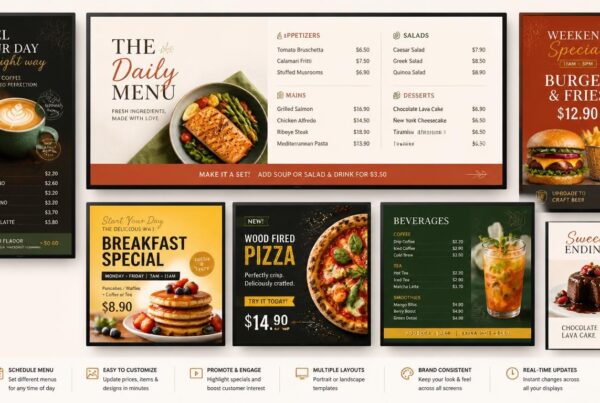
| Digital menus | CMS templates or supported media | Prices, categories, combinations, and specials |
The best format is the one that delivers the required content reliably on your particular system.
Not sure what files your screens can handle? Let Nento guide you through the technical specs to ensure your visuals look as good as your food tastes.
Digital Signage Content Design for Restaurants
An attractive food photograph may be eye-catching, but good menu design does not rely solely on good pictures.
The customers should be able to locate products, comprehend prices, and make choices without having to strain their eyes to read the screen.
A good digital signage content design incorporates a balance of both visual and practical information.
Make the First Few Seconds Count
Customers of restaurants seldom stand before a screen and learn all the details.
They look at the menu, seek out familiar categories, and determine what products interest them.
Another design rule that can be useful is to ensure that the key message can be grasped in a couple of seconds.
This can be referred to as the three-second rule. It is a pragmatic design principle, rather than a scientifically determined viewing limit to be applied to all customers.
On a promotional screen, this could be displaying a single product, a single price, and the single clear message.
In the case of a complete menu board, it implies the classification of categories in such a way that the customers can find what they want in a short time.
Direct Attention with Visual Hierarchy
What is seen first is decided by visual hierarchy.
The essential information should be easily accessible in a restaurant menu, and the chosen products should be emphasized.
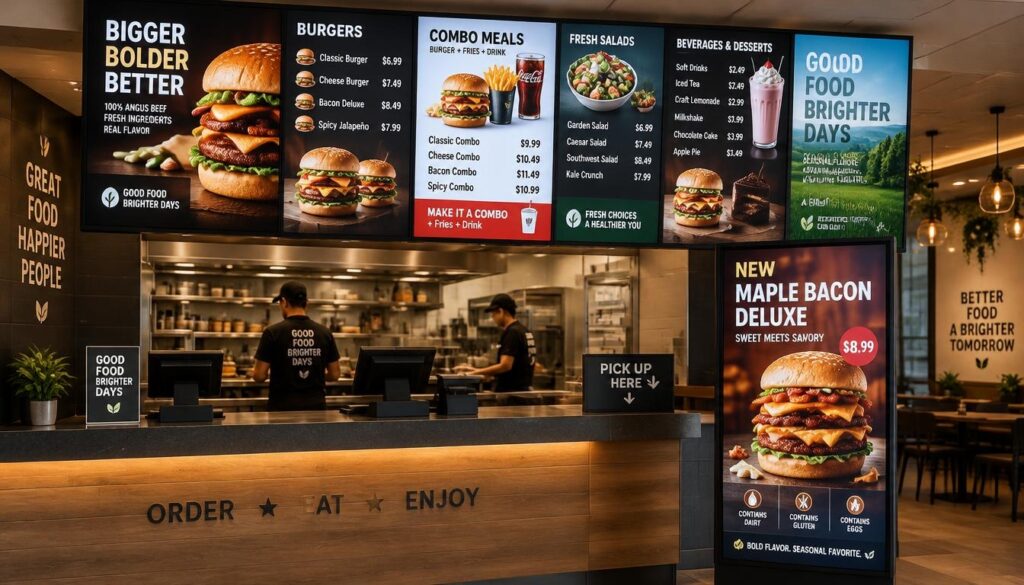
To take an example, a burger restaurant can design its display into three sections:
• Categories and prices of main menu.
• Featured meal combinations
• Promotions by season or time of day.
Bigger images and large headings may be used to attract attention to products on offer.
The regular menu, however, should be legible.
No standard screen placement can ensure increased sales. Restaurants ought to experiment with various layouts and compare the customer responses.
Select colors that are compatible with your food and brand.
Color can influence how customers feel in a restaurant.
Quick-service brands tend to incorporate warm colors like red, orange, and yellow, whereas cafes can be more subtle in their color choice, opting for earthy colors or minimalistic design.
The popular argument that certain colors cause one to feel hungry is too naive, though.
Tastes on colors and customer reactions are different.
Consistency of the brand, readability, and compatibility of the colors with the food photography are the most significant factors to consider.
The use of a brightly colored promotion may attract attention; however, if the color is used too many times, it will cause the whole screen to be hard to read.
Prioritize Readability
Your menu might look beautiful on a laptop but be hard to read when displayed on a screen above the counter.
The size of the text ought to be considered based on the distance at which the customers usually stand.
Apply bold fonts, spacing, and text and background contrast.
Avoid placing prices over busy photographs.
It is also advisable to test the menu in the real restaurant lighting. Glare and reflections may make the design look good on a computer but make it less readable.
Design Different Content for Different Times of Day
Different products are usually served in restaurants during the day.
Rather than developing a single menu with all the items, have scheduled breakfast, lunch, and dinner menus.
For example:
| Time | Suggested Content |
| Breakfast | Coffee, pastries, breakfast sandwiches |
| Lunch | Main dishes, meal combinations, drinks |
| Afternoon | Snacks, desserts, specialty beverages |
| Dinner | Dinner menu, family offers, featured dishes |
This approach, known as dayparting, helps keep screen content relevant.
It also helps the customers not to be exposed to unavailable breakfast products at the end of the evening.
The restaurant will be able to plan all the menus ahead of time and have the software automatically update it.
Creating a Digital Signage Content Strategy That Supports Sales
Designing beautiful graphics is just one aspect of restaurant screens management.
The beginning of a successful digital signage content strategy is to figure out what the restaurant wants each display to accomplish.
Digital signage may turn into a bunch of irrelevant advertisements without a purpose.
Start With a Business Goal
Various screens can have different purposes.
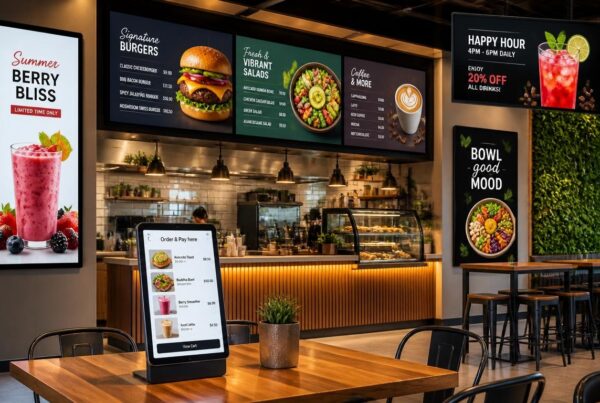
There should be a menu board above the counter that will enable customers to order easily.
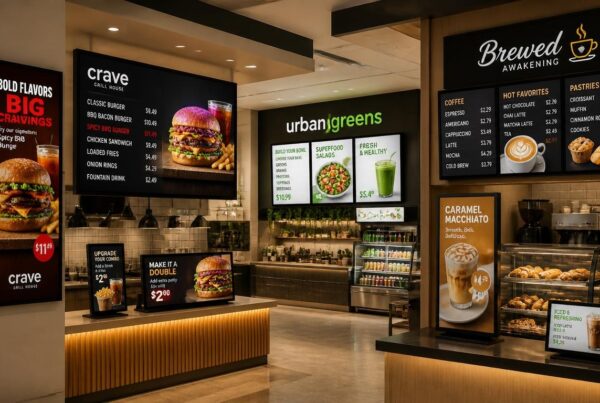
A new product can be introduced by a promotional display at the entrance.
Order information or an advertisement of the loyalty program in the restaurant may be displayed on a waiting-area screen.
Before creating content, ask what you want the customer to do or learn.
For example:
Purpose: To prompt customers to think about a dessert.
Content: A picture of a dessert with its name and price.
Location: It should be placed close to the ordering area, as customers are going through the menu.
Measurement: Compare the sales of the featured dessert within the pertinent periods.
This brings about a better linking of content and business performance.
Follow a Plan, Create, Display, Analyze Cycle
The signage in the restaurants must also be enhanced with time.
An easy procedure is:
Plan: Determine what products or information to feature.
Design: Design photographs, text, prices, layout.
Display: Show the content on the relevant screens.
Analyze: Check sales statistics, customer reviews, and operations outcomes.
Then apply what you get to know to make the next campaign better.
As an example, a cafe might experiment with two seasonal beverage offers at similar times of day (afternoon).
If one offer performs better, the manager can check whether the offer itself, its placement or design contributed.
Many factors affect sales and therefore a single campaign outcome cannot be automatically related to the screen.
Digital Signage: Use Content Automation
Automation is one of the most beneficial advances in restaurant signage.
Digital signage content automation enables screens to update information based on pre-established schedules or related data.
The most basic example is dayparting.
Breakfast menus are served in the morning and lunch and dinner menus are served at the appropriate time.
More developed automation can react to:
• Weather conditions
• Product availability
• Inventory levels
• Promotional dates
• Events or holidays
• Compatible POS data
Suppose a restaurant is selling grilled salmon as a special of the day.
In case of a shortage in the kitchen, a well-linked system may change the corresponding display to eliminate the offer or indicate it as unavailable.
Nonetheless, this requires compatible integrations and reliable data.
The simplest type of scheduling system will not automatically detect any change in inventory unless the relevant connection has been established.
Create a Social Wall
Customers often post photographs and reviews of restaurants on social media.
Some of that content can be imported into the restaurant by a curated social wall.
An example would be a cafe that shows pictures of approved customers of its special coffee or features local community events.
This has the ability to make the screen look more related to the individuals who are visiting the business.
Nonetheless, the material is to be checked prior to publication.
Restaurants are to seek the right permission, not reveal personal information, and ensure that the material on display is appropriate in a public environment.
The idea is to establish a true relationship with the customers, rather than to clutter the screen with uncontrollable social media updates.
How to Create Digital Signage Content: A Practical Guide
Most restaurant owners are interested in having better screen content but do not know where to start.
Luckily, digital signage content creation does not necessarily require advanced design skills.
Having a clear message, appropriate pictures, and compatible software means that restaurants will be able to develop effective displays without constructing each design individually.
Here is how to create digital signage content that works for everyday restaurant operations.
Step 1: Define the Message
Determine what to say on the screen.
Is it displaying the regular menu? Promoting a new item? Encouraging customers to add a drink? Explaining where to collect orders?
Avoid trying to accomplish too many things at once.
As an illustration, a new iced coffee promotion may require just a product image, a brief headline, the price and any necessary conditions of the offer.
A complete menu board will require additional details, yet it must be organized in an acceptable manner.
Step 2: Select the appropriate Design
Restaurants can use ready-made templates or develop custom designs.
Templates are helpful since they offer a structure of headings, pictures, prices, and promotion messages.
A cafe may choose a menu template, change the photos, input their prices, and use their brand colors.
Tailor-made design can be more suitable when the restaurant requires a unique appearance or has an abnormal display layout.
Make the layout legible and do not have to use a lot of decorations.
Step 3: Compose Short, Tasty Copy
Digital menu copy should be easy to understand.
Customers must recognize the product in a short time.
Compare the following two instances:
Our café is pleased to introduce a delicious new seasonal beverage made with carefully selected ingredients.
New! Iced Caramel Latte — Smooth Espresso, Milk & Caramel
The second one is more straightforward in conveying the offer.
Even short descriptions can be useful to give a good description particularly where the product is unknown, but they must not dominate the menu.
Prices, sizes and other crucial details must be clear.
Step 4: Prepare Pictures and Videos
Have good product photography that reflects the food.
Before publishing, verify the size and orientation of the images.
In the case of video, ensure that the media player is compatible with the chosen format and resolution.
Do not use excessively big files that may overload slower devices.
Should your signage platform accommodate live web content or animation, test it on the actual hardware prior to its use during the busy service hours.
Step 5: Upload and Schedule the Content
When the material is prepared, load it to the digital signage system.
Put the material in the right screens and specify when it is to be displayed.
An example of this is that a restaurant may have a lunch promotion commence at 11 AM and end at 3 PM.
Check the content prior to publication.
Check the prices, spelling, image quality and whether the menu can be read from the expected viewing distance.
DIY Design vs. Professional Content Creation
There are a number of ways in which restaurants can make their content.
Applications like Canva may be convenient in making pictures, advertisement images, and plain layouts.
Special digital signage platforms usually offer templates and editing features that are specific to screens.
A major rebrand or a custom video wall or a large franchise deployment might be worth considering the services of professional designers.
The most appropriate choice will be based on the design needs of the restaurant and the amount of time that employees will have to spend on updating the content.
To make simple changes to the menu, templates that can be edited in a compatible CMS can be the most convenient.
Digital Signage Content Management for Multiple Restaurant Locations
It is not particularly difficult to manage a single screen of the restaurant.
Coordinating menus and promotions across five, twenty or fifty restaurants requires more planning.
It is in this context that digital signage content management is particularly significant.
A restaurant chain must have a unified branding, correct pricing, access control, and a functional method of sharing content across sites.
The Challenge of Maintaining Brand Consistency
Consider a restaurant franchise in multiple cities.
All branches adopt the same logo and menu format, although some individual locations may vary in terms of price, opening hours, or products.
When every branch decides to make its graphics separately, the brand might become inconsistent very fast.
A centralized system will enable the head office to supply approved menu templates and promotional materials.
It is then possible to update selected information by local managers without altering the overall design.
This comes in handy especially when there is a seasonal campaign and national promotion.
Local Flexibility With Centralized Control
For businesses, digital signage content management across multiple locations should support consistent branding and relevant local control.
For example:
Head office tasks: Sanction templates, branding, countrywide campaigns, and menu templates.
Local manager duties: Refresh approved local specials, availability details and location-specific details.
The precise separation is based on the organization.
There are those restaurant chains that are highly centralized and those which have more flexibility in their branches.
The software must be able to assist the adopted workflow.
User Permissions and Roles
All employees are not supposed to be able to publish content in all the restaurants.
A digital signage content management system should allow administrators to assign permissions.
As an illustration, a marketing manager could be in a position to post campaigns in the whole network.
A store manager may be allowed to edit only some fields or update screens in a single point.
This minimizes the chances of unauthorized changes, and assists in maintaining the correct information.
What to Look for in Content Management Software
Good content management software for digital signage should make it easy to organize and update screens.
For multi-location restaurants, useful features include:
• Cloud-based content management
• Location grouping of screens.
• Playlist and campaign scheduling.
• Editable menu templates
• User permissions and roles.
• Remote device status monitoring
• Bulk content updates
• Support for compatible POS or data integrations.
• Playback offline on supported players.
The appropriate mix varies with the number of locations in which the business is operating and the rate at which the content is changed.
Why a Dedicated CMS Beats Manual USB Updates
Some restaurants initially manage their screens by loading images or videos from USB drives.
This may be effective with very simple installations, but is inefficient with many screens.
Each content update might involve visiting every display by someone.
Should a promotion run out or price fluctuate, various screens can easily display varying information.
A dedicated CMS enables authorized users to post approved changes in a central location.
It is also more organized in terms of schedule and content management.
The Way Nento Aids Restaurant Content Management
Nento offers cloud-based digital signage software featuring menu templates, remote updates, scheduling, multi-location management and user control.
The restaurant owners will have the chance to develop content and post it to the compatible screens.
Nento also provides content design and management services to those businesses that require extra help.
Its scheduling tools help restaurants plan breakfast, lunch, dinner and seasonal campaigns.
Businesses should ensure that the integration and workflow are specific to the setup where POS data or automation features are needed.
The task is straightforward: retain the appropriate information on the appropriate screens and do not impose on the restaurant employees an unwarranted workload.
Future-Proofing Your Digital Signage Content
The field of restaurant technology is constantly developing and digital signage is becoming increasingly intertwined with ordering platforms, business data, and customer experiences.
Businesses do not have to embrace all the new features at once.
Nevertheless, choosing compatible software and suitable hardware can make future upgrades easier.
Live Content and QR Codes
Interactive experiences can be enhanced with digital signage with touchscreens, kiosks, and related applications.
For example, a restaurant might display a QR code that links to an online ordering page.
Customers might be able to browse dishes, customize meals and place orders through a touchscreen kiosk.
These applications need software to be used in the desired interaction.
A typical screen with a QR code is not the same as a touchscreen kiosk which processes customer input directly.
Both of them may be applicable, based on the service model of a restaurant.
AI-Assisted Content Creation
Artificial intelligence is also becoming part of digital signage workflows.
Artificial intelligence can be used to come up with promotional headlines, propose menu layouts, or propose combinations of products based on business information available.
As an illustration, a cafe may utilize the past sale data to determine beverages that would be worth featuring in the afternoon service.
Nevertheless, AI-generated content is to be checked prior to publication.
Product prices, ingredients, allergen information and availability need to be correct.
AI can assist with content creation, but restaurant staff must still check important information.
Better Accessibility
Digital menus should be readable and understandable for as many customers as possible.
The ease of access is particularly significant in cases when the menu is presented to the customers mostly via screens.
Practical considerations include:
• Large text that is clear and large enough.
• Good text-background contrast.
• Readable fonts
• Limited unnecessary animation
• Consistent menu categories
• Easy to understand prices and product descriptions.
• Alternative menu access for customers who cannot comfortably read overhead displays.
Multilingual restaurants can also have an advantage of offering aided language choices.
Interactive kiosks must also consider screen height, navigation and accessible controls.
It is aimed at simplifying the process of ordering to all the persons, and not only to the customers, who can comfortably read a screen that is several feet away.
Frequently Asked Questions
What Is the Best Format for Digital Signage Supported Content?
No one format fits all types of digital signage.
Images can be displayed using JPEG and PNG, whereas promotional videos can be displayed in MP4 with a supported video codec.
Interactive layouts, animations and compatible live data feeds can be employed with HTML5.
But HTML5 is not necessarily superior to static images or videos. Its performance and compatibility depend on the signage software and media player.
Restaurants are supposed to select formats that are dependent on the content they require and the abilities of their equipment.
Can I Manage Content for Multiple Restaurant Locations From One Place?
Yes.
A digital signage content management system that is hosted on the cloud has the potential to enable authorized users to control the screens in several restaurant locations.
Approved campaigns can be published by head-office staff, while individual branches may be given permission to update selected local information.
The platform and subscription plan determine the number of screen and locations supported.
How Often Should I Update My Digital Signage Content?
Revise the material when the information is changed or the promotion is not relevant anymore.
Scheduled changes to menus are typically applied in restaurants to breakfast, lunch, and dinner.
Promotional materials can be checked every week or when new offers are introduced.
Less frequent refreshments of seasonal designs are possible.
The main priority is accuracy. An updated and straightforward menu is more practical than ever-changing images.
Do I Need a Designer to Create Digital Signage Content?
Not necessarily.
Numerous digital signage systems have templates that can be edited, content libraries, and easy design tools.
They can be adequate enough to support the daily restaurant menus and promotional messages.
Complex installations, unique branding, or large campaigns with numerous coordinated assets might be worth professional design services.
This is based on the needs of the restaurant, budget and time that the staff have.
What Is Content Automation for Digital Signage?
Digital signage content automation uses schedules, rules or connected data to change what appears on screens.
A basic example is that of automatically changing breakfast to lunch menus.
More sophisticated systems can update content with weather data, event times or inventory data.
As an example, when an ordering system of a restaurant notes that a dish is out of stock, a similar integration can automatically update the digital menu.
This requires the appropriate software and data connection. Not all signage installations have this as a standard feature.
Conclusion
The digital menu board must not just present the same information as a printed poster.
When the right content is in place, restaurants are able to assist customers to explore the products, comprehend the prices, observe pertinent offers and get the correct information during the day.
The options go beyond food photography and promotional videos to include scheduled menus, order status displays and connected information.
Nonetheless, successful digital signage-supported content requires more than the selection of nice visuals.
Restaurants require legible design, trusted media types, a content plan, and software that enables updates to be handled.
In the case of a single cafe, it can include customizable menu templates and promotions that are scheduled.
For an expanding restaurant chain, digital signage content management can be handled centrally to maintain branding, manage permissions and coordinate information across locations.
The optimal solution is to begin with the needs of the customer, determine what the screens are supposed to do, and create a workflow that can be upheld by the employees.
Digital signage becomes a practical part of restaurant communication and marketing when design, content and technology work together.
Don’t let your menu boards get stale. Partner with Nento to build a digital signage ecosystem that delights customers and drives revenue. Contact us for a free demo today!