
Introduction
The digital signage industry is booming, yet many organizations still have not realized the actual ROI on their screens. Hardware is rarely the real problem. The high-quality displays, media players, and visible location of the screens are already available in most businesses. The real problem is less obvious: poor content.
A display with expired promotions, cluttered slides, low-quality graphics, or generic messages will not engage viewers. It can even hurt brand perception since customers may assume the brand is neglected when the display looks neglected. Strong digital signage content creation is what turns a screen from an expensive display into a communication asset.
Effective content for digital signage requires more than attractive visuals. It requires audience understanding, intelligent design, solid software, clear scheduling, automation, and constant optimization. This guide will cover the steps to create a strategy, create more effective content, utilize the appropriate tools, automate updates, and track performance.
Ready to transform your digital displays? Nento’s expert team helps businesses create high-impact content that engages audiences and drives results. Explore Nento’s Content Solutions →
Why Digital Signage Content Matters More Than Ever
Digital signage competes in the attention economy. Customers, employees, patients, students, and visitors are surrounded by phones, advertisements, and foot traffic. If your message does not land within a few seconds, it will be disregarded.
Poor digital signage content creates hidden costs. Hardware investment goes underused, declining in brand quality and losing revenue opportunities. A restaurant can fail to make upsells. A retail outlet might fail to promote high-profit products. Employees may ignore corporate office screens when the same slide has been running weeks.
Great digital display content creation works since it fits in the surroundings. A retail outlet requires convincing product information. A corporate office needs internal communication and KPI visibility. A hospital must have clear, calm, and helpful messaging. The content of different spaces should be different, and the principle is the same: the screen has to be useful.
“Digital signage does not fail because people dislike screens. It fails when screens have nothing useful to say.”
Building a Powerful Digital Signage Content Strategy
A strong digital signage content strategy gives each screen a purpose. Without strategy, content is haphazard. With strategy, each message has a measurable business objective.
Define Clear Objectives
Begin by asking what the screen should accomplish. Is it to make more sales, create awareness, enhance wayfinding, lessen staff inquiries, promote events, or enhance internal communication?
After establishing the goal, establish measurable KPIs. Useful metrics include engagement time, dwell time, QR scans, sales lift, fewer front desk inquiries, or employee involvement. When a screen has no measurable objective, it will be decoration.
Know Your Audience
Audience understanding shapes the entire content plan. An elevator lobby has a screen with just a couple of seconds to communicate. A waiting room screen may have several minutes to communicate. A retail screen near a product display should help customers make a fast decision.
The distance and the position of the screens are also important. The content of a close-up tablet will not be suitable on a big lobby screen seen 20 feet away. Good signage begins with knowing who is looking and where they are standing as well as the time.
Content Mapping and Scheduling
Content mapping refers to making decisions on what message to put in a certain place and at a given time. The morning content can be a welcome message, breakfast deals, or daily news. Afternoon content can be changed to promotions, events, or operational reminders. Evening content can emphasize safety information and the schedule of the next day or evening offers.
The most effective schedules are a mix of promotional, informational, and entertaining content. Too much promotion feels intrusive. Excessive entertainment is not business-focused. Excessive information is tedious. A balanced mix makes screens useful and engaging.
Content Rotation and Freshness
Stale content is dead. People stop looking when they are shown the same slide many times. Refresh frequency depends on location: busy retail display screens can require frequent refreshing, and corporate announcement screens may only need weekly updates.
Keeping content fresh does not always mean that a design has to be created. Screen templates, automation, seasonal themes, and rotating content blocks will keep the screens moving without overwhelming your marketing staff.
Digital Signage Content Design Principles
Good digital signage content design does not involve overloading the screens. It is about making messages clear, quick, and visual.
The 3-Second Rule
The message of your content should be almost immediately apparent. Viewers should grasp the headline, offer, or action in about three seconds. It implies applying the strict ordering: the primary message should come first, then the supporting information.
Visual Best Practices
Typography matters. Use large fonts that are easy to read with a substantial text/background contrast. Avoid decorative fonts on vital messages, particularly in busy places.
Color should reinforce brand consistency and improve readability. Employ a strong contrast, spacing, and quality pictures or videos. White space is not your enemy, as it provides the viewer’s eye with space to digest the information.
Motion and Animation
Subtle motion can draw attention; excessive animation is distracting. Use motion to guide the eye toward the main message, not to make every element compete at once.
Video is effective when telling emotional stories, demonstrating a product, showing food, and doing brand storytelling. Wayfinding, schedules, pricing, and urgent alerts are good with static content. The best signage uses both formats strategically.
Accessibility Considerations
Good digital signage should be legible for everyone. Apply palettes that are colorblind-friendly, easy fonts, and clear calls to action. Do not use color alone to convey meaning, e.g., red to mean closed and green to mean open without text labels.
Common Design Mistakes to Avoid
The most frequent errors are too much text, low-quality assets, inconsistent colors, and ignoring screen orientation. A landscape screen made to appear like a portrait is unprofessional. A poor-quality image on a 4K display weakens the entire brand.
“Good signage design is not about showing everything. It is about showing the right thing clearly.”
Content Creation Software for Digital Signage
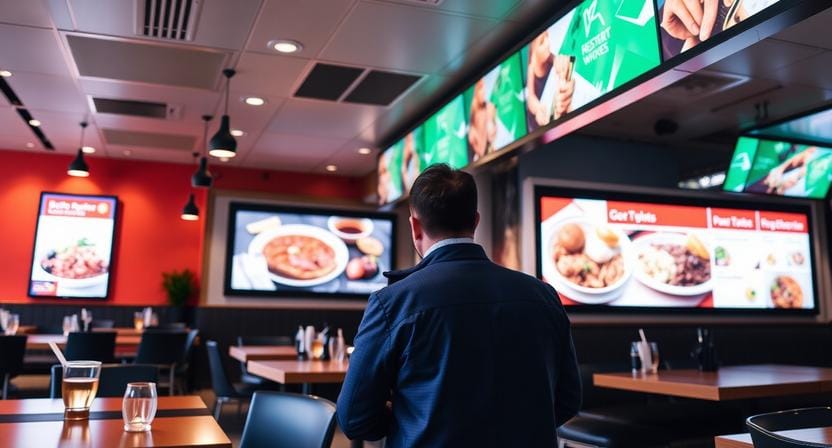
The right content creation software for digital signage makes content production faster, more consistent, and easier to manage across screens.
What to Look for in Content Creation Tools
The platform should include drag-and-drop editing, premade templates, media libraries, scheduling, remote publishing, and analytics. These features reduce the need for designers to do all the minor modifications.
The best tools help teams create polished materials in developing refined materials without interrupting everyday work.
Popular Software Categories
Cloud-based solutions are trendy due to their ability to provide remote access, multi-location management, and rapid updates. On-premise solutions may be useful in highly controlled settings but tend to be more technically demanding to support.
Small companies tend to require simplicity and affordability. Larger businesses require scalability, permissions, integrations, and sophisticated analytics. The appropriate decision will be determined by the number of screens, the number of team members, and the complexity of the content.
Template-Based Creation
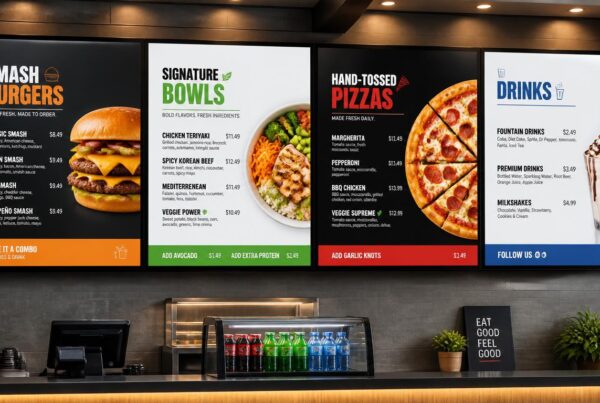
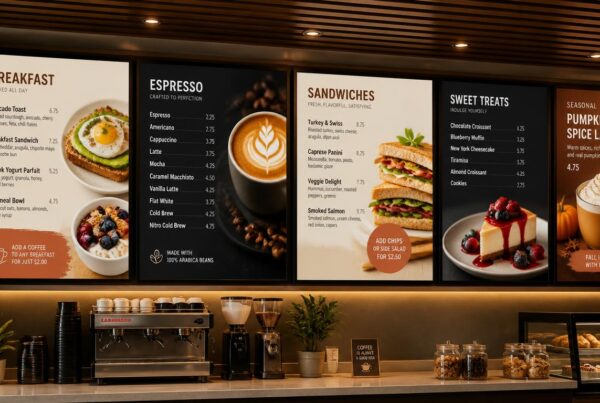
Templates assist companies in publishing faster and staying visually consistent. A restaurant can use templates for menu boards; lobby promotions can be done using templates by a hotel, and internal announcements can be done using templates by an office.
Customization is the key. Templates ought to be time-saving, yet they must also portray your brand in terms of colors, fonts, pictures, and tone.
Advanced Features
The sophisticated platforms allow real-time data integration, multi-screen synchronization, and remote control. These characteristics are particularly valuable for companies operating multiple screens in departments or locations.
Stop struggling with complex tools. Nento provides intuitive content creation software designed for businesses of all sizes. Create stunning displays in minutes. Start Your Free Trial with Nento →
Content Automation for Digital Signage
Content automation for digital signage uses technology to update, schedule, and personalize content without constant manual effort. Businesses that want fresh screens but lack time to redesign content daily need it.
What Is Content Automation?
Automation means that the system is able to pull in information, publish messages, or plan content based on rules. This saves on duplication of work and keeps displays relevant.
As an example, a restaurant will be able to automatically switch between breakfast and lunch. A corporate office is able to draw meeting room data. The appointment notifications or health tips can be shown to a healthcare facility at the designated time.
Types of Content Automation
Dynamic data feeds may display weather, news, stock prices, social media, or live dashboards. Content can be triggered by time, motion sensors, proximity, or other external signals.
The automation of integration links signage to the existing systems like a CMS, POS system, inventory database, CRM, or spreadsheet. Personalization with the use of AI could change the content according to the broad audience trends, location, or behavior.
Scheduling Automation
Dayparting and playlists allow screens to automatically switch based on time, day, or event. Conditional scheduling can be taken a step further by changing the content depending on the weather, inventory, foot traffic, or campaign rules.
Reducing Manual Workload
Automation frees marketing teams from repetitive updates. It also maintains the consistent messaging across multiple sites, which is particularly useful in franchises, hotel chains, healthcare networks, and corporate campuses.
Real-World Automation Examples
Retailers can display dynamic promotions and pricing based on inventory. Employee recognition and meeting room updates can be automated in corporate offices. Wellness education can be shown on a rotation, and appointment reminders can be displayed in healthcare facilities.
“Automation keeps screens alive even when your team is busy.”
How to Create Digital Signage Content: Step-by-Step Process
Learning how to create digital signage content becomes easier when you follow a structured process.
Step 1: Audit Existing Content and Assets
Begin with what you already have: logos, product pictures, videos, brand graphics, social posts, menus, brochures, and presentations. Determine what can be reused and what should be enhanced.
Step 2: Define Your Content Mix
Decide the balance of promotional, informational, and entertaining content. Next, make a content calendar to keep your screens updated and keep up with campaigns, events, seasons, and business objectives.
Step 3: Choose the Right Tools
Choose a content creation software that suits your team’s skill level and display network. If you do not have in-house support, you can look at digital signage content creation services by experts who understand screen-based design.
Step 4: Design for the Screen
Design based on the actual display size, resolution, orientation, and viewing distance. Create separate designs for portrait and landscape screens when needed.
Step 5: Test and Preview
Always preview on the actual screen. Check legibility, colors, speed of motion, and quality of images. Internal feedback will help to identify problems before it is shown to customers or employees.
Step 6: Deploy and Schedule
Assign content to the right screens, times, locations, or audiences. Automate as much as possible and set automation rules so that content is updated automatically.
Step 7: Monitor, Measure, and Optimize
Track engagement, run A/B tests, and optimize content using performance data. Digital signage should keep evolving and not remain the same once it is launched.
Digital Signage Content Ideas for Every Industry
Fresh digital signage content ideas help teams avoid repetitive slides and keep screens valuable.
Retail and Hospitality
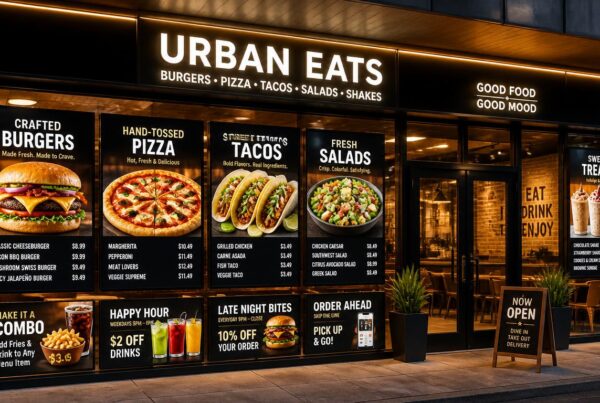
Product spotlight videos, limited-time offers, countdown clocks, social walls, user-generated content, store maps, and interactive digital menu boards can be displayed on retail and hospitality screens. These formats are effective since they influence decisions near the point of action.
Corporate and Office
Employee recognition, meeting room availability, internal KPIs, safety warnings, company news, and event promotions can be shown on corporate screens. This keeps employees informed without relying only on email.
Healthcare
Examples of healthcare signage include wayfinding, department directories, patient education, wait time displays, wellness videos, and appointment reminders. Clear messaging reduces stress and enhances patient experience.
Education
In schools and universities, campus screens can display campus news, event schedules, student accomplishments, emergency alerts, cafeteria menus, and class schedules. Digital content helps students and staff stay aware of what is going on in busy campuses.
Transportation and Public Spaces
Arrival and departure boards, public service announcements, advertising, sponsorship information, and tourist information can be displayed on transportation screens. Timely and clear messages are required in high-traffic areas.
Looking for fresh content ideas? Nento’s creative team specializes in crafting industry-specific content that resonates with your audience. Get a Custom Content Strategy from Nento →
Supported Content for Digital Signage
Understanding supported content for digital signage helps you avoid playback problems and poor visual quality.
File Formats and Compatibility
Most platforms support standard image formats (JPEG, PNG, GIF, and SVG). Common video formats are MP4, AVI, MOV, and WebM. Audio can be in MP3 and WAV, and documents in PDF and PowerPoint.
Resolution and Aspect Ratio Guidelines
Create content to match the resolution that you are using, e.g., 1080p or 4K. Note portrait and landscape orientation and avoid stretching content to different screen sizes.
Content Sources
The sources of the content may include stock media libraries, user-generated media, social media feeds, RSS feeds, web pages, and live video streams. These sources should be easy to manage by a flexible platform.
Integrating External Data Sources
Dynamic text, pricing, scheduling, directories, and status updates can be powered by APIs, spreadsheets, and databases. This is particularly helpful for restaurants, offices, transport centers, and health centers.
Interactive Content
Interactive signage can include touchscreen navigation, QR codes, NFC, and Bluetooth-based interactions. Such features make viewers participants and create measurable actions.
The Role of a Digital Signage Content Creator
A digital signage content creator combines design expertise, awareness of the audience, and technical knowledge. The role is not just about creating graphics; it is a position of creating messages on screens.
Skills and Responsibilities
An effective content creator is aware of the basics of graphic design, motion graphics, hierarchy of layout, content scheduling, and software to handle signage. They should also have project management skills to ensure that the content stays up to date and organized.
In-House vs. Outsourced Content Creation
A larger organization may benefit from having an internal team that manages brand consistency, as well as the continuous content requirements. Smaller companies might be interested in freelancers or specialized digital signage content creation services.
Why Professional Help Matters
Professional support also provides access to better tools, industry-specific expertise, scalable production, and uniform brand implementation. This is particularly useful when screens are customer-facing and they are revenue-generating or linked to customer experience.
Common Challenges in Digital Signage Content Creation
Even strong teams face challenges when managing signage content at scale.
Content Fatigue
Viewers stop paying attention to repetitious messages. Rotate content, update it seasonally, use dynamic content, and schedule automatically.
Technical Issues
The experience can be undermined by resolution mismatches, stuttering playback, and network issues. These issues can be minimized by testing the content prior to launching and with reliable software.
Resource Constraints
Small marketing teams may lack time, design capability, or budget. Templates, automation, and outsourcing can be useful to bridge the gap without overwhelming employees.
Measuring ROI
Measuring value is a challenge for many businesses. The answer is to monitor content performance at the beginning with quantifiable targets like sales lift, QR scans, dwell time, or a decrease in the number of staff inquiries.
Overcoming These Challenges
Train, automate, and outsource to specialists such as Nento when content needs exceed in-house capacity. The aim is to make content creation sustainable.
Measuring Content Performance
Content performance should be assessed on a regular basis. If you do not know what works, you will be unable to improve it.
Key Metrics to Track
Key metrics include dwell time, attention, engagement, QR scans, touch interactions, sales lift, survey feedback, and customer satisfaction scores.
Analytics Tools
Modern digital signage content creation software can have built-in analytics. Third-party analytics, heat maps, or anonymous attention analytics are also used in some organizations to gain more in-depth insight.
A/B Testing Content
A/B testing is used to compare content variations to determine which performs best. You can test headlines, colors, layouts, calls to action, images, and length of videos. In the long run, this makes the creation of content data-driven.
Future Trends in Digital Signage Content
The future of signage content is more personalized, data-driven, interactive, and efficient.
AI-Powered Personalization
AI can personalize the content in response to the broad audience patterns, location, context, or behavior signals. This makes messaging more relevant as well as minimizes manual effort.
Data-Driven Content
Hyper-localized messages and predictive analytics will assist screens to display the right message at the right moment. The content will be less generic and more responsive.
Interactive and Immersive Experiences
AR, VR, gesture-based interaction, and touchscreen experiences will establish a deeper engagement. Retail, education, entertainment, and public spaces can benefit especially from these experiences.
Sustainability in Content Creation
Digital content can reduce printing waste but should also be used in a responsible manner. The ability to deliver content efficiently using less energy, improved scheduling, and smarter screens will become increasingly significant as sustainability expectations increase.
Conclusion
Effective digital signage content begins with strategy. Design principles are important as screens have just a few seconds to be noticed. The appropriate content creation software for digital signage makes the production process easier, whereas content automation for digital signage saves time and assists in scaling the messages to different locations.
However, the biggest lesson is as follows: content is the heart of your digital signage investment. The best screen is background noise without good content. Your displays can inform, persuade, guide, and convert with the proper content strategy, tools, automation, and optimization.
Your digital signage deserves content that works. Nento offers end-to-end content creation, automation, and management solutions tailored to your business. From strategy to screen—we’ve got you covered. Contact Nento Today →
Frequently Asked Questions (FAQs)
What is digital signage content creation?
Digital signage content creation refers to the process of designing, producing, and scheduling visual and multimedia content that is specifically designed to be displayed on digital screens. It incorporates graphics, videos, animations, text, live feeds, and interactive features that are attention-grabbing and convey specific messages.
What software do I need for digital signage content creation?
You will require digital signage content creation software that has the following features: drag-and-drop editing, templates, media library, scheduling, remote management, and analytics. Nento offers software comprehensive solutions tailored to your industry and screen network.
How much does digital signage content creation cost?
Costs depend on the software subscriptions, in-house/outsourced production, volume of content, complexity, automation requirements, and utilization of digital signage content creation services. Small businesses can begin with a smaller monthly software expense, while enterprise-level programs can cost more. Nento provides scalable options for different needs.
How do I create content for digital signage?
Begin by setting your objectives and target audience. Then create a content calendar, create graphics with appropriate software, add motion or interactivity where necessary, test the content on real screens, schedule and publish it, and measure performance.
What content formats are supported for digital signage?
Most platforms accept images (e.g., JPEG, PNG, GIF, and SVG); videos (e.g., MP4, AVI, MOV, and WebM); audio (e.g., MP3 and WAV); documents (e.g., PDF and PowerPoint); web pages; RSS feeds; live streams; and social media content. Nento supports multiple formats for flexible content planning.
What are some good digital signage content ideas?
The best digital signage content ideas are product displays, seasonal offers, countdown clocks, social walls, user-created content, internal KPI dashboards, employee appreciation, wayfinding maps, menus, news feeds, weather forecasts, and interactive touchscreens.
What is content automation for digital signage?
Digital signage content automation is technology used to schedule and update content. It is able to fetch real-time information, schedule content by time of the day, trigger messages based on sensors or events, and connect with CRM, POS, CMS, or inventory systems.
Do I need a dedicated digital signage content creator?
It varies according to your scale. An in-house digital signage content creator or team is usually beneficial for large organizations. Smaller businesses can either apply templates, hire freelancers, or use digital signage content creation services. Nento promotes the use of software-based creation and professional content services.
How do I measure if my digital signage content is working?
Track metrics such as dwell time, QR scans, touch interactions, number of touches, sales lift, satisfaction rates, and content engagement analytics. The majority of up-to-date platforms have in-built analytics, which are aimed at assisting in the measurement of performance and enhancing future content.
Can I automate content creation for digital signage?
Yes. Although human intervention is still needed in creative strategy, many functions can be automated, such as scheduling, data integration, dynamic updates, and content distribution. AI can also be used to help in design generation and variations in content.
What is the ideal length for digital signage content?
Keep content concise and easy to scan. Limit text to 3–5 words per line, 2-3 lines of text, videos to about 15-30 seconds of rotations, and images to 5-10 seconds of display before rotating. Always take into consideration the viewer’s dwell time and viewing distance.
How can Nento help with my digital signage content needs?
Nento offers easy-to-use content creation software for digital signage, professional digital signage content creation, sophisticated content automation, and end-to-end strategy, design, and deployment services. You can either begin with a blank canvas or enhance what you already have; either way, Nento will help you develop displays that appeal to your audience and drive results.