
Introduction
The lobby is the front portal of any building—whether it is a hotel, office, residential tower, health center, or corporate headquarters. It is the first area people see, and it silently influences their perception of the professionalism, organization, and personality of your brand.
Even a modern space can feel outdated when it relies on static brochures, whiteboards, paper notices, and blank TV screens. The visitors anticipate instant directions, refined visuals, and clear information without having to ask the front desk every few minutes. This is precisely where digital signage for lobbies comes in.
The proper system will turn your lobby into a vibrant communication center for wayfinding, brand narrative, event updates, emergency notices, and visitor engagement. Nento can assist businesses in dealing with this whole experience by utilizing its easy-to-use digital lobby signage software designed for real-time updates, professional templates, and easy screen control of the screens.
“A lobby screen should do more than look modern—it should answer questions, guide visitors, and strengthen your brand instantly.”
See Nento in action—book a free live walkthrough.
Why Lobbies Are Prime Real Estate for Digital Signage
First impressions happen fast. Visitors quickly notice how well your area is organized, high-quality, and easy to navigate. A lobby is not merely an area where people wait; it is one of the most valuable communication areas of your building.
A lobby often serves multiple audiences at the same time as opposed to many other spaces. The visitors, the staff, the delivery personnel, VIP visitors, the tenants, the patients, and the event attendees may be going through the same area, but each group may need slightly different information. Lobby digital signage helps deliver that information clearly without overwhelming front desk staff.
This is why businesses are using hotel lobby digital signage, office lobby digital signage, and lift lobby digital signage to reduce confusion and improve the visitor experience. A screen at the entrance can answer common questions about directions, schedules, check-in procedures, parking, meeting rooms, or elevator access.
In practice, this reduces the number of interruptions at the reception. The staff no longer has to answer the same question over and over again, such as “Where is the meeting room?” What floor is the event on? Staff can then focus on service while routine guidance moves to the screen.
“The best lobby communication is the kind visitors understand before they need to ask.”
Key Applications of Lobby Digital Signage
Welcome & Branding
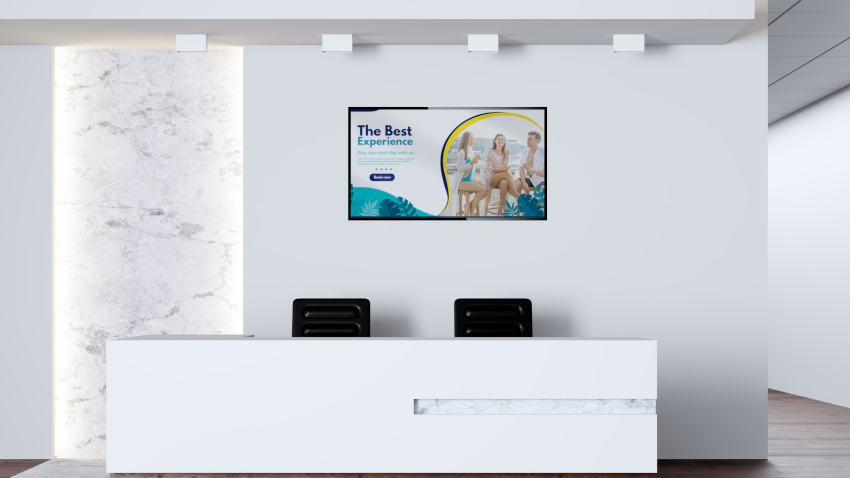
One of the simplest methods to strengthen your brand is through a lobby screen. Your entrance is more refined and purposeful with animated logos, mission statements, rotating hero images, and brand videos. In the case of the hotels, this may include a warm welcome for guests. In the case of offices, it may show company values, welcome messages to clients, or highlights of the campaigns.
Elegant digital lobby signage helps the space feel dynamic without being noisy. The idea is to ensure that the screen becomes part of the surroundings, rather than a separate screen that is hanging on the wall.
Wayfinding & Maps
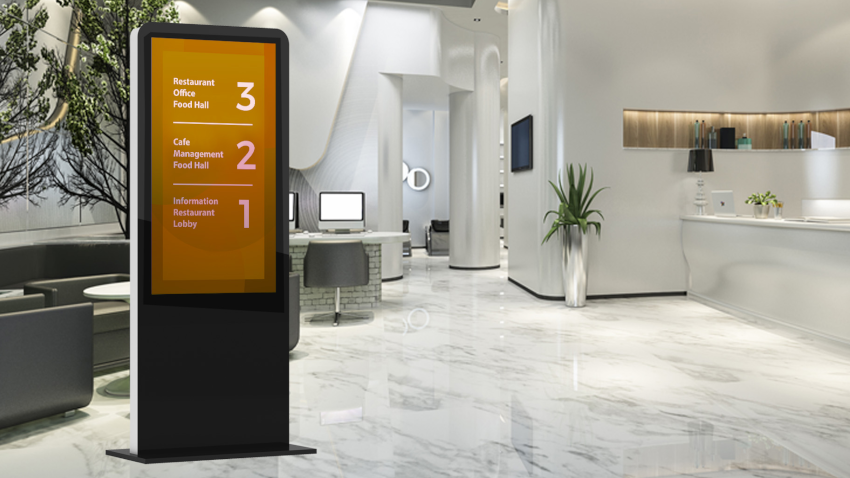
One of the most useful applications of digital signage for lobby settings is wayfinding. Floor maps, room numbers, restroom directions, elevator positioning, and departmental maps minimize confusion at a glance.
This is particularly handy in tall buildings, hotels, hospitals, co-working offices, and multi-tenant offices. A basic map or rotating directory can save visitors a few minutes and reduce repetitive questions for employees.
Event & Meeting Info
A strong lobby TV digital signage service can show daily schedules, room changes, speaker highlights, meeting agendas, and event countdowns. This works well in hotels, conference centers, corporate offices, and residential communities where there are a lot of activities.
Scheduling can be updated immediately as opposed to using printed notices when schedules change. That makes the experience much smoother and eliminates the most frequent issue of guests following outdated paper signs.
Safety & Emergency Alerts
Urgent communication can also be supported through lobby screens. Weather advisories, evacuation routes, safety measures, health messages, or building alerts can be displayed instantly on the chosen screens.
In high-traffic areas, this is important since visitors are not always able to access internal communication channels. A lobby display provides building managers with an immediate and visible means of communicating important updates.
Social Proof
Your lobby can become more credible and engaging through reviews, testimonials, social media feeds, guest photos, and community highlights. In the case of hotels, live Instagram posts or guest reviews can strengthen credibility. In the case of offices, “brand credibility can be strengthened with the help of client logos and project highlights.
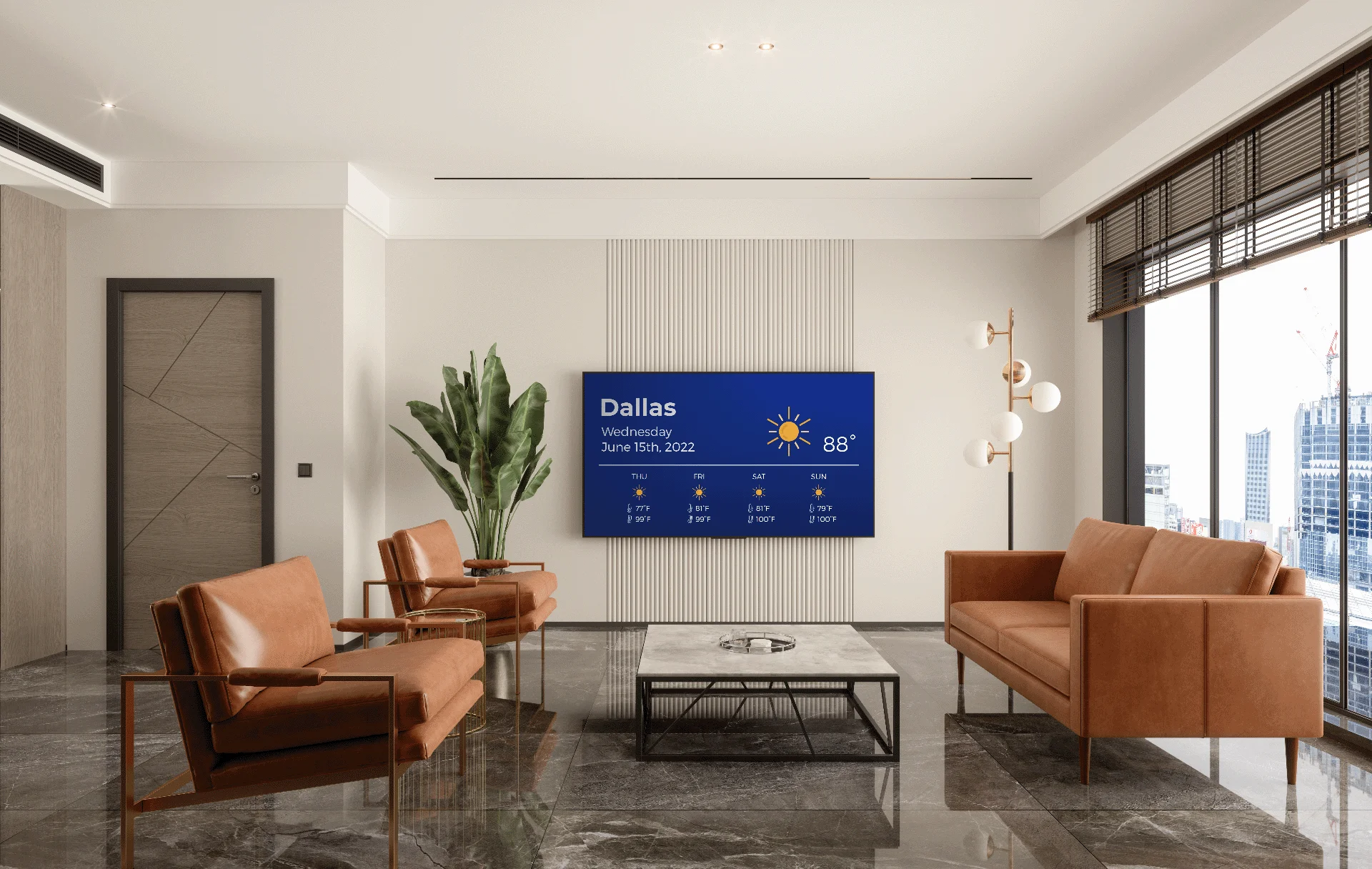
Nento supports split-screen layouts, which means you can have video, clock, live feed, weather, and announcements in one neat package without making the screen look overcrowded.
Nento’s Digital Lobby Signage Software: Built for Impact
Cloud-Based Control
Nento’s digital lobby signage software is cloud-based, meaning you can manage your screens from anywhere. You can make updates in real time without having to go to each screen, whether you have a single reception screen or a multi-location network.
This works especially well in offices, hotels, residential buildings, and healthcare settings where information is subject to frequent changes. Front-desk staff can change to a welcome message, and a manager can make announcements the entire week using a laptop.
No Coding Needed
Nento is built for teams that need professional results without technical complexity. The drag-and-drop editor has 100+ lobby templates that allow teams to create elegant content for the welcome screens, event boards, room schedules, safety messages, and branded announcements.
This makes office lobby digital display management accessible to reception teams, operations managers, HR teams, and marketing staff—not just IT departments.
Powerful Integrations
Nento can be integrated with Slack, Google Calendar, Excel feeds, RSS news, and other real-time data sources. This means your lobby screens will automatically display meeting schedules, team updates, live announcements, news, or internal communication feeds.
These integrations are especially useful for office lobby digital signage, where information often needs to stay aligned with calendars, desk availability, meeting rooms, and company updates.
Hardware Agnostic
Nento supports Android TV, Apple TV, Fire Stick, professional displays, and other popular media players. This means you do not have to replace all your screens to start. Your existing lobby TV can also be used and turned into a professional signage display.
In the case of expanding enterprises, this scalability allows maintaining the costs within manageable limits and at the same time allows maintaining enterprise-level reliability.
Real-World Impact
A corporate office that employed an office lobby digital display with Nento-powered live desk availability cut down by 35% the number of visitors who lost time. The visitors would not need to walk around the building or to ask several people to help them, since they could easily view the desks available, meeting places, and directions on the lobby screen.
“The strongest signage systems don’t just display content—they remove friction from the visitor journey.”
Try Nento free for 14 days—set up your first lobby screen in under 10 minutes.
Comparing Lobby TV Digital Signage Service Options
Traditional TVs with USB drives are still common, although they are manual, prone to errors, and hard to scale. Someone has to create the file, transfer it, plug in the USB, and repeat the process every time content changes. That may work once, but it quickly becomes inefficient.
Basic playback can be facilitated by consumer streaming devices, although most are not designed to be used commercially. They might not have remote control, monitoring tools, scheduling, and support that businesses require to have good signage.
Nento’s lobby digital signage solution is built for professional settings. It involves business-level reliability, automatic playlists, cloud management, and 24/7 support. In controlled industries, like healthcare and finance, Nento also provides compliance-friendly workflows and allows teams to control what is displayed on the public screens.
The only difference is straightforward: a regular TV displays content, whereas Nento assists in controlling communication.
Industry-Specific Lobby Strategies
Hotels
Hotel lobby digital signage can show check-in overflow information, spa promotions, local tours, dining hours, weather, and shuttle updates. It keeps guests informed and reduces questions at reception.
In the case of hotels, the lobby display must be welcoming, smooth, and practical. The best content will serve short-term guest requests and indirectly market services that will increase revenue.
Office Buildings
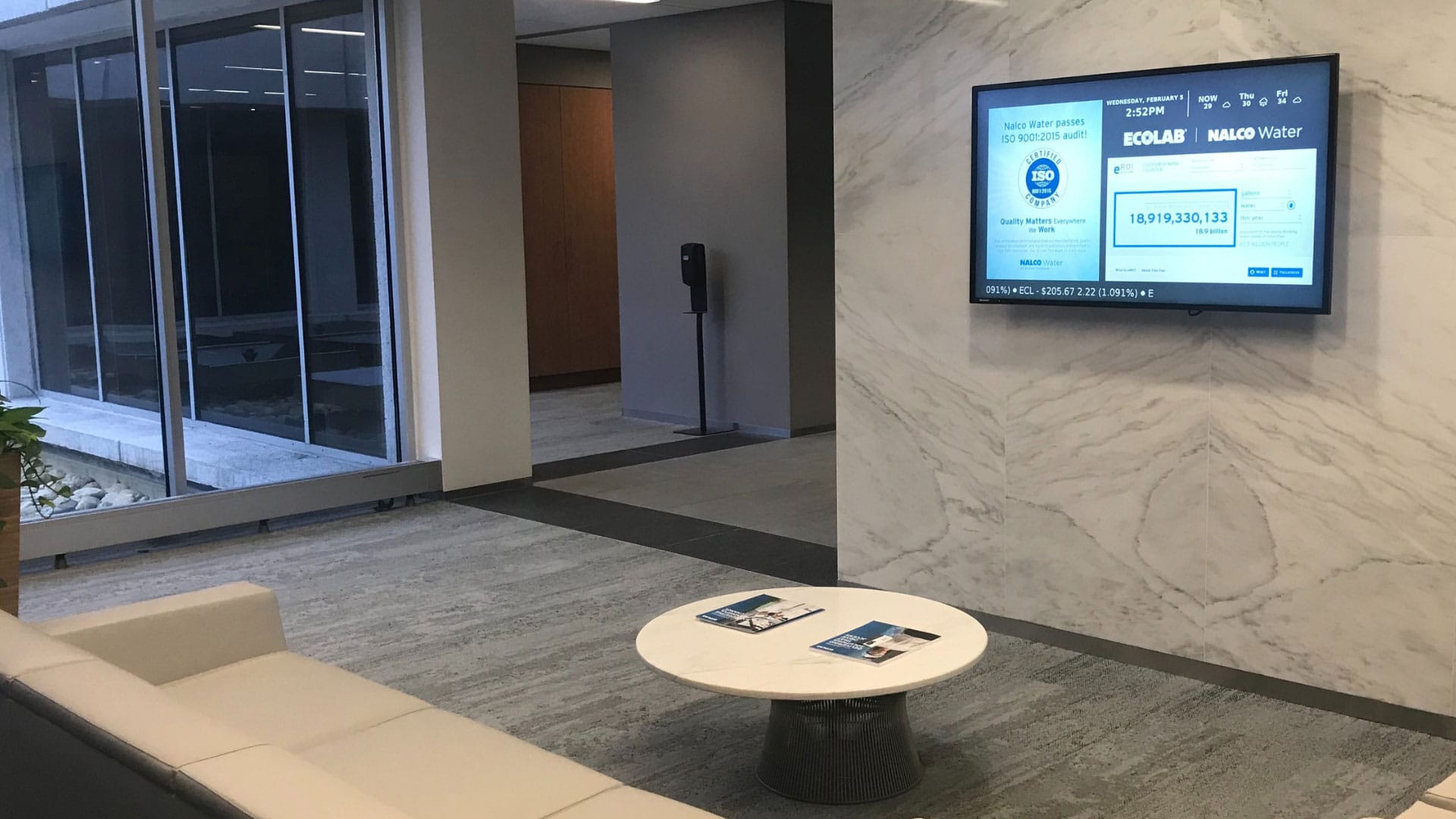
Office lobby digital signage can show birthdays of employees, visitor welcome messages, parking updates, cafeteria menus, meeting schedules, and internal announcements. This makes the workplace feel organized and connected.
Lobby displays may also be used in large office buildings to direct visitors to elevators, departments, or meeting rooms to enhance professionalism even before they enter the building.
Residential Lobbies
Lobby screens can be used in residential buildings to share package delivery alerts, HOA updates, maintenance notices, amenities reservations, and community events. A digital display helps the property managers to cut down on printed notices and keep the residents updated.
Hospitals
Wait times, clinic directories, health tips, appointment instructions, and safety updates can be displayed on screens in hospitals and clinics. Lift lobby digital signage on patient floors can also guide visitors to departments or remind them about visiting hours and hygiene protocols.
Retail Malls
Screens can be used in mall lobbies and entrances for promotion rotations, store directories, ‘you are here’ maps, seasonal campaigns, and parking updates. The displays allow the visitors to navigate faster and provide the retailers with more visibility.
Best Practices for High-Impact Lobby Displays
A powerful lobby screen is one that visitors can understand in a few seconds. The visitors are generally on the move, waiting briefly or scanning quickly, so the content should be clear, timely, and visually balanced.
- Keep text minimal: Keep messages brief that can be comprehended within 3–5 seconds. If visitors have to pause and read a complete paragraph, the message is excessive.
- Use motion with purpose: Video, countdowns, and subtle motion can be appealing, but excessive motion can make the screen seem to be in chaos. Motion should guide the eye, not overpower the message.
- Adjust brightness for the environment: A daytime lobby requires different screen settings than an evening or low-light area. Day and night modes help keep displays readable and comfortable.
- Schedule content by time of day: Morning content can contain a welcome message, news, and daily updates. Afternoon can be dedicated to meetings and events, as well as visitor guidance. Evening content may be changed to safety messages, construction updates, or next-day messages.
- Track what performs best: Nento’s analytics show which content gets the most dwell time, helping teams improve messaging based on real engagement instead of guesswork.
“The best lobby screens are clear, timely, and useful—not just visually busy.”
Frequently Asked Questions (FAQs)
What is digital signage for lobbies, and how is it different from a regular TV?
Lobby digital signage is a centrally controlled, real-time system for targeted messages. It can alternate between wayfinding, live weather, emergency alerts, and branded content, unlike a regular TV. Nento’s digital lobby signage software manages all of this remotely.
Can I use Nento for hotel lobby digital signage and office lobbies from the same account?
Yes. Nento allows you to control multiple locations. You can create separate playlists for hotel lobby digital signage such as welcome messages and spa offers and office lobby digital signage such as desk booking and meeting schedules from a single dashboard.
What hardware do I need for lobby TV digital signage service?
Nento is compatible with many common screens. A media player like a Fire Stick, Raspberry Pi, or the Nento’s pre-configured player can be connected to the existing lobby television. Nento also offers a lobby TV digital signage service, which also includes hardware recommendations depending on the plan.
Can I display live data like shuttle schedules or room availability?
Absolutely. Nento can connect with property management systems, Excel/Sheets, APIs, and calendars. Your lift lobby digital signage can show elevator wait times, while your office lobby digital display can show desk availability in real time.
Is Nento suitable for small businesses or only large enterprises?
Both. Nento is scalable, whether you require digital signage for lobby use of your boutique hotel, in a co-working space, or in a 50-story tower. Plans can start with one screen.
How difficult is it to update content?
It is designed to be easy. The lobby signage editor of Nento is similar to Canva or PowerPoint. The front desk staff is able to update a welcome message within 30 seconds without the assistance of IT.
Measuring Success: Lobby Digital Signage ROI
The performance of lobby signage should be measured like any other form of communication. Some helpful metrics are the visitor dwell time, reduced front-desk requests, and upsell actions such as restaurant reservations, spa appointments, or event bookings as a result of lobby screens.
Operational savings also matter. Digital signage does away with the cost of printing daily schedules, maps, notices, and temporary announcements. It also saves staff time in replacing paper signage or responding to repetitive questions.
Nento’s dashboard helps teams to monitor screen uptime and content performance as well as audience attention heatmaps. These insights demonstrate which messages are functional and which ones need improvement.
One of the resorts installed lift lobby digital signage next to elevators and experienced a 22% rise in event attendance. The screens assisted the guests in finding out what to do at the exact time they were waiting and were most likely to read the message.
“Lobby ROI is built from small improvements: fewer questions, faster navigation, and more visible offers.”
Conclusion
Lobby digital signage turns inactive waiting space into an interactive communication area. Your lobby can give visitors instructions, promote services, reinforce your brand, and provide real-time updates all from one place, rather than using printed brochures, blank televisions, or unchanging notices.
Nento offers easy-to-use digital lobby signage software with enterprise-level reliability, small-business affordability, flexible hardware options, and templates created for real lobby environments. Nento helps your lobby create a better first impression whether you run a hotel, office, hospital, residential building, or retail entrance.
Ready to transform your lobby? Get a custom quote from Nento today—plus a free content strategy session.