
Introduction
Digital signage used to be simple: put a screen on a wall, play a video, and hope that people will pay attention. However, today’s consumers live in the touchscreen generation. They tap, swipe, scan, and search and expect every digital experience to feel immediate.
This is why passive screens are no longer enough. A regular screen can display a message, but an interactive touchscreen display asks people to respond. It enables customers, visitors, patients, students, and employees to choose what they want, find information, browse products, enter information, or take action directly on the screen.
Interactive signage is not just about looking modern in the contemporary business world. It is about creating two-way communication between the brand and the user. High-quality hardware plus robust interactive display software can ensure that the screen is used for engagement, lead capture, navigation, sales support, and measurable ROI.
In this new age, it is important to make the right choice of a partner. Companies such as Nento are assisting companies to go beyond simply having a screen and integrating sleek hardware, intelligent software, and easy-to-use interactive digital signage systems designed to be used in the real world.
This article will show how interactive displays can improve dwell time, enhance data capture, improve customer experience, and support better business results.
The Anatomy of an Interactive Touchscreen Display
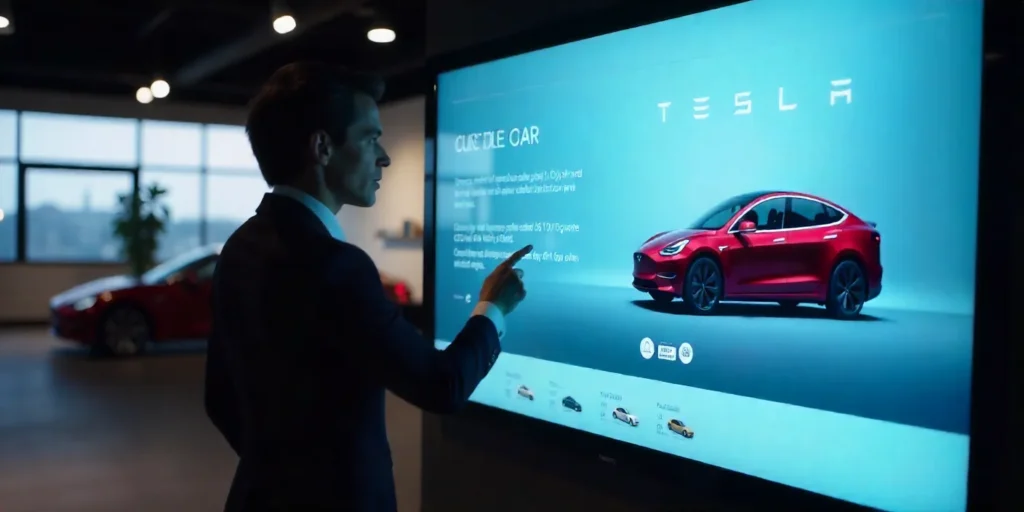
An interactive display is effective because it combines hardware and software. The display should be touch-sensitive and physically durable, and the software should make both control and usage easy.
Hardware vs. Software
Hardware is what the user can physically touch. The software dictates what occurs once they interact with it. If either part is weak, the experience is impaired.
A high-quality, long-lasting screen paired with poor software is frustrating. An attractive interface on unstable hardware is risky. The best interactive touchscreen solutions are created by balancing the two sides.
The Display
The display should be chosen based on location and usage. Public spaces often require high brightness, anti-glare protection, durability, and strong resolution. A lobby screen may require a refined brand display, whereas a retail kiosk may need to withstand daily use.
In high-traffic situations, commercial-grade displays tend to be superior to consumer TVs due to their longer working hours and more intensive use.
The Touch Technology
Touch technology affects responsiveness. Capacitive touch is common in smartphones and tablets because it feels smooth and accurate. Larger displays often use infrared touch because it can support larger screens and multi-touch use.
Responsiveness is important since users expect immediate feedback. When a screen is sluggish, imprecise, or tough to tap, users quickly lose interest.
The Brains: Media Players and Connectivity
Behind the screen are media players and network connections that run the content. The interface is processed by a media player, which loads media, connects to software, and supports smooth playback.
Connectivity also matters. Cloud-based systems require a good internet connection to facilitate updates, analytics, and remote control. Even the most interactive digital displays may be hard to sustain without consistent connectivity.
The Role of Interactive Display Software
Hardware is not sufficient. Interactive display software manages the user interface, content library, data integrations, scheduling, analytics, and navigation logic.
Content management, gesture recognition, multi-touch applications, and third-party API integrations like weather, news, social media, CRM tools, product databases, or visitor management systems should be supported on a strong platform.
Why Design Matters
Visual appearance is not the only thing in good interactive screen design. It is about how people move through the screen experience. Easy-to-use buttons, simple menus, quick navigation, and good visual hierarchy assist users to navigate easily and find what they need.
It should be intuitive. The most successful touchscreen is one that requires no instructions to use.
“The best touchscreen experience feels obvious. Users should not need instructions to begin.”
Top Use Cases for Interactive Touchscreen Digital Signage
Interactive touch screen digital signage can be used in many industries because it gives users control. Users can select what they need, instead of waiting until they see information.
Retail & Hospitality
Interactive displays are used by retailers for virtual catalogs, product finders, loyalty sign-ups, endless aisle browsing, and in-store promotions. Customers are able to compare the products, check their availability, scan QR codes, or seek assistance.
Hotels, restaurants, and hospitality venues employ interactive kiosks for check-in, digital concierge services, local recommendations, event directories, and wayfinding. These applications save staff time and effort and improve convenience for guests.
Corporate Environments
Touchscreen lobby software is used in corporate offices to manage visitor check-ins, employee directories, meeting-room information, company announcements, and internal communication.
A visitor does not have to wait at reception to check in, get to the appropriate meeting room, see a welcome message, or even notify the host. This creates a first impression that feels more professional and efficient.
Education & Healthcare
Interactive signage is used in schools, universities, hospitals, and clinics to guide visitors or patients; manage appointment schedules; access learning modules; educate patients; give campus announcements; and provide department directories.
Interactive screens may be used in healthcare to reduce confusion and enable patients to find information quickly. They can facilitate learning and navigation within the campuses in education.
Public Spaces
Interactive kiosks are used in cities, museums, airports, tourism centers, and transportation hubs to guide visitors, show maps, present schedules, promote local attractions, and facilitate access to information in multiple languages.
In public spaces, interactive displays enhance independence. Visitors can access information without the help of the staff.
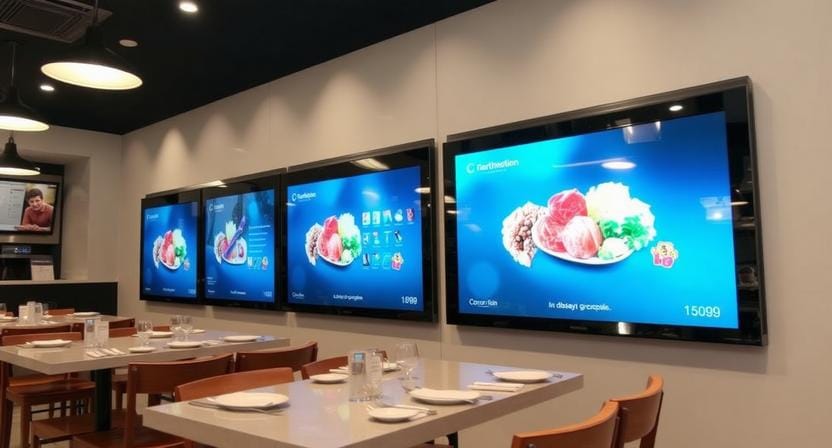
Key Features to Look for in Interactive Display Systems
Not all interactive signage platforms are created alike. Businesses need to look for features that enable long-term reliability, usability, and scalability before investing.
Scalability
Your system must be able to expand with your business. A company can begin with a single lobby kiosk and then expand to several branches, retail outlets, campuses, or event sites.
Good interactive display systems should enable easy addition of more screens without restructuring the whole system.
Content Scheduling
Different users require different experiences at different times. A hotel screen can display breakfast information in the morning and the events of the day and restaurant recommendations in the evening.
Scheduling assists companies to provide the right interactive experience at the right time.
Analytics and Heatmaps
Analytics show how users interact with the display. Heat maps can show which buttons are tapped the most, which pages are not visited, and at which point people leave.
This information helps improve interactive screen design as time goes by. Businesses are able to optimize the interface based on actual behavior rather than relying on guesses.
Remote Management
Multi-location businesses need cloud-based interactive display solutions. Teams must be able to update content, manage screens, change layouts, and troubleshoot problems remotely.
Remote management reduces downtime and makes the screens up-to-date without needing someone to visit each site.
Security
Interactive screens can capture user inputs, search queries, email addresses, visitor information, or lead information. That means security should be built into the system.
Look for role-based access, encrypted data transfer, secure integrations, and privacy-oriented analytics.
To maximize your ROI, you need hardware and software that work together smoothly. Nento specializes in custom interactive touchscreen solutions that are built to scale. Click here to explore Nento’s Hardware Suite.
The Design Principles of Effective Interactive Screen Interfaces
The success of a touchscreen display depends on its ease of use. Even the most powerful software will perform poorly in case the interface is not easy to use.
Clarity & Simplicity
Within a few seconds, users should know what to do. Avoid cluttered screens, too many options, and lengthy instructions. The interface must direct individuals through a series of actions from the first tap to the last.
Minimal design reduces thinking effort and boosts response rates.
Visual Hierarchy
Important steps should be visually clear. Use size, spacing, contrast, and placement to direct the eye of the user. Primary buttons should be prominent while secondary buttons should remain visible without competing for attention.
Feedback Loops
The display must immediately respond when a user taps the screen. This may include a color change, animation, sound, haptic feedback, or a loading indicator.
Feedback reassures users that the action has been successful and keeps them confident.
Accessibility
As many people as possible should be able to use interactive signage. Use large fonts, high color contrast, distinct icons, straightforward navigation, and easy-to-tap touchpoints.
Accessibility is not a choice when it comes to screens that face the public. It is part of good design and improved customer service.
The Lazy User Rule
Most users prefer the shortest path to their destination. The optimal design removes unnecessary steps whether they are locating a room, viewing products, checking in, or scanning a QR code.
A strong touchscreen design company understands this principle and designs for real human behavior, not just beautiful mockups.
“Interactive design should remove friction, not decorate it.”
Interactive Digital Signage vs. Traditional Digital Signage
Traditional signage and interactive signage both have value, but they serve different purposes.
Traditional Digital Signage
Conventional screens are used to broadcast content. They display advertisements, menus, promotions, or dashboards. They can be used for visibility, brand awareness, and passive communication.
Measurement is a limitation. You may know how often content played, but not necessarily what the users did with it.
Interactive Digital Signage
Interactive digital signage creates active engagement. Users can search, touch, browse, scan, submit, navigate, compare, order, or request information. This creates a more measurable experience.
Leads can be captured using interactive screens, maps can be displayed, self-service can be supported, sales can be supported, and user preferences can be collected.
ROI Drivers
The sales cycle can be reduced through the use of interactive displays because customers can access information on their own. They are able to enhance brand recall because it involves users rather than watching. They are also able to lighten the load on staff members who answer frequently asked questions by responding to the screen.
Above all, interaction yields data. Companies are able to know what people touched, searched, selected, abandoned, or completed.
Overcoming Implementation Challenges
Interactive signage is powerful, but implementation requires planning. The right partner, hardware, software, and content strategy can prevent common problems.
Durability
High-traffic display screens must use durable materials like anti-glare glass, scratch-resistant surfaces, heavy-duty mounts, and commercial-grade screens. A public touchscreen may be used hundreds of times daily, and therefore, it has to be built for constant use.
Software Integration
Project complexity usually appears during integration. A display may need to integrate with a CRM, booking system, POS platform, inventory database, visitor management tool, or website.
That is why it is significant to select a touchscreen design company that understands your current tech stack. The display should fit your operations rather than make your team adopt unrelated workflows.
Content Creation Costs
Interactive content may be more expensive than static content because it includes paths, buttons, user flows, and response states. Costs can, however, be reduced through templates and modular design.
Begin with the most valuable use case first, such as wayfinding, product browsing, lead capture, or check-in. Then scale when the system has been proven to be useful.
Downtime
User confidence can be damaged in a few seconds by a broken touchscreen. In case customers see a frozen kiosk or inactive display, they might not use it in the future.
The frustration of a broken screen can be avoided with reliable hardware, remote monitoring, software support, and proactive maintenance support.
The Future of Interactive Touchscreen Solutions
The future of interactive signage is smarter, more personalized, and more connected.
AI Integration
AI may help displays make content suggestions based on user behavior. A retail display can propose items based on browsing behavior. A hotel kiosk can provide suggestions on services based on guest preferences. Greetings can be customized to the scheduled visitors through a corporate lobby screen.
Voice Activation
Voice commands will increasingly be combined with touch interaction. This helps improve accessibility and enables the users to interact when touching is not convenient.
Beacon Integration
Proximity tools and beacons can be used to activate content when a user approaches a screen. As an illustration, a retail display may display a relevant offer when a loyalty app user is in the vicinity.
Sustainability
Interactive display systems will become greener and more cost-effective through energy efficiency, smart brightness control, sleep schedules, and optimized media playback.
The Nento Perspective
Nento concentrates on protecting long-term investments in interactive signage by using scalable software, hardware flexibility, robust support, and advanced automation tools. With the changing customer demands, Nento helps businesses keep their displays responsive and relevant.
Frequently Asked Questions
What is the average lifespan of an interactive touchscreen display?
An interactive touchscreen display has a lifespan of between 50,000 and 100,000 hours, depending on usage, environmental factors, quality of hardware, and maintenance. This is approximately 5 to 10 years of operation.
Can I use existing content for interactive displays, or do I need to create new content?
You can reuse some existing assets, like images, videos, icons, and brand materials. However, it is usually advisable to redesign content to be touch-friendly. Interactive display software can also usually offer templates to facilitate the transition.
Is interactive digital signage software difficult to maintain?
No. Modern cloud-based interactive digital signage systems are easy to use and often include drag-and-drop tools. Marketing teams are able to refresh the content, schedules, and screen experiences within minutes without constant IT support.
How does interactive signage handle privacy concerns?
Reliable solutions, such as the ones provided by Nento, support privacy-friendly analytics, such as heatmaps and gesture tracking. They do not keep personally identifiable information without permission and support compliance with privacy regulations such as GDPR and CCPA.
Can I integrate interactive signage with my existing CRM or database?
Yes. Many top interactive display systems provide API connections that can retrieve information from or send information to your CRM, booking platform, product database, or other business applications. This assists in the creation of leads, personalized greetings, and enhanced customer experiences.
Conclusion
Touchscreen displays are no longer just high-end screens. They are strategic engagement tools that assist businesses in enhancing customer experience, gathering valuable data, reducing staff workload, and supporting measurable ROI.
Interactive signage is the future of signage, but it needs balance to succeed. What you need is strong hardware, stunning interactive screen design, secure integrations, robust support, and powerful software that keeps everything easy to manage.
Nento offers end-to-end interactive display solutions built for busy locations. Nento helps companies transform passive screens into customer experiences with seamless deployment, from custom design to seamless deployment.
Ready to turn your signage into a conversation starter? Nento provides end-to-end interactive display systems designed for high-traffic environments. From custom interactive screen design to seamless deployment, we handle it all.
Are you a systems integrator? Partner with Nento to offer white-label interactive digital signage solutions to your clients.